<?xml version="1.0" encoding="utf-8"?><feed xmlns="http://www.w3.org/2005/Atom" ><generator uri="https://jekyllrb.com/" version="4.4.1">Jekyll</generator><link href="https://aem.design/feed.xml" rel="self" type="application/atom+xml" /><link href="https://aem.design/" rel="alternate" type="text/html" /><updated>2025-02-25T10:21:20+11:00</updated><id>https://aem.design/feed.xml</id><title type="html">AEM.Design</title><subtitle>An amazing website.</subtitle><author><name>{&quot;name&quot;=&gt;nil, &quot;avatar&quot;=&gt;nil, &quot;bio&quot;=&gt;nil, &quot;location&quot;=&gt;nil, &quot;email&quot;=&gt;nil, &quot;links&quot;=&gt;[{&quot;label&quot;=&gt;&quot;Email&quot;, &quot;icon&quot;=&gt;&quot;fas fa-fw fa-envelope-square&quot;}, {&quot;label&quot;=&gt;&quot;Website&quot;, &quot;icon&quot;=&gt;&quot;fas fa-fw fa-link&quot;}, {&quot;label&quot;=&gt;&quot;Twitter&quot;, &quot;icon&quot;=&gt;&quot;fab fa-fw fa-twitter-square&quot;}, {&quot;label&quot;=&gt;&quot;Facebook&quot;, &quot;icon&quot;=&gt;&quot;fab fa-fw fa-facebook-square&quot;}, {&quot;label&quot;=&gt;&quot;GitHub&quot;, &quot;icon&quot;=&gt;&quot;fab fa-fw fa-github&quot;}, {&quot;label&quot;=&gt;&quot;Instagram&quot;, &quot;icon&quot;=&gt;&quot;fab fa-fw fa-instagram&quot;}]}</name></author><entry><title type="html">Docker Dispatcher SDK 🔧💪😎👍</title><link href="https://aem.design/blog/2023/04/05/docker-dispatcher-sdk%F0%9F%94%A7%F0%9F%92%AA%F0%9F%98%8E%F0%9F%91%8D" rel="alternate" type="text/html" title="Docker Dispatcher SDK 🔧💪😎👍" /><published>2023-04-05T00:37:00+10:00</published><updated>2023-04-06T10:25:36+10:00</updated><id>https://aem.design/blog/2023/04/05/docker-dispatcher-sdk</id><content type="html" xml:base="https://aem.design/blog/2023/04/05/docker-dispatcher-sdk%F0%9F%94%A7%F0%9F%92%AA%F0%9F%98%8E%F0%9F%91%8D"><![CDATA[<p>This article is a follow up to series of articles on docker <a href="/blog/2019/07/01/docker-containers-everywhere">Docker Containers Everywhere</a> and <a href="/blog/2019/07/05/docker-automation-testing">Docker Automation Testing</a>.</p>
<p>Now that we have a solid foundation on how to build and test docker containers we can move on to the next step and that is to build a docker container that will allow us to test our AEM Dispatcher configuration.</p>

<h2 id="dispatcher-sdk">Dispatcher SDK</h2>

<p>Dispatcher SDK is shipped by Adobe though <a href="https://experienceleague.adobe.com/docs/experience-manager-cloud-service/implementing/developing/dispatcher-sdk.html?lang=en#overview">Adobe Experience Manager as a Cloud Service SDK</a> and it is a docker container that allows you to test your dispatcher configuration.</p>

<p>The only non-starter with this container is that it is not available on docker hub and you need to build it yourself manually 👎💩.</p>

<p>Running a container to test your dispatcher configuration must be as simple as running following command:</p>

<div class="language-powershell highlighter-rouge"><div class="highlight"><pre class="highlight"><code><span class="n">docker</span><span class="w"> </span><span class="nx">run</span><span class="w"> </span><span class="nt">-it</span><span class="w"> </span><span class="nt">--rm</span><span class="w"> </span><span class="nt">-v</span><span class="w"> </span><span class="nv">${PWD}</span><span class="nx">/dispatcher/src:/mnt/dev/src</span><span class="w"> </span><span class="nt">--name</span><span class="w"> </span><span class="nx">dispatcher</span><span class="w"> </span><span class="nt">-p</span><span class="w"> </span><span class="nx">8080:80</span><span class="w"> </span><span class="nt">-e</span><span class="w"> </span><span class="nx">AEM_PORT</span><span class="o">=</span><span class="mi">4503</span><span class="w"> </span><span class="nt">-e</span><span class="w"> </span><span class="n">AEM_HOST</span><span class="o">=</span><span class="n">host.docker.internal</span><span class="w"> </span><span class="nx">aemdesign/dispatcher-sdk</span><span class="w">
</span></code></pre></div></div>

<p>or on Linux</p>

<div class="language-bash highlighter-rouge"><div class="highlight"><pre class="highlight"><code>docker run <span class="nt">-it</span> <span class="nt">--rm</span> <span class="nt">-v</span> <span class="sb">`</span><span class="nb">pwd</span><span class="sb">`</span>/dispatcher/src:/mnt/dev/src <span class="nt">--name</span> dispatcher <span class="nt">-p</span> 8080:80 <span class="nt">-e</span> <span class="nv">AEM_PORT</span><span class="o">=</span>4503 <span class="nt">-e</span> <span class="nv">AEM_HOST</span><span class="o">=</span>host.docker.internal aemdesign/dispatcher-sdk
</code></pre></div></div>

<p>This will map source from your dispatcher configuration to the container and start the container. Additionally it will expose port 8080 on your host machine and map it to port 80 on the container. Furthermore in the console output you will output of the validation of your dispatcher configuration. This is critical to make sure that your dispatcher configuration is valid and will work as expected once you push this to Adobe Cloud Manager. This dispatcher image has debug set to trace so you will see all the details of how your dispatcher rule apply.</p>

<p>You can checkout the source for this container here <a href="https://github.com/aem-design/docker-dispatcher-sdk">aem-design/docker-dispatcher-sdk</a>. Feel free to contribute to this project.</p>

<h2 id="integrating-with-aem">Integrating with AEM</h2>

<p>To integrate this with AEM you need to make sure that you have a dispatcher configuration that is valid and that you can run it locally. Once you have that you can use the following docker-compose file to start your AEM instance and the dispatcher SDK.</p>

<p>This is should be your typical AEM docker-compose file with the addition of the dispatcher SDK container. This allows your team to use same configuration for local development and testing. This will also allow testing of SSL configurations and other dispatcher configurations that are not possible to test locally universaly across all type of OS. This allows you to test same way on all OS’s.</p>

<div class="language-yaml highlighter-rouge"><div class="highlight"><pre class="highlight"><code><span class="na">version</span><span class="pi">:</span> <span class="s2">"</span><span class="s">3.9"</span>

<span class="na">services</span><span class="pi">:</span>

  <span class="na">author</span><span class="pi">:</span>
    <span class="na">image</span><span class="pi">:</span> <span class="s">aemdesign/aem:sdk-2023.3.11382</span>
    <span class="na">hostname</span><span class="pi">:</span> <span class="s">author</span>
    <span class="na">healthcheck</span><span class="pi">:</span>
      <span class="na">test</span><span class="pi">:</span> <span class="s">curl -u admin:admin --header Referer:localhost --silent --connect-timeout 5 --max-time 5 http://localhost:8080/system/console/bundles.json | grep -q \"state\":\"Installed\" &amp;&amp; exit 1 || exit </span><span class="m">0</span>
      <span class="na">interval</span><span class="pi">:</span> <span class="s">10s</span>
      <span class="na">timeout</span><span class="pi">:</span> <span class="s">10s</span>
      <span class="na">retries</span><span class="pi">:</span> <span class="m">20</span>
      <span class="na">start_period</span><span class="pi">:</span> <span class="s">1s</span>
    <span class="na">ports</span><span class="pi">:</span>
      <span class="pi">-</span> <span class="s">4502:8080</span>
      <span class="pi">-</span> <span class="s">30303:58242</span>
    <span class="na">environment</span><span class="pi">:</span>
      <span class="pi">-</span> <span class="s">AEM_RUNMODE=-Dsling.run.modes=author,crx3,crx3tar,localdev,nosamplecontent</span>
      <span class="pi">-</span> <span class="s">AEM_JVM_OPTS=-server -Xms248m -Xmx4524m -XX:MaxDirectMemorySize=256M -XX:+CMSClassUnloadingEnabled -Djava.awt.headless=true -Dorg.apache.felix.http.host=0.0.0.0 -Xdebug -agentlib:jdwp=transport=dt_socket,server=y,suspend=n,address=*:58242</span>
    <span class="na">volumes</span><span class="pi">:</span>
      <span class="pi">-</span> <span class="s">author-data:/aem/crx-quickstart/repository</span>
    <span class="na">labels</span><span class="pi">:</span>
      <span class="c1"># note that you want this frontened to match the last. otherwise it will match login.${HOST_DOMAIN}"</span>
      <span class="na">traefik.frontend.priority</span><span class="pi">:</span> <span class="m">1</span>
      <span class="na">traefik.enable</span><span class="pi">:</span> <span class="kc">true</span>
      <span class="na">traefik.http.routers.author.rule</span><span class="pi">:</span> <span class="s2">"</span><span class="s">Host(`author.localhost`)"</span>
      <span class="na">traefik.http.routers.author.entrypoints</span><span class="pi">:</span> <span class="s">web</span>
      <span class="na">traefik.http.routers.author_https.rule</span><span class="pi">:</span> <span class="s2">"</span><span class="s">Host(`author.localhost`)"</span>
      <span class="na">traefik.http.routers.author_https.tls</span><span class="pi">:</span> <span class="kc">true</span>
      <span class="na">traefik.http.routers.author_https.entrypoints</span><span class="pi">:</span> <span class="s">websecure</span>
      <span class="na">traefik.http.services.author.loadbalancer.passHostHeader</span><span class="pi">:</span> <span class="kc">true</span>
    <span class="na">networks</span><span class="pi">:</span>
      <span class="pi">-</span> <span class="s">author-network</span>
      <span class="pi">-</span> <span class="s">publish-network</span>
      <span class="pi">-</span> <span class="s">dispatcher-network</span>
      <span class="pi">-</span> <span class="s">internal</span>
      <span class="pi">-</span> <span class="s">default</span>

  <span class="na">publish</span><span class="pi">:</span>
    <span class="na">image</span><span class="pi">:</span> <span class="s">aemdesign/aem:sdk-2023.3.11382</span>
    <span class="na">hostname</span><span class="pi">:</span> <span class="s">publish</span>
    <span class="na">healthcheck</span><span class="pi">:</span>
      <span class="na">test</span><span class="pi">:</span> <span class="s">curl -u admin:admin --header Referer:localhost --silent --connect-timeout 5 --max-time 5 http://localhost:8080/system/console/bundles.json | grep -q \"state\":\"Installed\" &amp;&amp; exit 1 || exit </span><span class="m">0</span>
      <span class="na">interval</span><span class="pi">:</span> <span class="s">10s</span>
      <span class="na">timeout</span><span class="pi">:</span> <span class="s">10s</span>
      <span class="na">retries</span><span class="pi">:</span> <span class="m">20</span>
      <span class="na">start_period</span><span class="pi">:</span> <span class="s">30s</span>
    <span class="na">ports</span><span class="pi">:</span>
      <span class="pi">-</span> <span class="s">4503:8080</span>
      <span class="pi">-</span> <span class="s">30304:58242</span>
    <span class="na">environment</span><span class="pi">:</span>
      <span class="pi">-</span> <span class="s">AEM_RUNMODE=-Dsling.run.modes=publish,crx3,crx3tar,localdev,nosamplecontent</span>
      <span class="pi">-</span> <span class="s">AEM_JVM_OPTS=-server -Xms248m -Xmx1524m -XX:MaxDirectMemorySize=256M -XX:+CMSClassUnloadingEnabled -Djava.awt.headless=true -Dorg.apache.felix.http.host=0.0.0.0 -Xdebug -agentlib:jdwp=transport=dt_socket,server=y,suspend=n,address=*:58242</span>
    <span class="na">labels</span><span class="pi">:</span>
      <span class="c1"># note that you want this frontend to match the last. otherwise, it will match login.${HOST_DOMAIN}"</span>
      <span class="na">traefik.frontend.priority</span><span class="pi">:</span> <span class="m">1</span>
      <span class="na">traefik.enable</span><span class="pi">:</span> <span class="kc">true</span>
      <span class="na">traefik.http.routers.publish.rule</span><span class="pi">:</span> <span class="s2">"</span><span class="s">Host(`publish.localhost`)"</span>
      <span class="na">traefik.http.routers.publish.entrypoints</span><span class="pi">:</span> <span class="s">web</span>
      <span class="na">traefik.http.routers.publish_https.rule</span><span class="pi">:</span> <span class="s2">"</span><span class="s">Host(`publish.localhost`)"</span>
      <span class="na">traefik.http.routers.publish_https.tls</span><span class="pi">:</span> <span class="kc">true</span>
      <span class="na">traefik.http.routers.publish_https.entrypoints</span><span class="pi">:</span> <span class="s">websecure</span>
      <span class="na">traefik.http.services.publish.loadbalancer.passHostHeader</span><span class="pi">:</span> <span class="kc">true</span>
    <span class="na">volumes</span><span class="pi">:</span>
      <span class="pi">-</span> <span class="s">publish-data:/aem/crx-quickstart/repository</span>
    <span class="na">networks</span><span class="pi">:</span>
      <span class="pi">-</span> <span class="s">publish-network</span>
      <span class="pi">-</span> <span class="s">internal</span>
      <span class="pi">-</span> <span class="s">default</span>

  <span class="na">dispatcher</span><span class="pi">:</span>
    <span class="na">image</span><span class="pi">:</span> <span class="s">aemdesign/dispatcher-sdk</span>
    <span class="na">hostname</span><span class="pi">:</span> <span class="s">dispatcher</span>
    <span class="na">ports</span><span class="pi">:</span>
      <span class="pi">-</span> <span class="s">8081:80</span>
    <span class="na">environment</span><span class="pi">:</span>
      <span class="pi">-</span> <span class="s">AEM_PORT=4503</span>
      <span class="pi">-</span> <span class="s">AEM_HOST=host.docker.internal</span>
      <span class="pi">-</span> <span class="s">DISP_LOG_LEVEL=trace1</span> <span class="c1">#debug</span>
    <span class="na">labels</span><span class="pi">:</span>
      <span class="c1"># note that you want this frontend to match the last. otherwise, it will match login.${HOST_DOMAIN}"</span>
      <span class="na">traefik.frontend.priority</span><span class="pi">:</span> <span class="m">1</span>
      <span class="na">traefik.enable</span><span class="pi">:</span> <span class="kc">true</span>
      <span class="na">traefik.http.routers.dispatcher.rule</span><span class="pi">:</span> <span class="s2">"</span><span class="s">Host(`dispatcher.localhost`)"</span>
      <span class="na">traefik.http.routers.dispatcher.entrypoints</span><span class="pi">:</span> <span class="s">web</span>
      <span class="na">traefik.http.routers.dispatcher_https.rule</span><span class="pi">:</span> <span class="s2">"</span><span class="s">Host(`dispatcher.localhost`)"</span>
      <span class="na">traefik.http.routers.dispatcher_https.tls</span><span class="pi">:</span> <span class="kc">true</span>
      <span class="na">traefik.http.routers.dispatcher_https.entrypoints</span><span class="pi">:</span> <span class="s">websecure</span>
      <span class="na">traefik.http.services.dispatcher.loadbalancer.passHostHeader</span><span class="pi">:</span> <span class="kc">true</span>
    <span class="na">volumes</span><span class="pi">:</span>
      <span class="pi">-</span> <span class="s">./dispatcher/src/:/mnt/dev/src/</span>
    <span class="na">networks</span><span class="pi">:</span>
      <span class="pi">-</span> <span class="s">publish-network</span>
      <span class="pi">-</span> <span class="s">dispatcher-network</span>
      <span class="pi">-</span> <span class="s">internal</span>
      <span class="pi">-</span> <span class="s">default</span>

  <span class="c1"># b -(https)-&gt; t(cert) -(http)-&gt; d -(http)-&gt; p</span>
  <span class="na">traefik</span><span class="pi">:</span>
    <span class="na">image</span><span class="pi">:</span> <span class="s">traefik</span>
    <span class="na">environment</span><span class="pi">:</span>
      <span class="pi">-</span> <span class="s">TZ=Australia/Sydney</span>
    <span class="na">security_opt</span><span class="pi">:</span>
      <span class="pi">-</span> <span class="s">no-new-privileges:true</span>
    <span class="na">restart</span><span class="pi">:</span> <span class="s2">"</span><span class="s">always"</span>
    <span class="na">command</span><span class="pi">:</span>
      <span class="pi">-</span> <span class="s2">"</span><span class="s">--log.level=ERROR"</span>
      <span class="pi">-</span> <span class="s2">"</span><span class="s">--accesslog=true"</span>
      <span class="pi">-</span> <span class="s2">"</span><span class="s">--api.insecure=true"</span> <span class="c1"># Don't do that in production!</span>
      <span class="pi">-</span> <span class="s2">"</span><span class="s">--api.dashboard=true"</span> <span class="c1"># Don't do that in production!</span>
      <span class="pi">-</span> <span class="s2">"</span><span class="s">--providers.docker=true"</span>
      <span class="pi">-</span> <span class="s2">"</span><span class="s">--providers.docker.exposedbydefault=false"</span>
      <span class="pi">-</span> <span class="s2">"</span><span class="s">--global.sendAnonymousUsage=true"</span>


      <span class="c1"># Entrypoints for HTTP, HTTPS, and NX (TCP + UDP)</span>
      <span class="pi">-</span> <span class="s2">"</span><span class="s">--entrypoints.web.address=:80"</span>
      <span class="pi">-</span> <span class="s2">"</span><span class="s">--entrypoints.websecure.address=:443"</span>

      <span class="c1"># Manual keys</span>
      <span class="pi">-</span> <span class="s2">"</span><span class="s">--providers.file.directory=/etc/traefik/dynamic_conf"</span>
      <span class="pi">-</span> <span class="s2">"</span><span class="s">--providers.file.watch=true"</span>

    <span class="na">labels</span><span class="pi">:</span>
      <span class="na">traefik.frontend.priority</span><span class="pi">:</span> <span class="m">1</span>
      <span class="na">traefik.enable</span><span class="pi">:</span> <span class="kc">true</span>
      <span class="na">traefik.http.routers.dashboard.rule</span><span class="pi">:</span> <span class="s2">"</span><span class="s">Host(`traefik.localhost`)</span><span class="nv"> </span><span class="s">&amp;&amp;</span><span class="nv"> </span><span class="s">(PathPrefix(`/api`)</span><span class="nv"> </span><span class="s">||</span><span class="nv"> </span><span class="s">PathPrefix(`/dashboard`))"</span>
      <span class="na">traefik.http.routers.dashboard.entrypoints</span><span class="pi">:</span> <span class="s">websecure</span>
      <span class="na">traefik.http.routers.dashboard.tls</span><span class="pi">:</span> <span class="kc">true</span>
      <span class="na">traefik.http.routers.dashboard.service</span><span class="pi">:</span> <span class="s">api@internal</span>

    <span class="na">ports</span><span class="pi">:</span>
      <span class="pi">-</span> <span class="s2">"</span><span class="s">80:80"</span>
      <span class="pi">-</span> <span class="s2">"</span><span class="s">443:443"</span>
      <span class="pi">-</span> <span class="s2">"</span><span class="s">8080:8080"</span>
    <span class="na">volumes</span><span class="pi">:</span>
      <span class="pi">-</span> <span class="s">/var/run/docker.sock:/var/run/docker.sock:ro</span>
      <span class="c1"># Persist certificates, so we can restart as often as needed</span>
      <span class="pi">-</span> <span class="s">./services/traefik/certs:/letsencrypt</span>
      <span class="pi">-</span> <span class="s">./services/traefik/config/dynamic:/etc/traefik/dynamic_conf/conf.yml:ro</span>

    <span class="na">depends_on</span><span class="pi">:</span>
      <span class="na">createcert</span><span class="pi">:</span>
        <span class="na">condition</span><span class="pi">:</span> <span class="s">service_completed_successfully</span>

    <span class="na">networks</span><span class="pi">:</span>
      <span class="pi">-</span> <span class="s">author-network</span>
      <span class="pi">-</span> <span class="s">publish-network</span>
      <span class="pi">-</span> <span class="s">dispatcher-network</span>
      <span class="pi">-</span> <span class="s">internal</span>
      <span class="pi">-</span> <span class="s">default</span>

  <span class="na">createcert</span><span class="pi">:</span>
    <span class="na">image</span><span class="pi">:</span> <span class="s">aemdesign/mkcert:latest</span>
    <span class="na">environment</span><span class="pi">:</span>
      <span class="pi">-</span> <span class="s">TZ=Australia/Sydney</span>
    <span class="na">command</span><span class="pi">:</span>
      <span class="pi">-</span> <span class="s2">"</span><span class="s">test</span><span class="nv"> </span><span class="s">-f</span><span class="nv"> </span><span class="s">mkcert.key</span><span class="nv"> </span><span class="s">&amp;&amp;</span><span class="nv"> </span><span class="s">exit</span><span class="nv"> </span><span class="s">0;</span><span class="nv"> </span><span class="s">mkcert</span><span class="nv"> </span><span class="s">-install</span><span class="nv"> </span><span class="s">&amp;&amp;</span><span class="nv"> </span><span class="s">mkcert</span><span class="nv"> </span><span class="s">-key-file</span><span class="nv"> </span><span class="s">mkcert.key</span><span class="nv"> </span><span class="s">-cert-file</span><span class="nv"> </span><span class="s">mkcert.pem</span><span class="nv"> </span><span class="s">-client</span><span class="nv"> </span><span class="s">author.localhost</span><span class="nv"> </span><span class="s">publish.localhost</span><span class="nv"> </span><span class="s">dispatcher.localhost</span><span class="nv"> </span><span class="s">localhost</span><span class="nv"> </span><span class="s">127.0.0.1</span><span class="nv"> </span><span class="s">::1</span><span class="nv"> </span><span class="s">local.aem.design</span><span class="nv"> </span><span class="s">&amp;&amp;</span><span class="nv"> </span><span class="s">openssl</span><span class="nv"> </span><span class="s">pkcs12</span><span class="nv"> </span><span class="s">-export</span><span class="nv"> </span><span class="s">-out</span><span class="nv"> </span><span class="s">mkcert.pfx</span><span class="nv"> </span><span class="s">-in</span><span class="nv"> </span><span class="s">mkcert.pem</span><span class="nv"> </span><span class="s">-inkey</span><span class="nv"> </span><span class="s">mkcert.key</span><span class="nv"> </span><span class="s">-certfile</span><span class="nv"> </span><span class="s">rootCA.pem</span><span class="nv"> </span><span class="s">-passout</span><span class="nv"> </span><span class="s">pass:123"</span>
    <span class="na">volumes</span><span class="pi">:</span>
      <span class="pi">-</span> <span class="s">./services/traefik/certs:/certs</span>

<span class="na">networks</span><span class="pi">:</span>
  <span class="na">default</span><span class="pi">:</span>
  <span class="na">internal</span><span class="pi">:</span>
  <span class="na">author-network</span><span class="pi">:</span>
  <span class="na">publish-network</span><span class="pi">:</span>
  <span class="na">dispatcher-network</span><span class="pi">:</span>

<span class="na">volumes</span><span class="pi">:</span>
  <span class="na">author-data</span><span class="pi">:</span>
  <span class="na">publish-data</span><span class="pi">:</span>
  <span class="na">dispatcher-data</span><span class="pi">:</span>
</code></pre></div></div>

<p>This will create the following containers:</p>

<ul>
  <li>author - author instance available on port 4502, <a href="http://author.localhost">http://author.localhost</a> and <a href="https://author.localhost">https://author.localhost</a></li>
  <li>publish - publish instance available on port 4503, <a href="http://publish.localhost">http://publish.localhost</a> and <a href="https://publish.localhost">https://publish.localhost</a></li>
  <li>dispatcher - dispatcher instance available on port 8081, <a href="http://dispatcher.localhost">http://dispatcher.localhost</a> and <a href="https://dispatcher.localhost">https://dispatcher.localhost</a></li>
  <li>traefik - traefik dashboard available on port 8080 and <a href="http://traefik.localhost:8080/dashboard/#/">http://traefik.localhost:8080/dashboard/#/</a></li>
  <li>createcert - creates the certificates for the traefik instance this provides all of the SSL certificates for the other containers</li>
</ul>

<p>Hope this helps.</p>

<h3 id="thank-you">Thank you</h3>

<p>I hope you enjoyed this guide. If you have any questions or comments, feel free to contact me. I will be happy to help.</p>

<p>Let me know what you think and don’t forget to tell your friends.</p>]]></content><author><name>Max Barrass</name><email>max@aem.design</email><uri>https://maxbarrass.com</uri></author><category term="blog" /><category term="devops" /><category term="aem" /><category term="docker" /><category term="docker-compose" /><category term="wsl" /><category term="windows" /><summary type="html"><![CDATA[Test your AEM SaaS Dispatcher like a pro!]]></summary></entry><entry><title type="html">AEM SaaS Like a Champion ❤️🏆🚀</title><link href="https://aem.design/blog/2023/05/03/aem-saas-like-a-champion" rel="alternate" type="text/html" title="AEM SaaS Like a Champion ❤️🏆🚀" /><published>2023-04-05T00:37:00+10:00</published><updated>2023-05-03T16:08:53+10:00</updated><id>https://aem.design/blog/2023/05/03/aem-saas-like-a-champion</id><content type="html" xml:base="https://aem.design/blog/2023/05/03/aem-saas-like-a-champion"><![CDATA[<div class="sticky">
    <aside class="sidebar__right">
<nav class="toc">
      <header><h4 class="nav__title"><i class="fas fa-file-alt"></i> On This Page</h4></header>
<ul class="toc__menu" id="markdown-toc">
  <li><a href="#aem-project-services" id="markdown-toc-aem-project-services">AEM Project Services</a>    <ul>
      <li><a href="#leveling-up-your-aem-saas-project" id="markdown-toc-leveling-up-your-aem-saas-project">Leveling up your AEM SaaS project</a></li>
      <li><a href="#core-services" id="markdown-toc-core-services">Core Services</a></li>
      <li><a href="#proxy-service" id="markdown-toc-proxy-service">Proxy Service</a></li>
      <li><a href="#dashboard-service" id="markdown-toc-dashboard-service">Dashboard Service</a></li>
      <li><a href="#dashboard-build-service" id="markdown-toc-dashboard-build-service">Dashboard Build Service</a>        <ul>
          <li><a href="#environment-configuration" id="markdown-toc-environment-configuration">Environment Configuration</a></li>
          <li><a href="#project-config" id="markdown-toc-project-config">Project Config</a></li>
          <li><a href="#console-config" id="markdown-toc-console-config">Console Config</a></li>
          <li><a href="#page-and-showcase-links" id="markdown-toc-page-and-showcase-links">Page and Showcase Links</a></li>
          <li><a href="#environment-link" id="markdown-toc-environment-link">Environment Link</a></li>
          <li><a href="#git-config" id="markdown-toc-git-config">Git Config</a></li>
        </ul>
      </li>
      <li><a href="#dashboard-service-example" id="markdown-toc-dashboard-service-example">Dashboard Service Example</a></li>
      <li><a href="#another-example" id="markdown-toc-another-example">Another Example</a></li>
      <li><a href="#conclusion" id="markdown-toc-conclusion">Conclusion</a></li>
      <li><a href="#thank-you" id="markdown-toc-thank-you">Thank you</a></li>
    </ul>
  </li>
</ul>

    </nav>
</aside>
</div>

<p>This article is a follow-up to a series of articles on Docker <a href="/blog/2019/07/01/docker-containers-everywhere">Docker</a>, <a href="/blog/2019/07/01/docker-containers-everywhere">Containers Everywhere</a>, <a href="/blog/2019/07/05/docker-automation-testing">Docker Automation Testing</a>, and <a href="/blog/2023/04/05/docker-dispatcher-sdk">Docker Dispatcher SDK 🔧💪😎👍</a>. Further building on the solid foundation, it’s time to add services that will allow you to provide value to each existing and new member.</p>

<h2 id="aem-project-services">AEM Project Services</h2>

<p>In the last most recent article <a href="/blog/2023/04/05/docker-dispatcher-sdk">Docker Dispatcher SDK 🔧💪😎👍</a>, we looked at a docker-compose file that allowed us to create a dispatcher container. This compose file was configured to work with the author and publish containers. This is a great start, and now we can add additional services that you have been missing all this time.</p>

<h3 id="leveling-up-your-aem-saas-project">Leveling up your AEM SaaS project</h3>

<p>TL;DR The best way to showcase this is to level up a freshly generated AEM SaaS project using Adobe’s <a href="https://github.com/aem-design/aem-project-archetype">AEM Project Archetype</a>. You can find instructions on how to generate a project from scratch using Adobe’s <a href="https://github.com/aem-design/aem-project-archetype">AEM Project Archetype</a> in the section <a href="https://github.com/aem-design/aemdesign-project-services#generate-this-project">Generate This Project</a>.</p>

<p>If you already use the Adobe SaaS archetype, clone <code class="language-plaintext highlighter-rouge">https://github.com/aem-design/aemdesign-project-services.git</code> and can copy relevant files from the project to yours. Here is a list of files you want to copy and merge where into an existing project:</p>

<div class="language-text highlighter-rouge"><div class="highlight"><pre class="highlight"><code>- .env (environment variables auto loaded by functions.ps1)
- .gitignore (git ignore file)
- deploy-apps.ps1 (only deplopy apps module)
- deploy.all.ps1 (deploy all packages as single package to author and publish)
- deploy.frontend.ps1 (only deploy apps and frontend module)
- deploy.ps1 (deploy script)
- dev-token.json (json file with your Adobe IMS token)
- docker-compose.yaml (docker compose file)
- functions.ps1 (helper functions)
- install_packages.ps1 (auto install packages to author and publish using package.ps1)
- local-token.txt (text file with admin:admin in base64)
- package-install.txt (list of packages to auto install)
- package.ps1 (papckage install script)
- push-develop.ps1 (pushes to adobe saas remote develop branch)
- README.md (additional information about the project)
- reset.ps1 (resets the project by deleting all volumes and containers)
- start.ps1 (starts the doscker stack)
</code></pre></div></div>

<h3 id="core-services">Core Services</h3>

<p>Before we get started, let’s take a look at the new docker-compose file you must have on your AEM SaaS project. If you are not doing this, then you are missing out on a lot of love!!! ❤️❤️❤️</p>

<p>So far, we have these core services:</p>

<ul>
  <li><code class="language-plaintext highlighter-rouge">author</code> - author instance available on port 4502,  <a href="https://author.localhost">https://author.localhost</a>.</li>
  <li><code class="language-plaintext highlighter-rouge">publish</code> - publish instance available on port 4503, <a href="https://publish.localhost">https://publish.localhost</a>.</li>
  <li><code class="language-plaintext highlighter-rouge">dispatcher</code> - dispatcher instance available on port 8081, <a href="https://dispatcher.localhost">https://dispatcher.localhost</a>.</li>
  <li><code class="language-plaintext highlighter-rouge">traefik</code> - traefik dashboard, <a href="https://traefik.localhost/dashboard">https://traefik.localhost/dashboard</a>.</li>
  <li><code class="language-plaintext highlighter-rouge">createcert</code> - creates the certificates for the Traefik instance; this provides all of the SSL certificates for the other containers.</li>
</ul>

<p>This stack creates base author, publish, and dispatcher services that we can use to deploy our AEM SaaS project. In addition, <code class="language-plaintext highlighter-rouge">traefik</code> and <code class="language-plaintext highlighter-rouge">createcert</code> services are used to provide domain routing and SSL certificates for the stack.</p>

<p>Here is the relevant config for these services; you can see the completed docker-compose file here <a href="https://github.com/aem-design/aemdesign-project-services/blob/main/docker-compose.yaml">aemdesign-project-services</a>.</p>

<div class="language-yaml highlighter-rouge"><div class="highlight"><pre class="highlight"><code><span class="na">version</span><span class="pi">:</span> <span class="s2">"</span><span class="s">3.9"</span>

<span class="na">services</span><span class="pi">:</span>

  <span class="c1">##########################################################</span>
  <span class="c1"># AUTHOR START</span>
  <span class="c1">##########################################################</span>
  <span class="c1"># update query limit http://localhost:4502/system/console/jmx/org.apache.jackrabbit.oak%3Aname%3Dsettings%2Ctype%3DQueryEngineSettings</span>
  <span class="na">author</span><span class="pi">:</span>
    <span class="na">image</span><span class="pi">:</span> <span class="s">${AUTHOR_IMAGE}</span>
    <span class="na">hostname</span><span class="pi">:</span> <span class="s">author</span>
    <span class="na">restart</span><span class="pi">:</span> <span class="s">unless-stopped</span>
    <span class="na">healthcheck</span><span class="pi">:</span>
      <span class="na">test</span><span class="pi">:</span> <span class="s">curl -u admin:admin --header Referer:localhost --silent --connect-timeout 5 --max-time 5 http://localhost:8080/system/console/bundles.json | grep -q \"state\":\"Installed\" &amp;&amp; exit 1 || exit </span><span class="m">0</span>
      <span class="na">interval</span><span class="pi">:</span> <span class="s">10s</span>
      <span class="na">timeout</span><span class="pi">:</span> <span class="s">10s</span>
      <span class="na">retries</span><span class="pi">:</span> <span class="m">20</span>
      <span class="na">start_period</span><span class="pi">:</span> <span class="s">1s</span>
    <span class="na">ports</span><span class="pi">:</span>
      <span class="pi">-</span> <span class="s">${AUTHOR_PORT}:8080</span>
      <span class="pi">-</span> <span class="s">${AUTHOR_DEBUG_PORT}:58242</span>
    <span class="na">environment</span><span class="pi">:</span>
      <span class="pi">-</span> <span class="s">TZ</span>
      <span class="pi">-</span> <span class="s">AEM_RUNMODE=-Dsling.run.modes=author,crx3,crx3tar,dev,dynamicmedia_scene7,nosamplecontent</span>
      <span class="pi">-</span> <span class="s">AEM_JVM_OPTS=-server -Xms248m -Xmx4524m -XX:MaxDirectMemorySize=256M -XX:+CMSClassUnloadingEnabled -Djava.awt.headless=true -Dorg.apache.felix.http.host=0.0.0.0 -Xdebug -agentlib:jdwp=transport=dt_socket,server=y,suspend=n,address=*:58242</span>
      <span class="pi">-</span> <span class="s">AEM_PROXY_HOST=proxy</span>
    <span class="na">volumes</span><span class="pi">:</span>
      <span class="pi">-</span> <span class="s">author-data:/aem/crx-quickstart/repository</span>
    <span class="na">depends_on</span><span class="pi">:</span>
      <span class="pi">-</span> <span class="s">traefik</span>
    <span class="na">labels</span><span class="pi">:</span>
      <span class="c1"># note that you want this frontened to match the last. otherwise it will match login.${HOST_DOMAIN}"</span>
      <span class="na">traefik.frontend.priority</span><span class="pi">:</span> <span class="m">1</span>
      <span class="na">traefik.enable</span><span class="pi">:</span> <span class="kc">true</span>
      <span class="na">traefik.http.routers.author.rule</span><span class="pi">:</span> <span class="s2">"</span><span class="s">Host(`${AUTHOR_HOST}`)"</span>
      <span class="na">traefik.http.routers.author.entrypoints</span><span class="pi">:</span> <span class="s">web</span>
      <span class="na">traefik.http.routers.author_https.rule</span><span class="pi">:</span> <span class="s2">"</span><span class="s">Host(`${AUTHOR_HOST}`)"</span>
      <span class="na">traefik.http.routers.author_https.tls</span><span class="pi">:</span> <span class="kc">true</span>
      <span class="na">traefik.http.routers.author_https.entrypoints</span><span class="pi">:</span> <span class="s">websecure</span>
      <span class="na">traefik.http.services.author.loadbalancer.server.port</span><span class="pi">:</span> <span class="m">8080</span>
      <span class="na">traefik.http.services.author.loadbalancer.passHostHeader</span><span class="pi">:</span> <span class="kc">true</span>
    <span class="na">networks</span><span class="pi">:</span>
      <span class="pi">-</span> <span class="s">mongo-network</span>
      <span class="pi">-</span> <span class="s">author-network</span>
      <span class="pi">-</span> <span class="s">publish-network</span>
      <span class="pi">-</span> <span class="s">dispatcher-network</span>
      <span class="pi">-</span> <span class="s">internal</span>
      <span class="pi">-</span> <span class="s">default</span>
  <span class="c1">##########################################################</span>
  <span class="c1"># AUTHOR END</span>
  <span class="c1">##########################################################</span>


  <span class="c1">##########################################################</span>
  <span class="c1"># PUBLISH START</span>
  <span class="c1">##########################################################</span>
  <span class="na">publish</span><span class="pi">:</span>
    <span class="na">image</span><span class="pi">:</span> <span class="s">${PUBLISH_IMAGE}</span>
    <span class="na">hostname</span><span class="pi">:</span> <span class="s">publish</span>
    <span class="na">restart</span><span class="pi">:</span> <span class="s">unless-stopped</span>
    <span class="na">healthcheck</span><span class="pi">:</span>
      <span class="na">test</span><span class="pi">:</span> <span class="s">curl -u admin:admin --header Referer:localhost --silent --connect-timeout 5 --max-time 5 http://localhost:8080/system/console/bundles.json | grep -q \"state\":\"Installed\" &amp;&amp; exit 1 || exit </span><span class="m">0</span>
      <span class="na">interval</span><span class="pi">:</span> <span class="s">10s</span>
      <span class="na">timeout</span><span class="pi">:</span> <span class="s">10s</span>
      <span class="na">retries</span><span class="pi">:</span> <span class="m">20</span>
      <span class="na">start_period</span><span class="pi">:</span> <span class="s">30s</span>
    <span class="na">ports</span><span class="pi">:</span>
      <span class="pi">-</span> <span class="s">${PUBLISH_PORT}:8080</span>
      <span class="pi">-</span> <span class="s">${PUBLISH_DEBUG_PORT}:58242</span>
    <span class="na">environment</span><span class="pi">:</span>
      <span class="pi">-</span> <span class="s">TZ</span>
      <span class="pi">-</span> <span class="s">AEM_RUNMODE=-Dsling.run.modes=publish,crx3,crx3tar,dev,dynamicmedia_scene7,nosamplecontent</span>
      <span class="pi">-</span> <span class="s">AEM_JVM_OPTS=-server -Xms248m -Xmx1524m -XX:MaxDirectMemorySize=256M -XX:+CMSClassUnloadingEnabled -Djava.awt.headless=true -Dorg.apache.felix.http.host=0.0.0.0 -Xdebug -agentlib:jdwp=transport=dt_socket,server=y,suspend=n,address=*:58242</span>
      <span class="pi">-</span> <span class="s">AEM_PROXY_HOST=proxy</span>
    <span class="na">labels</span><span class="pi">:</span>
      <span class="c1"># note that you want this frontend to match the last. otherwise, it will match login.${HOST_DOMAIN}"</span>
      <span class="na">traefik.frontend.priority</span><span class="pi">:</span> <span class="m">2</span>
      <span class="na">traefik.enable</span><span class="pi">:</span> <span class="kc">true</span>
      <span class="na">traefik.http.routers.publish.rule</span><span class="pi">:</span> <span class="s2">"</span><span class="s">Host(`${PUBLISH_HOST}`)"</span>
      <span class="na">traefik.http.routers.publish.entrypoints</span><span class="pi">:</span> <span class="s">web</span>
      <span class="na">traefik.http.routers.publish_https.rule</span><span class="pi">:</span> <span class="s2">"</span><span class="s">Host(`${PUBLISH_HOST}`)"</span>
      <span class="na">traefik.http.routers.publish_https.tls</span><span class="pi">:</span> <span class="kc">true</span>
      <span class="na">traefik.http.routers.publish_https.entrypoints</span><span class="pi">:</span> <span class="s">websecure</span>
      <span class="na">traefik.http.services.publish.loadbalancer.server.port</span><span class="pi">:</span> <span class="m">8080</span>
      <span class="na">traefik.http.services.publish.loadbalancer.passHostHeader</span><span class="pi">:</span> <span class="kc">true</span>
    <span class="na">volumes</span><span class="pi">:</span>
      <span class="pi">-</span> <span class="s">publish-data:/aem/crx-quickstart/repository</span>
    <span class="na">networks</span><span class="pi">:</span>
      <span class="pi">-</span> <span class="s">publish-network</span>
      <span class="pi">-</span> <span class="s">internal</span>
      <span class="pi">-</span> <span class="s">default</span>
  <span class="c1">##########################################################</span>
  <span class="c1"># PUBLISH END</span>
  <span class="c1">##########################################################</span>

  <span class="c1">##########################################################</span>
  <span class="c1"># DISPATCHER START</span>
  <span class="c1">##########################################################</span>
  <span class="na">dispatcher</span><span class="pi">:</span>
    <span class="na">image</span><span class="pi">:</span> <span class="s">${DISPATCHER_IMAGE}</span>
    <span class="na">hostname</span><span class="pi">:</span> <span class="s">dispatcher</span>
    <span class="na">restart</span><span class="pi">:</span> <span class="s">unless-stopped</span>
    <span class="na">ports</span><span class="pi">:</span>
      <span class="pi">-</span> <span class="s">${DISPATCHER_PORT}:80</span>
    <span class="na">environment</span><span class="pi">:</span>
      <span class="pi">-</span> <span class="s">TZ</span>
      <span class="pi">-</span> <span class="s">AEM_PORT=8080</span>
      <span class="pi">-</span> <span class="s">AEM_HOST=publish</span>
      <span class="pi">-</span> <span class="s">DISP_LOG_LEVEL=trace1</span> <span class="c1">#debug</span>
      <span class="pi">-</span> <span class="s">ENVIRONMENT_TYPE=LOCAL</span>
      <span class="pi">-</span> <span class="s">AEM_PROXY_HOST=proxy</span>
    <span class="na">labels</span><span class="pi">:</span>
      <span class="c1"># note that you want this frontend to match the last. otherwise, it will match login.${HOST_DOMAIN}"</span>
      <span class="na">traefik.frontend.priority</span><span class="pi">:</span> <span class="m">1</span>
      <span class="na">traefik.enable</span><span class="pi">:</span> <span class="kc">true</span>
      <span class="na">traefik.http.routers.dispatcher.rule</span><span class="pi">:</span> <span class="s2">"</span><span class="s">HostRegexp(`${DISPATCHER_HOST}`,</span><span class="nv"> </span><span class="s">`{subdomain:[a-z]+}.${DISPATCHER_HOST}`)"</span>
      <span class="na">traefik.http.routers.dispatcher.entrypoints</span><span class="pi">:</span> <span class="s">web</span>
      <span class="na">traefik.http.routers.dispatcher_https.rule</span><span class="pi">:</span> <span class="s2">"</span><span class="s">HostRegexp(`${DISPATCHER_HOST}`,</span><span class="nv"> </span><span class="s">`{subdomain:[a-z]+}.${DISPATCHER_HOST}`)"</span>
      <span class="na">traefik.http.routers.dispatcher_https.tls</span><span class="pi">:</span> <span class="kc">true</span>
      <span class="na">traefik.http.routers.dispatcher_https.entrypoints</span><span class="pi">:</span> <span class="s">websecure</span>
      <span class="na">traefik.http.services.dispatcher.loadbalancer.passHostHeader</span><span class="pi">:</span> <span class="kc">true</span>
    <span class="na">volumes</span><span class="pi">:</span>
      <span class="pi">-</span> <span class="s">./dispatcher/src/:/mnt/dev/src/</span>
      <span class="pi">-</span> <span class="s">./dispatcher/scripts/fix-symlinks.sh:/docker_entrypoint.d/zzz-fix-symlinks.sh</span>
    <span class="na">depends_on</span><span class="pi">:</span>
      <span class="pi">-</span> <span class="s">proxy</span>
    <span class="na">networks</span><span class="pi">:</span>
      <span class="pi">-</span> <span class="s">publish-network</span>
      <span class="pi">-</span> <span class="s">dispatcher-network</span>
      <span class="pi">-</span> <span class="s">internal</span>
      <span class="pi">-</span> <span class="s">default</span>
  <span class="c1">##########################################################</span>
  <span class="c1"># DISPATCHER END</span>
  <span class="c1">##########################################################</span>

  <span class="c1">##########################################################</span>
  <span class="c1"># TRAEFIK START</span>
  <span class="c1">##########################################################</span>
  <span class="na">traefik</span><span class="pi">:</span>
    <span class="na">image</span><span class="pi">:</span> <span class="s">${TRAEFIK_IMAGE}</span>
    <span class="na">restart</span><span class="pi">:</span> <span class="s">always</span>
    <span class="na">hostname</span><span class="pi">:</span> <span class="s">traefik</span>
    <span class="na">environment</span><span class="pi">:</span>
      <span class="pi">-</span> <span class="s">TZ</span>
    <span class="na">security_opt</span><span class="pi">:</span>
      <span class="pi">-</span> <span class="s">no-new-privileges:true</span>
    <span class="na">command</span><span class="pi">:</span>
      <span class="pi">-</span> <span class="s2">"</span><span class="s">--log.level=${TRAEFIK_LOG_LEVEL}"</span>
      <span class="pi">-</span> <span class="s2">"</span><span class="s">--accesslog=${TRAEFIK_ACCESS_LOG}"</span>
      <span class="pi">-</span> <span class="s2">"</span><span class="s">--api.insecure=true"</span> <span class="c1"># Don't do that in production!</span>
      <span class="pi">-</span> <span class="s2">"</span><span class="s">--api.dashboard=true"</span> <span class="c1"># Don't do that in production!</span>
      <span class="pi">-</span> <span class="s2">"</span><span class="s">--providers.docker=true"</span>
      <span class="pi">-</span> <span class="s2">"</span><span class="s">--providers.docker.exposedbydefault=false"</span>
      <span class="pi">-</span> <span class="s2">"</span><span class="s">--global.sendAnonymousUsage=true"</span>


      <span class="c1"># Entrypoints for HTTP, HTTPS, and NX (TCP + UDP)</span>
      <span class="pi">-</span> <span class="s2">"</span><span class="s">--entrypoints.web.address=:${TRAEFIK_PORT_HTTP}"</span>
      <span class="pi">-</span> <span class="s2">"</span><span class="s">--entrypoints.websecure.address=:${TRAEFIK_PORT_HTTPS}"</span>
      <span class="c1"># - "--entrypoints.mongo.address=:${MONGO_PORT}"</span>
      <span class="c1"># - "--entrypoints.traefik.address=:${TRAEFIK_PORT_DASHBOARD}"</span>
      <span class="c1"># - "--entrypoints.web.http.redirections.entryPoint.to=websecure"</span>
      <span class="c1"># - "--entrypoints.web.http.redirections.entryPoint.permanent=true"</span>

      <span class="c1"># Manual keys</span>
      <span class="pi">-</span> <span class="s2">"</span><span class="s">--providers.file.directory=/etc/traefik/dynamic_conf"</span>
      <span class="pi">-</span> <span class="s2">"</span><span class="s">--providers.file.watch=true"</span>

    <span class="na">labels</span><span class="pi">:</span>
      <span class="na">traefik.frontend.priority</span><span class="pi">:</span> <span class="m">1</span>
      <span class="na">traefik.enable</span><span class="pi">:</span> <span class="kc">true</span>
      <span class="na">traefik.http.routers.traefikdashboard.rule</span><span class="pi">:</span> <span class="s2">"</span><span class="s">Host(`${TRAEFIK_HOST}`)</span><span class="nv"> </span><span class="s">&amp;&amp;</span><span class="nv"> </span><span class="s">(</span><span class="nv"> </span><span class="s">PathPrefix(`/api`)</span><span class="nv"> </span><span class="s">||</span><span class="nv"> </span><span class="s">PathPrefix(`/dashboard`)</span><span class="nv"> </span><span class="s">)"</span>
      <span class="na">traefik.http.routers.traefikdashboard.entrypoints</span><span class="pi">:</span> <span class="s">web</span>
      <span class="na">traefik.http.routers.traefikdashboard.service</span><span class="pi">:</span> <span class="s">api@internal</span>
      <span class="na">traefik.http.routers.traefikdashboard_https.rule</span><span class="pi">:</span> <span class="s2">"</span><span class="s">Host(`${TRAEFIK_HOST}`)</span><span class="nv"> </span><span class="s">&amp;&amp;</span><span class="nv"> </span><span class="s">(</span><span class="nv"> </span><span class="s">PathPrefix(`/api`)</span><span class="nv"> </span><span class="s">||</span><span class="nv"> </span><span class="s">PathPrefix(`/dashboard`)</span><span class="nv"> </span><span class="s">)"</span>
      <span class="na">traefik.http.routers.traefikdashboard_https.entrypoints</span><span class="pi">:</span> <span class="s">websecure</span>
      <span class="na">traefik.http.routers.traefikdashboard_https.tls</span><span class="pi">:</span> <span class="kc">true</span>
      <span class="na">traefik.http.routers.traefikdashboard_https.service</span><span class="pi">:</span> <span class="s">api@internal</span>
      <span class="na">traefik.http.services.traefikdashboard.loadbalancer.server.port</span><span class="pi">:</span> <span class="m">8080</span>

    <span class="na">ports</span><span class="pi">:</span>
      <span class="pi">-</span> <span class="s">${TRAEFIK_PORT_HTTP}:80</span>
      <span class="pi">-</span> <span class="s">${TRAEFIK_PORT_HTTPS}:443</span>
      <span class="pi">-</span> <span class="s">${TRAEFIK_PORT_DASHBOARD}:8080</span>
    <span class="na">volumes</span><span class="pi">:</span>
      <span class="pi">-</span> <span class="s">/var/run/docker.sock:/var/run/docker.sock:ro</span>
      <span class="c1"># Persist certificates, so we can restart as often as needed</span>
      <span class="pi">-</span> <span class="s">./services/traefik/certs:/letsencrypt</span>
      <span class="pi">-</span> <span class="s">./services/traefik/config/config.yml:/etc/traefik/dynamic_conf/conf.yml:ro</span>

    <span class="na">depends_on</span><span class="pi">:</span>
      <span class="na">createcert</span><span class="pi">:</span>
        <span class="na">condition</span><span class="pi">:</span> <span class="s">service_completed_successfully</span>

    <span class="na">networks</span><span class="pi">:</span>
      <span class="pi">-</span> <span class="s">author-network</span>
      <span class="pi">-</span> <span class="s">publish-network</span>
      <span class="pi">-</span> <span class="s">dispatcher-network</span>
      <span class="pi">-</span> <span class="s">internal</span>
      <span class="pi">-</span> <span class="s">default</span>

  <span class="na">createcert</span><span class="pi">:</span>
    <span class="na">image</span><span class="pi">:</span> <span class="s">${CERTS_IMAGE}</span>
    <span class="na">environment</span><span class="pi">:</span>
      <span class="pi">-</span> <span class="s">TZ</span>
    <span class="na">command</span><span class="pi">:</span>
      <span class="pi">-</span> <span class="s2">"</span><span class="s">${CERTS_COMMAND}"</span>
    <span class="na">volumes</span><span class="pi">:</span>
      <span class="pi">-</span> <span class="s">./services/traefik/certs:/certs</span>
  <span class="c1">##########################################################</span>
  <span class="c1"># TRAEFIK END</span>
  <span class="c1">##########################################################</span>

<span class="na">networks</span><span class="pi">:</span>
  <span class="na">default</span><span class="pi">:</span>
  <span class="na">internal</span><span class="pi">:</span>
  <span class="na">author-network</span><span class="pi">:</span>
  <span class="na">publish-network</span><span class="pi">:</span>
  <span class="na">dispatcher-network</span><span class="pi">:</span>
  <span class="na">mongo-network</span><span class="pi">:</span>

<span class="na">volumes</span><span class="pi">:</span>
  <span class="na">author-data</span><span class="pi">:</span>
  <span class="na">authormongo-data</span><span class="pi">:</span>
  <span class="na">publish-data</span><span class="pi">:</span>
  <span class="na">dispatcher-data</span><span class="pi">:</span>

</code></pre></div></div>

<p>And as you can see by now, we have many services with links and configuration options that provide a lot of value. These services and their configuration also mean there is much more to remember and teach new team members. To make this easier, we can add a few more benefits to take your AEM SaaS project to the next level. Your head is already spinning, but don’t worry; it will spin more from excitement once you see the final outcome! 😎</p>

<h3 id="proxy-service">Proxy Service</h3>

<p>First, let’s add the missing proxy service that will allow us to further make our Docker setup a Swiss army knife!
Now, this will allow you to set up those pesky reverse proxy rules that we all love! But this also will allow you to test all those OSGI configs <code class="language-plaintext highlighter-rouge">$[env:AEM_PROXY_HOST;default=proxy.tunnel]</code> that you have been setting up in your AEM projects. This will allow you to test them locally, as there isn’t any official way to do this otherwise. You will find <code class="language-plaintext highlighter-rouge">AEM_PROXY_HOST=proxy</code> added to the <code class="language-plaintext highlighter-rouge">environment</code> config for Author and Publish services.</p>

<h3 id="dashboard-service">Dashboard Service</h3>

<p>Now that we have all these glorious core services, the obvious question is how to document all these links and make them relevant to each service and useful to each person using this. Well, the answer is simple, we add a custom Dashboard generator to do this for us. Let’s add dashboard services to our docker-compose file.</p>

<div class="language-yaml highlighter-rouge"><div class="highlight"><pre class="highlight"><code>  <span class="c1">##########################################################</span>
  <span class="c1"># DASHBOARD START</span>
  <span class="c1">##########################################################</span>
  <span class="na">dashboardbuild</span><span class="pi">:</span>
    <span class="na">image</span><span class="pi">:</span> <span class="s">${DASHBOARD_BUILD_IMAGE}</span>
    <span class="na">privileged</span><span class="pi">:</span> <span class="kc">true</span>
    <span class="na">environment</span><span class="pi">:</span>
      <span class="pi">-</span> <span class="s">TZ</span>
      <span class="pi">-</span> <span class="s">JEKYLL_ENV=production</span>
      <span class="pi">-</span> <span class="s">DOMAIN_URL</span>
      <span class="pi">-</span> <span class="s">GIT_REPO</span>
      <span class="pi">-</span> <span class="s">GIT_REPO_ADOBE</span>
      <span class="pi">-</span> <span class="s">GIT_REPO_ICON</span>
      <span class="pi">-</span> <span class="s">GIT_REPO_TITLE</span>
      <span class="pi">-</span> <span class="s">GIT_REPO_ADOBE_ICON</span>
      <span class="pi">-</span> <span class="s">GIT_REPO_ADOBE_TITLE</span>
      <span class="pi">-</span> <span class="s">TRAEFIK_URL</span>
      <span class="pi">-</span> <span class="s">TRAEFIK_PORT_HTTP</span>
      <span class="pi">-</span> <span class="s">TRAEFIK_PORT_HTTPS</span>
      <span class="pi">-</span> <span class="s">TRAEFIK_PORT_DASHBOARD</span>
      <span class="pi">-</span> <span class="s">PROXY_URL</span>
      <span class="pi">-</span> <span class="s">MONGOUI_URL</span>
      <span class="pi">-</span> <span class="s">AUTHOR_URL</span>
      <span class="pi">-</span> <span class="s">AUTHOR_PORT</span>
      <span class="pi">-</span> <span class="s">AUTHOR_DEBUG_PORT</span>
      <span class="pi">-</span> <span class="s">PUBLISH_URL</span>
      <span class="pi">-</span> <span class="s">PUBLISH_PORT</span>
      <span class="pi">-</span> <span class="s">PUBLISH_DEBUG_PORT</span>
      <span class="pi">-</span> <span class="s">DISPATCHER_URL</span>
      <span class="pi">-</span> <span class="s">DASHBOARD_URL</span>
      <span class="pi">-</span> <span class="s">DISPATCHER_HOST</span>
      <span class="pi">-</span> <span class="s">PAGE_LINKS</span>
      <span class="pi">-</span> <span class="s">SHOWCASE_LINKS</span>
      <span class="pi">-</span> <span class="s">AUTHOR_LINKS</span>
      <span class="pi">-</span> <span class="s">CONSOLE_LINKS</span>
    <span class="na">command</span><span class="pi">:</span> <span class="s">bash /srv/jekyll/build.sh</span>
    <span class="na">volumes</span><span class="pi">:</span>
      <span class="pi">-</span> <span class="s">${DASHBOARD_CONTENT_PATH}:/srv/jekyll:rw</span>

  <span class="na">dashboard</span><span class="pi">:</span>
    <span class="na">image</span><span class="pi">:</span> <span class="s">${DASHBOARD_IMAGE}</span>
    <span class="na">restart</span><span class="pi">:</span> <span class="s">unless-stopped</span>
    <span class="na">working_dir</span><span class="pi">:</span> <span class="s">/content</span>
    <span class="na">hostname</span><span class="pi">:</span> <span class="s">dashboard</span>
    <span class="na">depends_on</span><span class="pi">:</span>
      <span class="pi">-</span> <span class="s">traefik</span>
      <span class="pi">-</span> <span class="s">dashboardbuild</span>
    <span class="na">labels</span><span class="pi">:</span>
      <span class="na">traefik.frontend.priority</span><span class="pi">:</span> <span class="m">1</span>
      <span class="na">traefik.enable</span><span class="pi">:</span> <span class="kc">true</span>
      <span class="na">traefik.http.routers.dashboard.rule</span><span class="pi">:</span> <span class="s2">"</span><span class="s">Host(`${DASHBOARD_HOST}`)"</span>
      <span class="na">traefik.http.routers.dashboard.entrypoints</span><span class="pi">:</span> <span class="s">web</span>
      <span class="na">traefik.http.routers.dashboard_https.rule</span><span class="pi">:</span> <span class="s2">"</span><span class="s">Host(`${DASHBOARD_HOST}`)"</span>
      <span class="na">traefik.http.routers.dashboard_https.tls</span><span class="pi">:</span> <span class="kc">true</span>
      <span class="na">traefik.http.routers.dashboard_https.entrypoints</span><span class="pi">:</span> <span class="s">websecure</span>
      <span class="na">traefik.http.services.dashboard.loadbalancer.server.port</span><span class="pi">:</span> <span class="m">80</span>
      <span class="na">traefik.http.services.dashboard.loadbalancer.passHostHeader</span><span class="pi">:</span> <span class="kc">true</span>
    <span class="na">volumes</span><span class="pi">:</span>
      <span class="pi">-</span> <span class="s">${DASHBOARD_CONTENT_PATH}/_site:/content</span>
      <span class="pi">-</span> <span class="s">${DASHBOARD_CONFIG_FILE}:/etc/nginx/nginx.conf</span>
    <span class="na">environment</span><span class="pi">:</span>
      <span class="pi">-</span> <span class="s">TZ</span>
    <span class="na">networks</span><span class="pi">:</span>
      <span class="pi">-</span> <span class="s">internal</span>
  <span class="c1">##########################################################</span>
  <span class="c1"># DASHBOARD END</span>
  <span class="c1">##########################################################</span>
</code></pre></div></div>

<h3 id="dashboard-build-service">Dashboard Build Service</h3>

<p>The service <code class="language-plaintext highlighter-rouge">dashboardbuild</code> is used to build Jekyll content and <code class="language-plaintext highlighter-rouge">dashboard</code> service is used to serve the content.</p>

<p>This service will be responsible for generating a dashboard html and assets so that we can serve it from a simple Nginx server. This service will use a Jekyll template to generate the dashboard. This template is located in the <code class="language-plaintext highlighter-rouge">./services/dashboard/content</code> folder. This service uses environment variables to ensure minimal duplication and hardcoding is being added to the dashboard. Environment variables will also allow you to reuse your dashboard config on other projects. If you stick to the default values, you will not need to change anything. But if you do need to change anything, you can do so by updating the <a href="https://github.com/aem-design/aemdesign-project-services/blob/main/.env">.env</a> file at the root of your project.</p>

<p>As you can see, <code class="language-plaintext highlighter-rouge">dashboardbuild</code> service heavily uses your environment variables to configure all of the services. This is done to make it easy to configure and use. Let’s look at the environment variables that are used to configure the dashboard.</p>

<h4 id="environment-configuration">Environment Configuration</h4>

<p>The following configurations should be updated for your project. These configurations are used on the dashboard page to display the project information.</p>

<p>You can get all this information from the Adobe Developer or Adobe Experience consoles.</p>

<h4 id="project-config">Project Config</h4>

<p>This configuration is used to construct project URLs in the <a href="#console-config">Console Config</a> section.</p>

<pre><code class="language-dotenv">ADOBE_PROGRAM_ID="99999"
ADOBE_PROGRAM_REGION_ID="99999"
ADOBE_PROGRAM_ENVIRONMENT_PROD_ID="999991"
ADOBE_PROGRAM_ENVIRONMENT_STAGE_ID="999992"
ADOBE_PROGRAM_ENVIRONMENT_DEV_ID="999993"
ADOBE_PROGRAM_NAME="aemdesign"
ADOBE_PROGRAM_LOCATION="AEMDESIGN-p${ADOBE_PROGRAM_ID}-${ADOBE_PROGRAM_REGION_ID}"
ADOBE_PROGRAM_TITLE="AEM.Design"
ADOBE_PROGRAM_DESCRIPTION="AEM.Design"
ADOBE_PROGRAM_URL="https://aem.design"
</code></pre>

<h4 id="console-config">Console Config</h4>

<p>These are the console links for the project; they are displayed on the dashboard page and will enable you to quickly navigate to the console pages for the project.</p>

<pre><code class="language-dotenv"># Console Config
ADOBE_CONSOLE_EXPERIENCE_URL="https://experience.adobe.com/#/@${ADOBE_PROGRAM_NAME}/cloud-manager/environments.html/program/${ADOBE_PROGRAM_ID}"
ADOBE_CONSOLE_EXPERIENCE_URL_ICON="fab fa-adobe"
ADOBE_CONSOLE_EXPERIENCE_URL_TITLE="Cloud Manager"

ADOBE_CONSOLE_DEVELOPER_URL="https://developer.adobe.com/console/home"
ADOBE_CONSOLE_DEVELOPER_URL_ICON="fab fa-adobe"
ADOBE_CONSOLE_DEVELOPER_URL_TITLE="Developer Console"

ADOBE_CONSOLE_ADMIN_URL="https://adminconsole.adobe.com/"
ADOBE_CONSOLE_ADMIN_URL_ICON="fab fa-adobe"
ADOBE_CONSOLE_ADMIN_URL_TITLE="Admin Console"

# format: &lt;URL&gt;|&lt;TITLE&gt;|&lt;ICON&gt;
CONSOLE_LINKS="${ADOBE_CONSOLE_EXPERIENCE_URL}|${ADOBE_CONSOLE_EXPERIENCE_URL_TITLE}|${ADOBE_CONSOLE_EXPERIENCE_URL_ICON},${ADOBE_CONSOLE_DEVELOPER_URL}|${ADOBE_CONSOLE_DEVELOPER_URL_TITLE}|${ADOBE_CONSOLE_DEVELOPER_URL_ICON},${ADOBE_CONSOLE_ADMIN_URL}|${ADOBE_CONSOLE_ADMIN_URL_TITLE}|${ADOBE_CONSOLE_ADMIN_URL_ICON}"
</code></pre>

<h4 id="page-and-showcase-links">Page and Showcase Links</h4>

<p>When developing or testing the project, you typically want to navigate to the home page or showcase page. This allows you to configure any commonly used quick links. Update <code class="language-plaintext highlighter-rouge">PAGE_LINKS</code> with a link you want to use on a regular basis.</p>

<p>Typically you would want to add links to each homepage for every site you will be working on. Furthermore, you should have a sister showcase site for each of your live sites; updating <code class="language-plaintext highlighter-rouge">SHOWCASE_LINKS</code> will add an additional row of links matching your <code class="language-plaintext highlighter-rouge">PAGE_LINKS</code> links.</p>

<p>These links are displayed on the dashboard page.</p>

<pre><code class="language-dotenv"># format: &lt;URL&gt;|&lt;TITLE&gt;|&lt;ICON&gt;|&lt;DISPATCHER SUBDOMAIN&gt;
PAGE_LINKS="/content/aemdesign/home.html|AEM.Design - Home|fa fa-globe|aemdesign"
SHOWCASE_LINKS="/content/aemdesign-showcase.html/|AEM.Design - Showcase|fa-globe|aemdesign"
</code></pre>

<h4 id="environment-link">Environment Link</h4>

<p>These are the environment links for the project, and they are displayed on the dashboard page, which will enable you to quickly navigate to the environment pages for the project. By default, this is configured to basic PROD, STAGE, and DEV environments. Update this to match all of your provisioned environments.</p>

<pre><code class="language-dotenv">
ADOBE_PROGRAM_ENVIRONMENT_PROD_URL="https://author-p${ADOBE_PROGRAM_ID}-e${ADOBE_PROGRAM_ENVIRONMENT_PROD_ID}.adobeaemcloud.com/"
ADOBE_PROGRAM_ENVIRONMENT_PROD_TITLE="Prod"
ADOBE_PROGRAM_ENVIRONMENT_PROD_ICON="fa fa-globe"

ADOBE_PROGRAM_ENVIRONMENT_STAGE_URL="https://author-p${ADOBE_PROGRAM_ID}-e${ADOBE_PROGRAM_ENVIRONMENT_STAGE_ID}.adobeaemcloud.com/"
ADOBE_PROGRAM_ENVIRONMENT_STAGE_TITLE="Stage"
ADOBE_PROGRAM_ENVIRONMENT_STAGE_ICON="fa fa-globe"

ADOBE_PROGRAM_ENVIRONMENT_DEV_URL="https://author-p${ADOBE_PROGRAM_ID}-e${ADOBE_PROGRAM_ENVIRONMENT_DEV_ID}.adobeaemcloud.com/"
ADOBE_PROGRAM_ENVIRONMENT_DEV_TITLE="Dev"
ADOBE_PROGRAM_ENVIRONMENT_DEV_ICON="fa fa-globe"

# format: &lt;URL&gt;|&lt;TITLE&gt;|&lt;ICON&gt;
AUTHOR_LINKS="${ADOBE_PROGRAM_ENVIRONMENT_PROD_URL}|${ADOBE_PROGRAM_ENVIRONMENT_PROD_TITLE}|${ADOBE_PROGRAM_ENVIRONMENT_PROD_ICON},${ADOBE_PROGRAM_ENVIRONMENT_STAGE_URL}|${ADOBE_PROGRAM_ENVIRONMENT_STAGE_TITLE}|${ADOBE_PROGRAM_ENVIRONMENT_STAGE_ICON},${ADOBE_PROGRAM_ENVIRONMENT_DEV_URL}|${ADOBE_PROGRAM_ENVIRONMENT_DEV_TITLE}|${ADOBE_PROGRAM_ENVIRONMENT_DEV_ICON}"

</code></pre>

<h4 id="git-config">Git Config</h4>

<p>This configuration is used for Git links.</p>

<pre><code class="language-dotenv"># Git Config
#GIT_REPO_AUTH="&lt;username&gt;:&lt;password&gt;@"  # set this in your terminal
GIT_REPO_AUTH=""
GIT_REPO="https://${GIT_REPO_AUTH}github.com/aem-design/aemdesign-project-services.git"
GIT_REPO_ICON="fa-github" #fa-github,fa-bitbucket
GIT_REPO_TITLE="Github"
#GIT_REPO_ADOBE_AUTH="&lt;username&gt;:&lt;password&gt;@" # set this in your terminal
GIT_REPO_ADOBE_AUTH=""
GIT_REPO_ADOBE="https://${GIT_REPO_ADOBE_AUTH}git.cloudmanager.adobe.com/${ADOBE_PROGRAM_NAME}/${ADOBE_PROGRAM_LOCATION}/ "
GIT_REPO_ADOBE_ICON="fa-adobe"
GIT_REPO_ADOBE_TITLE="Adobe Git"
</code></pre>

<h3 id="dashboard-service-example">Dashboard Service Example</h3>

<p>Now that we can generate our dashboard page, we can serve it using a simple Nginx server. This service will use a <code class="language-plaintext highlighter-rouge">./services/dashboard/config/nginx.conf</code> file to configure the Nginx server and load the contents from <code class="language-plaintext highlighter-rouge">./services/dashboard/content/_site</code> folder. This service will be available at <code class="language-plaintext highlighter-rouge">https://dashboard.localhost</code> if you do not change the default values.</p>

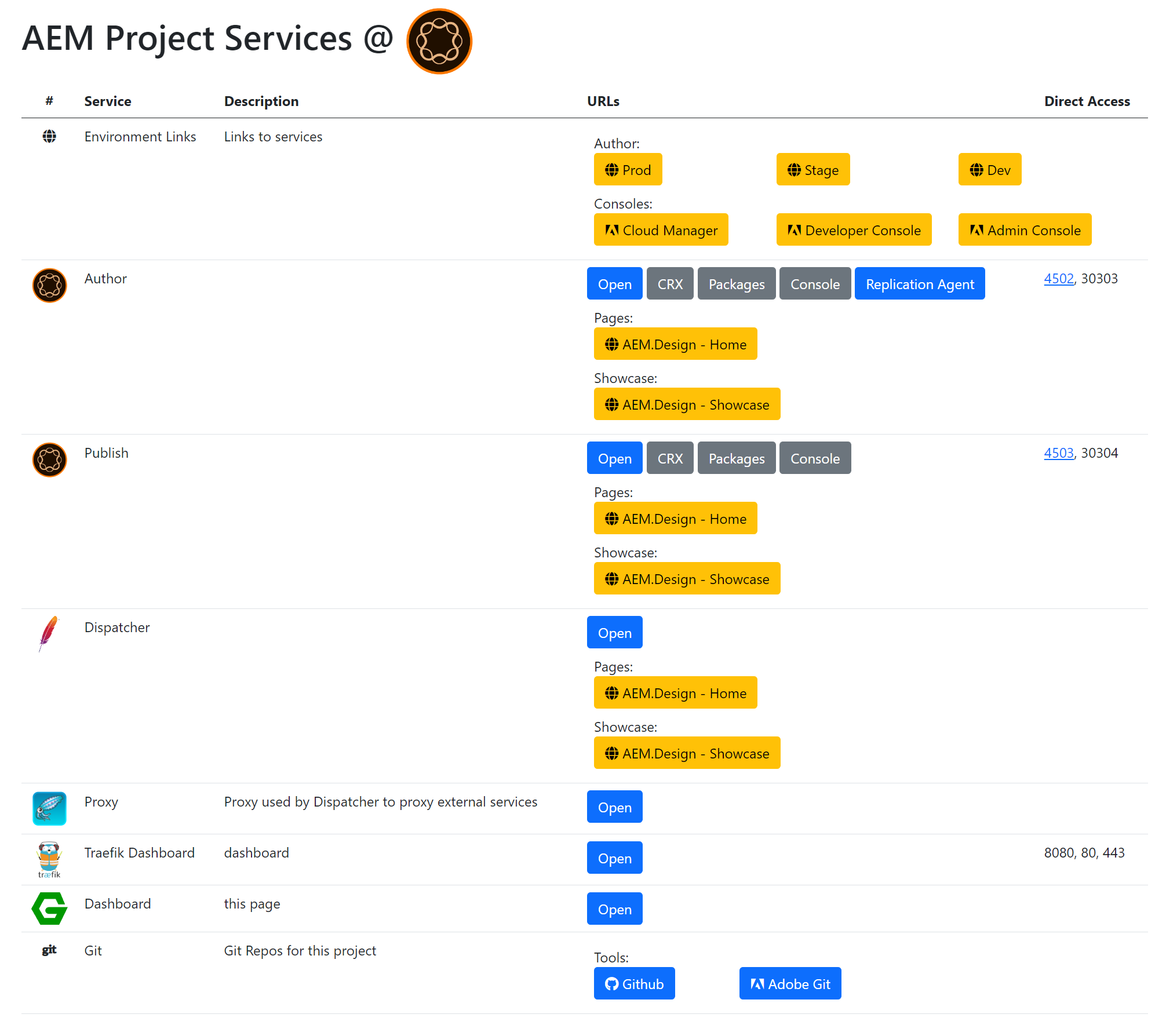
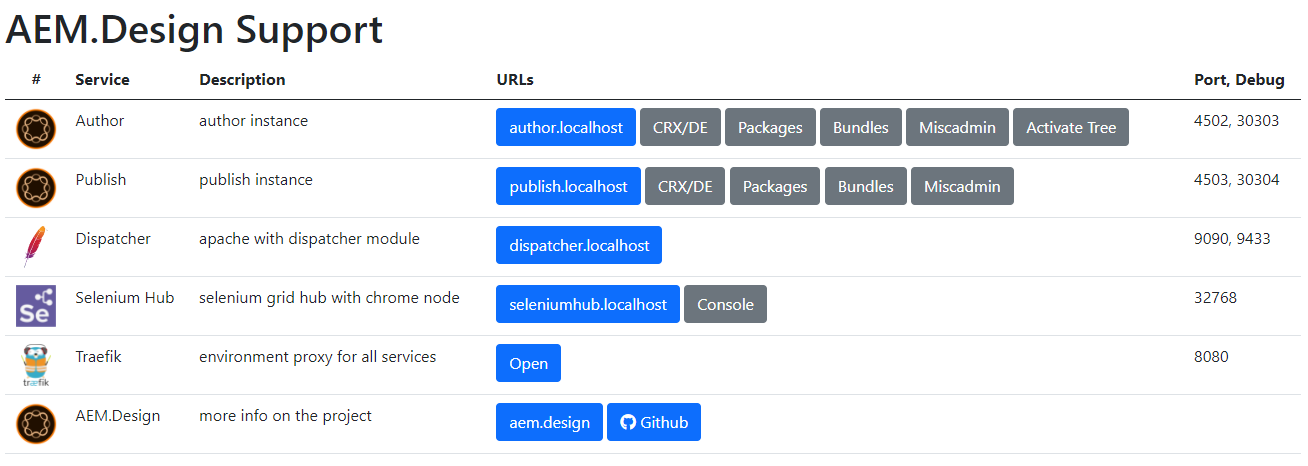
<p>To give you an idea of what this will look like, here is a screenshot of the dashboard page.</p>

<p><img src="/assets/images/aem-saas-like-a-champion/dashboard.png" alt="Dashboard" /></p>

<p>As you can see, this is a simple page that will allow you to navigate to all the services that we have set up. This will also allow you to add additional links as needed and have a single place to manage and share them with your team or remind yourself in not so distant future. To update this dashboard page, you will need to update the <code class="language-plaintext highlighter-rouge">./services/dashboard/content/index.md</code> file. This file is a markdown file, it’s used by Jekyll to generate the resulting HTML page that will be served by Nginx on <a href="https://dashboad.localhost">https://dashboad.localhost</a>.</p>

<h3 id="another-example">Another Example</h3>

<p>This guide is not focused on how to use the Jekyll site generator works, as you should be able to tap into its <a href="https://jekyllrb.com/">documentation site</a> for further help. This site is also built using Jekyll, so you can check what is possible using Jekyll in its repo <a href="https://github.com/aem-design/aem.design">https://github.com/aem-design/aem.design</a>.</p>

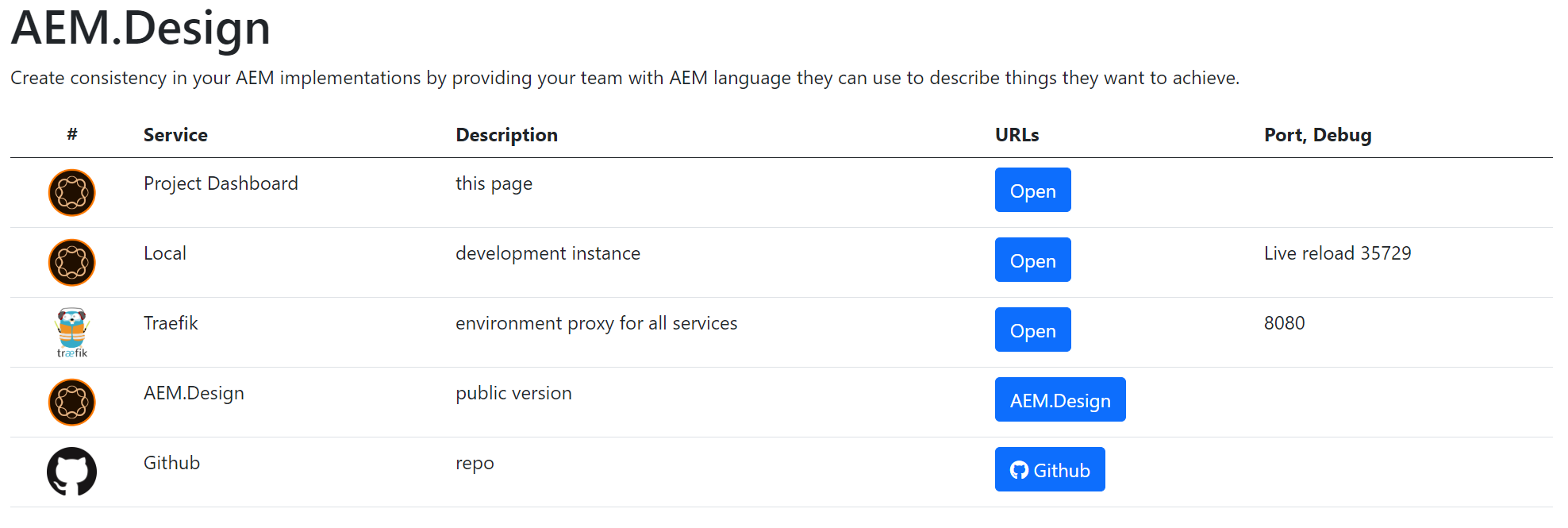
<p>You will also find that this dashboard pattern is implemented in this repo. Here is a screenshot of the dashboard page for this repo.</p>

<p><img src="/assets/images/aem-saas-like-a-champion/dashboard2.png" alt="Dashboard" /></p>

<p>So you can copy and apply this pattern to your other projects as well.</p>

<h3 id="conclusion">Conclusion</h3>

<p>I hope you will find this guide useful and will be able to apply it to your projects. This method persists all knowledge within the project repo with an elegant presentation of an alternative reality of a wild west of bookmarks and hidden confluence pages.</p>

<p>If you want to test out this setup for yourself, you can clone <a href="https://github.com/aem-design/aemdesign-project-services">aemdesign-project-services</a> repository and run the <code class="language-plaintext highlighter-rouge">./start.ps1</code> command to see it in action. This will start all the services and open the dashboard page at <code class="language-plaintext highlighter-rouge">https://dashboard.localhost</code>.</p>

<h3 id="thank-you">Thank you</h3>

<p>I hope you enjoyed this guide. If you have any questions or comments, feel free to contact me. I will be happy to help.</p>

<p>Let me know what you think and don’t forget to tell your friends.</p>]]></content><author><name>Max Barrass</name><email>max@aem.design</email><uri>https://maxbarrass.com</uri></author><category term="blog" /><category term="devops" /><category term="aem" /><category term="docker" /><category term="docker-compose" /><category term="best-practices" /><category term="windows" /><summary type="html"><![CDATA[Setup your AEM SaaS project like a champion with docker and docker-compose.]]></summary></entry><entry><title type="html">WebSight CMS Exclusive Preview</title><link href="https://aem.design/blog/2022/09/27/websight-cms-exclusive-preview" rel="alternate" type="text/html" title="WebSight CMS Exclusive Preview" /><published>2022-09-27T00:00:00+10:00</published><updated>2022-09-28T20:49:53+10:00</updated><id>https://aem.design/blog/2022/09/27/websight-cms-exclusive-preview</id><content type="html" xml:base="https://aem.design/blog/2022/09/27/websight-cms-exclusive-preview"><![CDATA[<h2 id="introduction">Introduction</h2>

<p>It is always a pleasure to be part of something new and upcoming. So when I was invited to be part of an exclusive preview of a soon-to-be-released open source <a href="https://www.websight.io/">WebSight CMS</a>, I could not resist.</p>

<p><img src="/assets/images/websight/Login.png" alt="success" /></p>

<p>I’ve been keeping an eye on new entrants to the Sling bases CMS for over a decade, and finally, <a href="https://www.websight.io/">WebSight CMS</a> has entered the space and bringing new capabilities to the table. Big shout out to the WebSight team and <a href="https://www.linkedin.com/in/michalcukierman/">Michał Cukierman</a> for working on this for several years and bringing an open-source offering to the community. You can check out the GitHub repo for the community version at  <a href="https://github.com/websight-io/starter">https://github.com/websight-io/starter</a>.</p>

<style>
    .image-gallery {overflow: auto; margin-left: -1%!important;}
    .image-gallery li {float: left; display: block; margin: 0 0 1% 1%; width: 19%;}
    .image-gallery li a {text-align: center; text-decoration: none!important; color: #777;}
    .image-gallery li a span {display: block; text-overflow: ellipsis; overflow: hidden; white-space: nowrap; padding: 3px 0;}
    .image-gallery li a img {width: 100%; display: block;}
</style>

<ul class="image-gallery">
    <li>
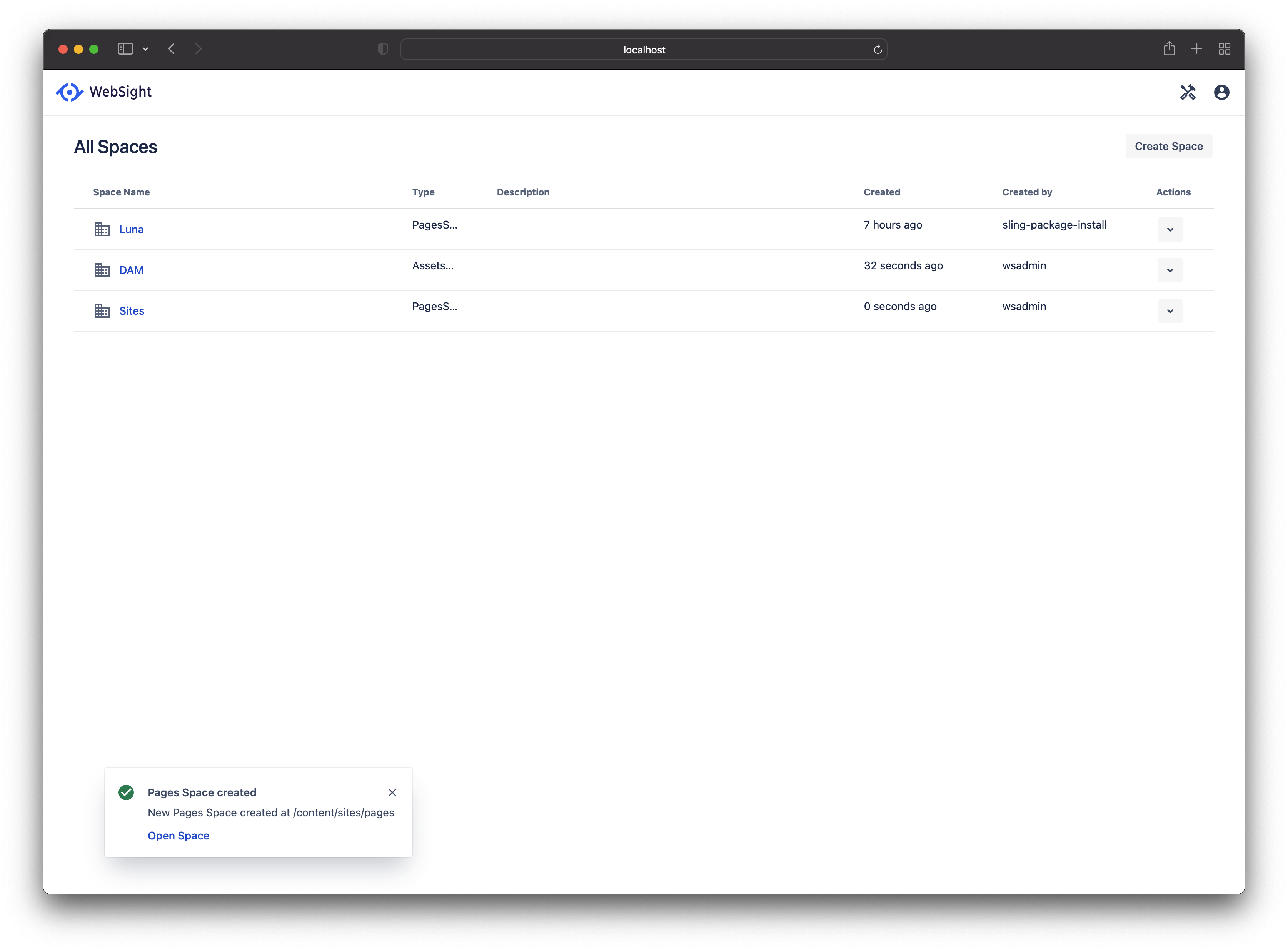
        <a href="/assets/images/websight/spaces/Spaces-Create-Properties.png" title="Spaces-Create-Properties"><img src="https://images.weserv.nl/?url=aem.design/assets/images/websight/spaces/Spaces-Create-Properties.png&amp;w=300&amp;h=300&amp;output=png&amp;q=50&amp;t=square" alt="Spaces-Create-Properties" title="Spaces-Create-Properties" /><span>Spaces-Create-Properties</span></a>
    </li>

    <li>
        <a href="/assets/images/websight/spaces/Spaces-Create-Template.png" title="Spaces-Create-Template"><img src="https://images.weserv.nl/?url=aem.design/assets/images/websight/spaces/Spaces-Create-Template.png&amp;w=300&amp;h=300&amp;output=png&amp;q=50&amp;t=square" alt="Spaces-Create-Template" title="Spaces-Create-Template" /><span>Spaces-Create-Template</span></a>
    </li>

    <li>
        <a href="/assets/images/websight/spaces/Spaces-Managment.png" title="Spaces-Managment"><img src="https://images.weserv.nl/?url=aem.design/assets/images/websight/spaces/Spaces-Managment.png&amp;w=300&amp;h=300&amp;output=png&amp;q=50&amp;t=square" alt="Spaces-Managment" title="Spaces-Managment" /><span>Spaces-Managment</span></a>
    </li>

    <li>
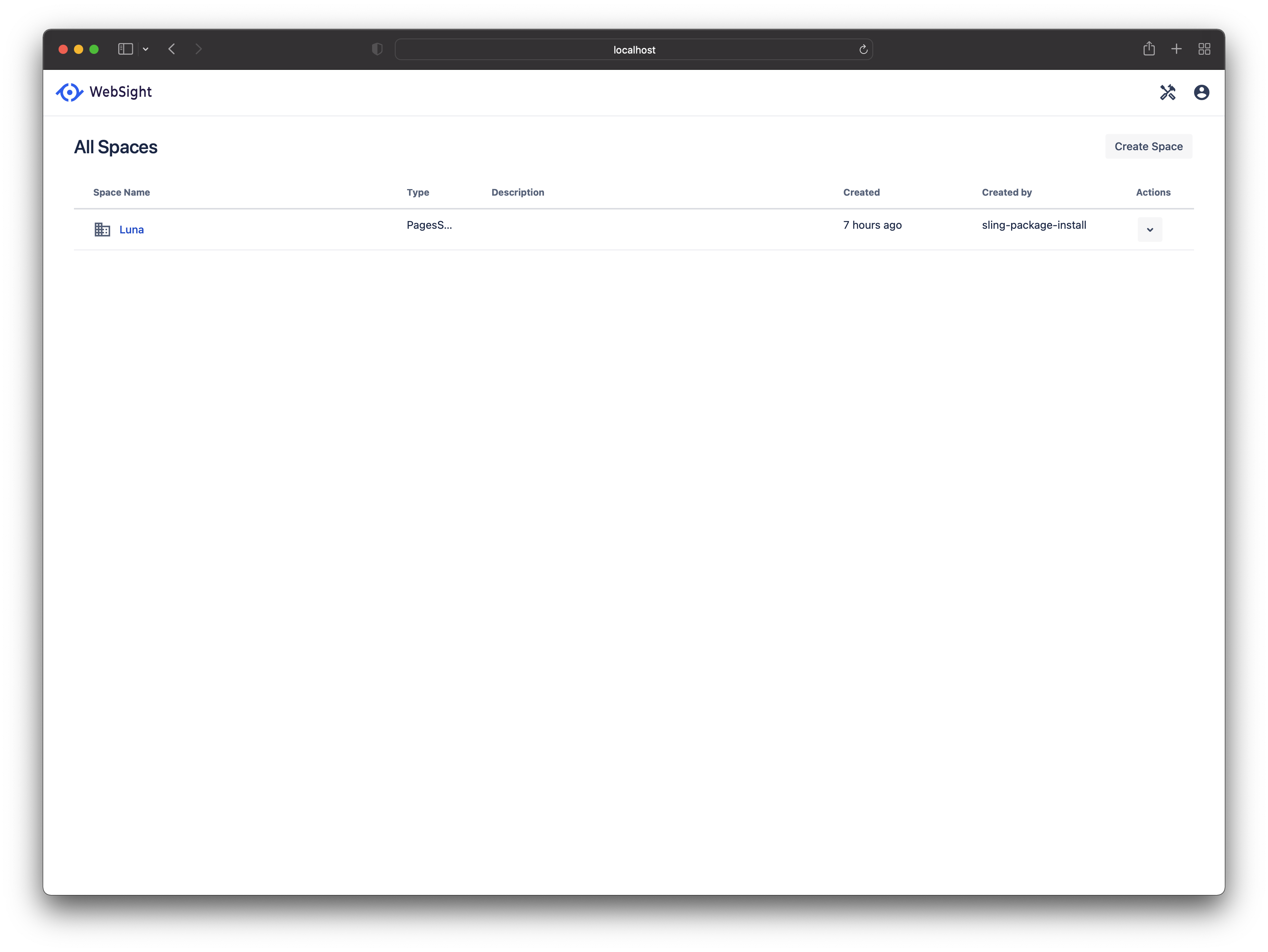
        <a href="/assets/images/websight/spaces/Spaces.png" title="Spaces"><img src="https://images.weserv.nl/?url=aem.design/assets/images/websight/spaces/Spaces.png&amp;w=300&amp;h=300&amp;output=png&amp;q=50&amp;t=square" alt="Spaces" title="Spaces" /><span>Spaces</span></a>
    </li>

</ul>

<h2 id="capabilities">Capabilities</h2>

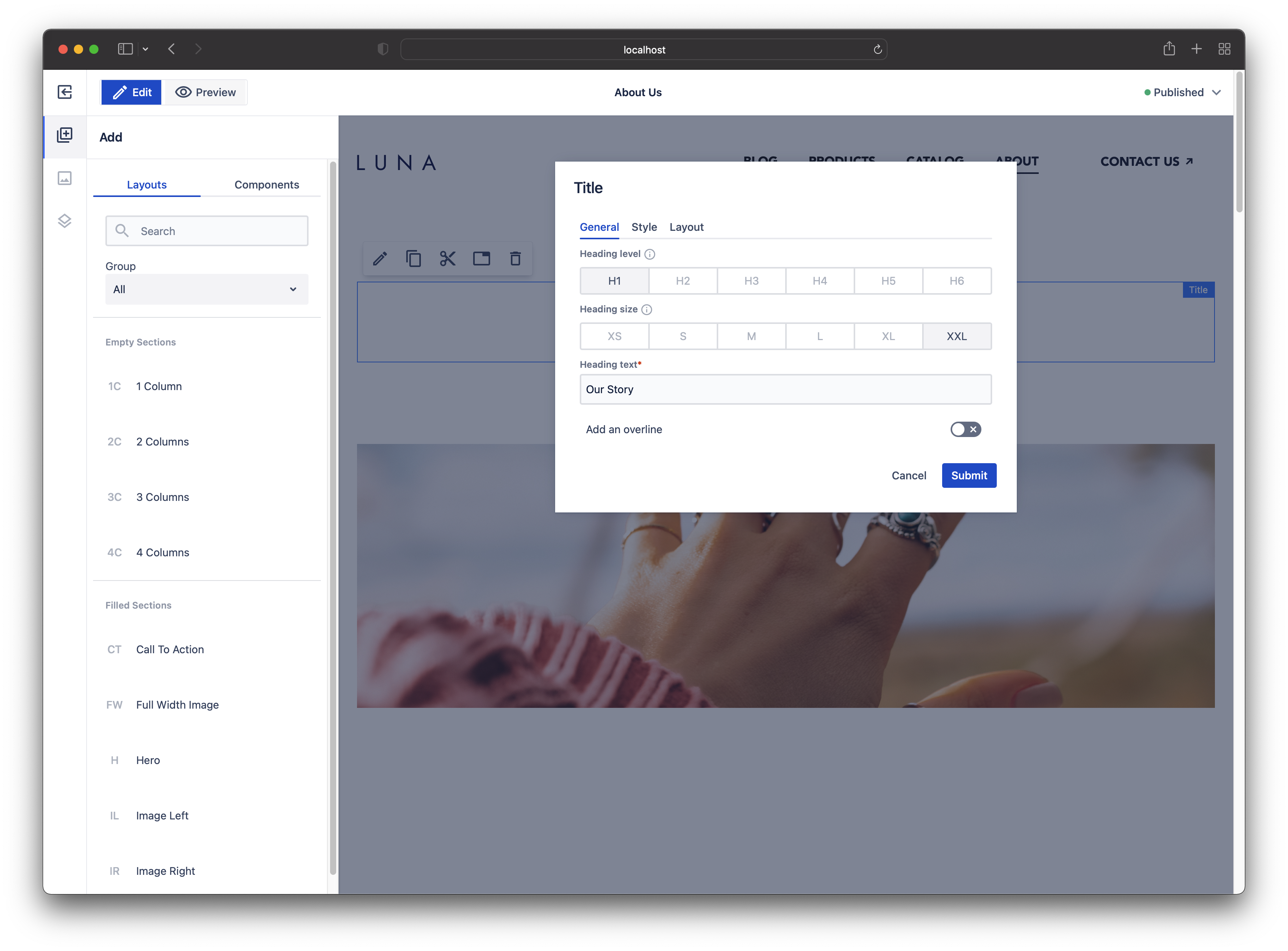
<p>These days the standard capabilities of CMS platforms are almost all but become feature complete. But there is still room for the cleanliness of experience and simplicity to be attained for the average author. This is where WebSight is making its play. Instead of going out and trying to reinvent how a great Enterprise CMS platform should not be built, it leverages the proven pattern that allows the team at WebSight to focus on Author experience and enterprise features that make a difference.</p>

<p>WebSight CMS has hit the ground running by leveraging the same stack as Adobe AEM, Apache Sling CMS and Peregrine CMS, to name a few. Leveraging technology is one thing, but WebSigh CMS’s team has the contenders covered in terms of author user experience.</p>

<p><img src="/assets/images/websight/page-editor/Page-Editor.png" alt="success" /></p>

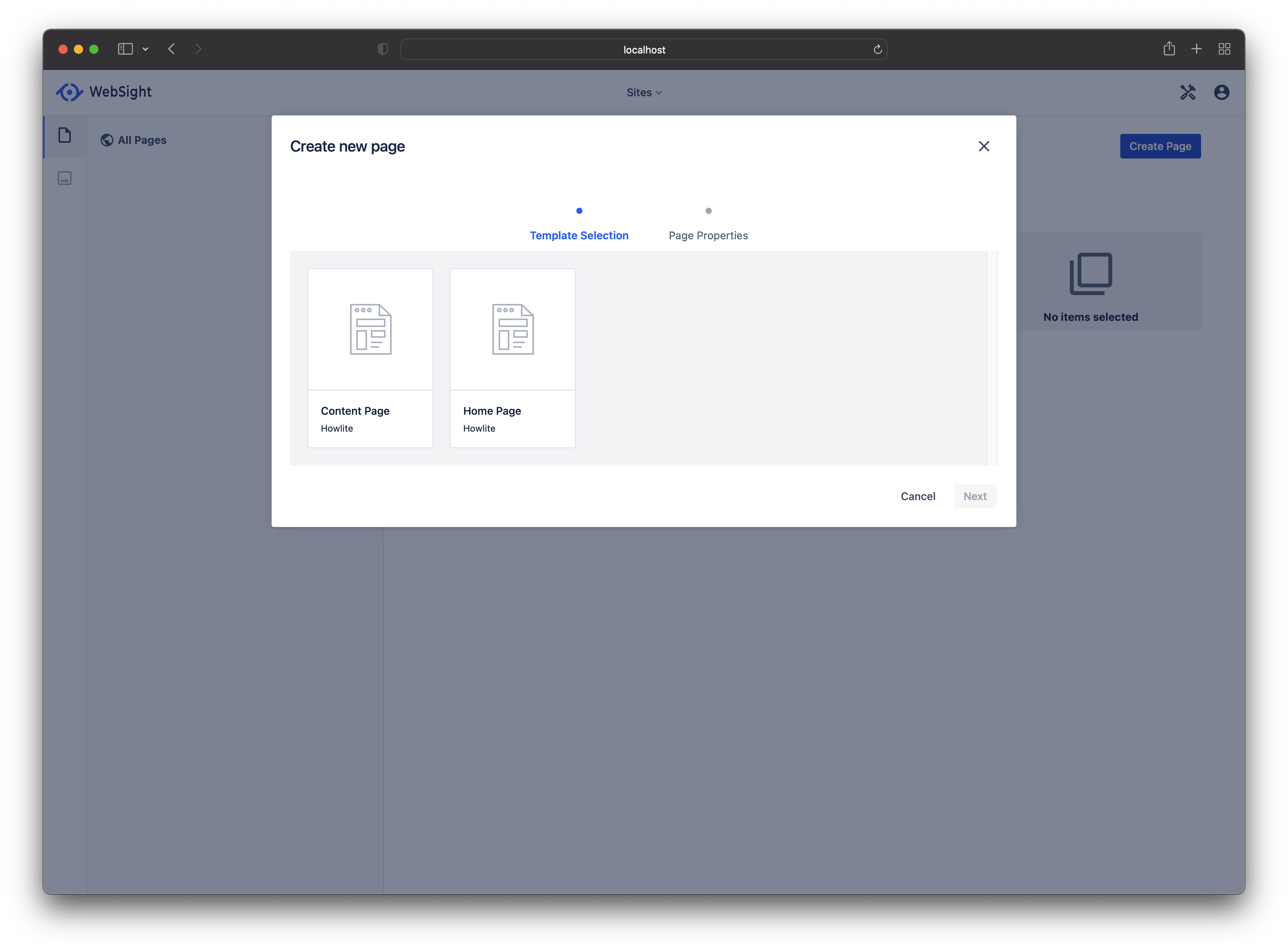
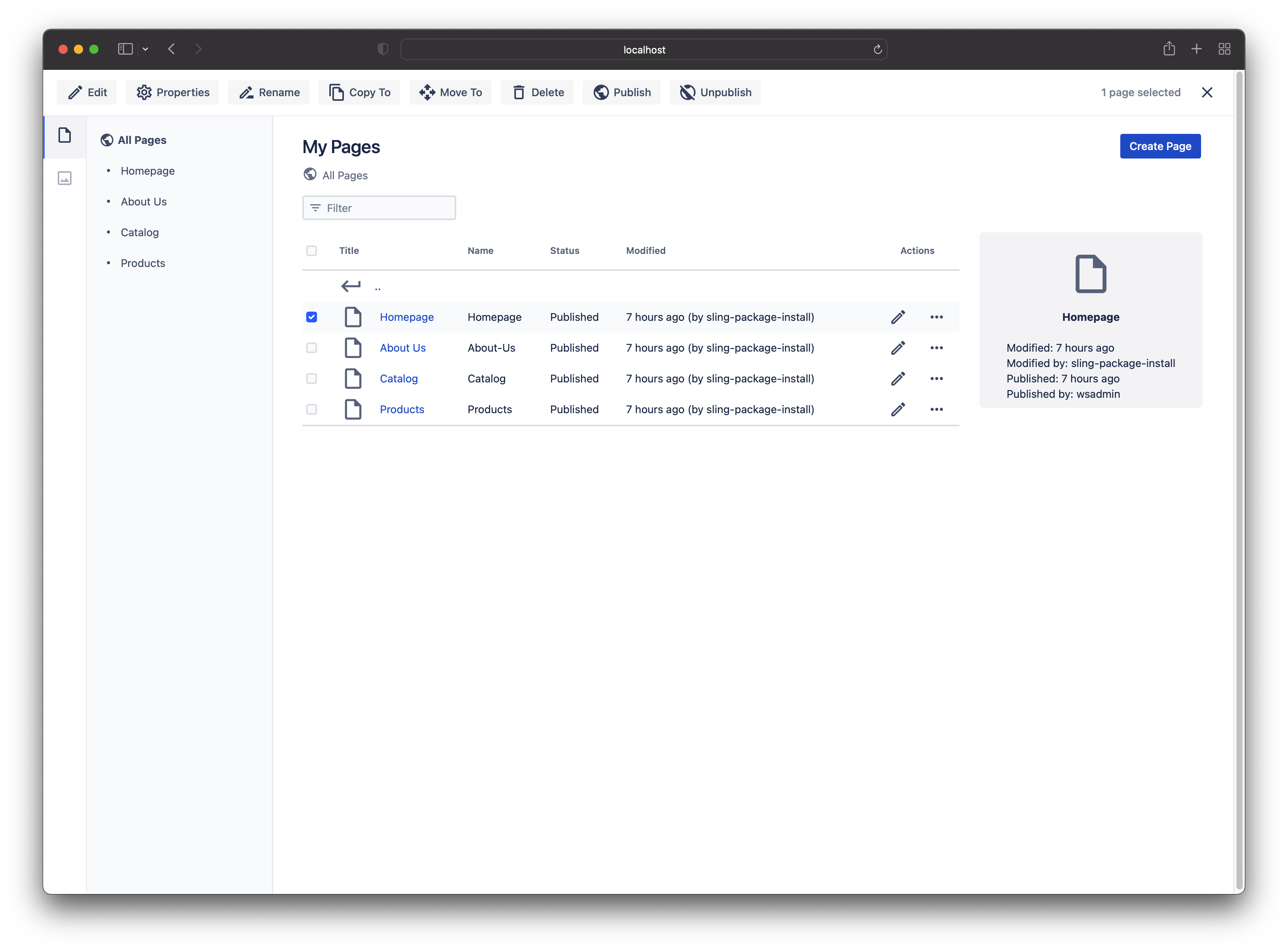
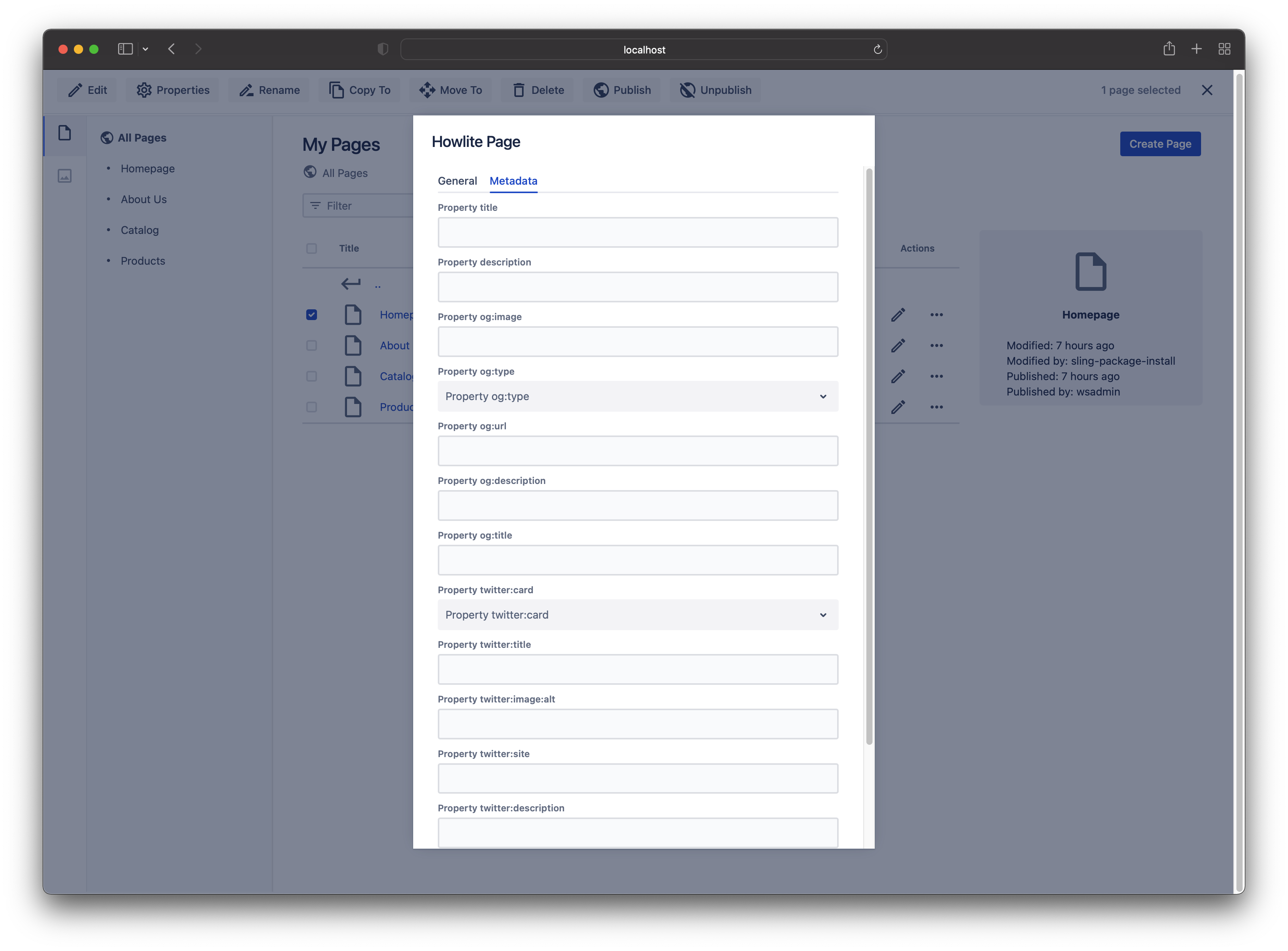
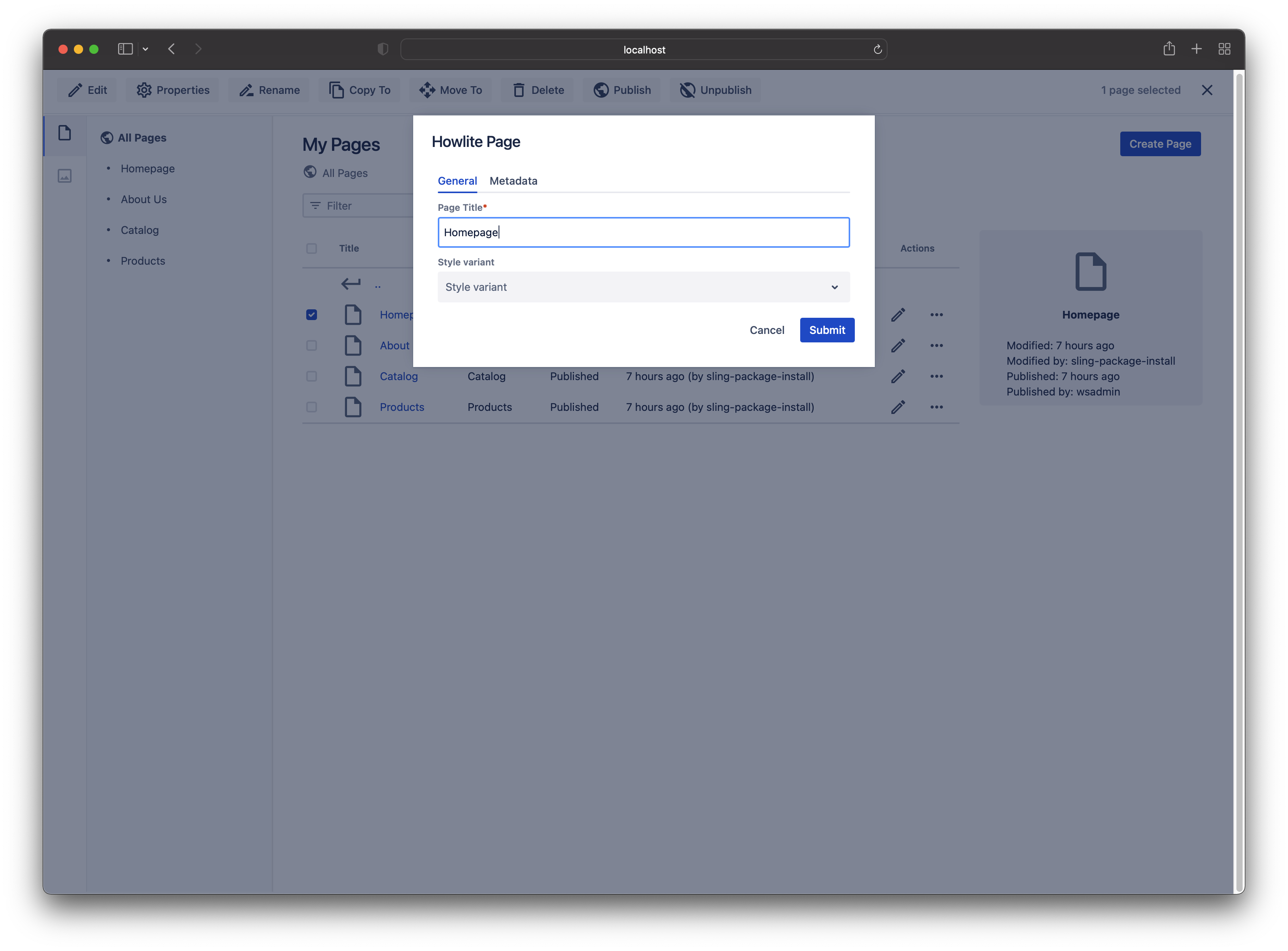
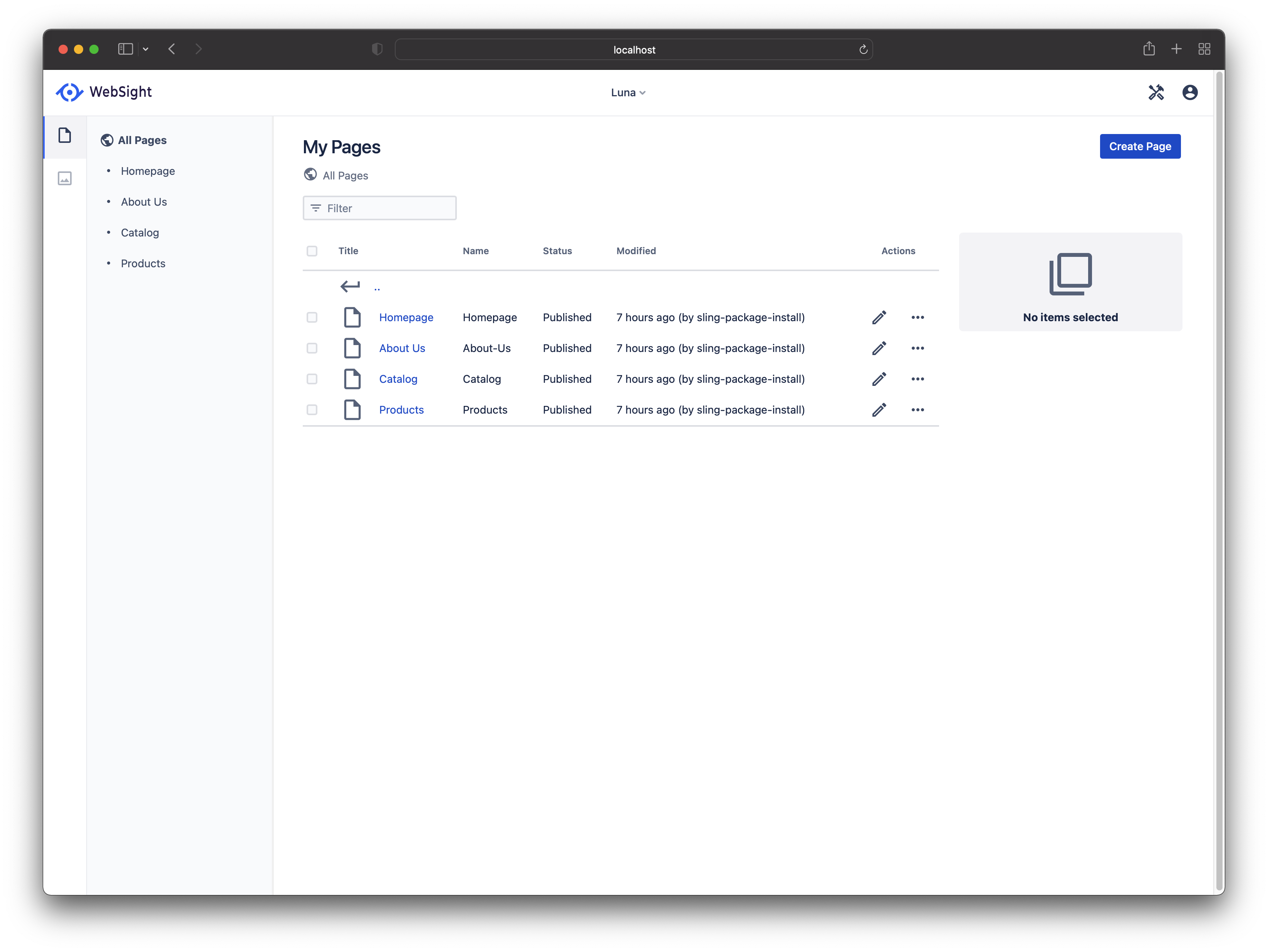
<p>WebSigh CMS covers the following pillars Sling CMS users expect:
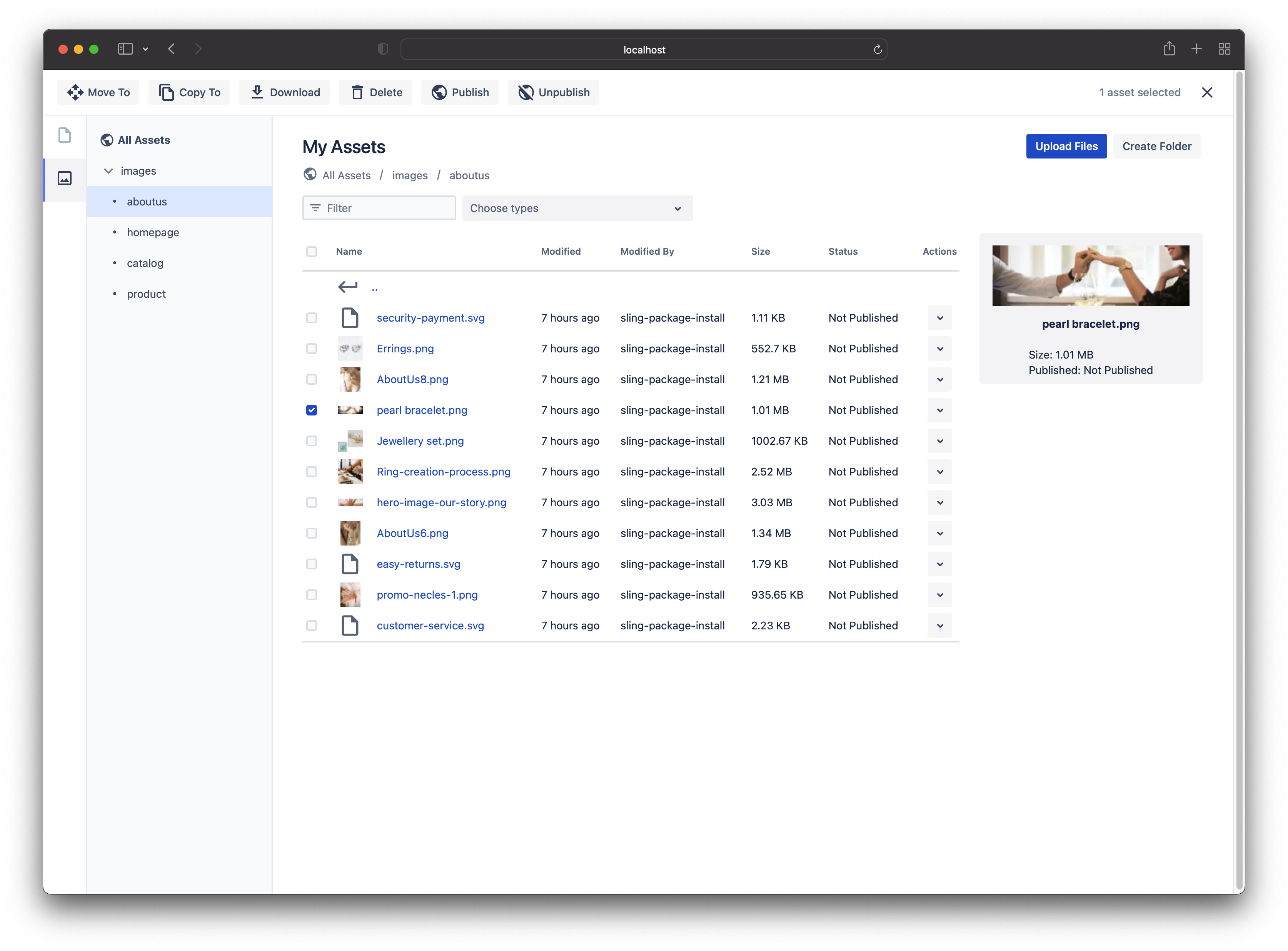
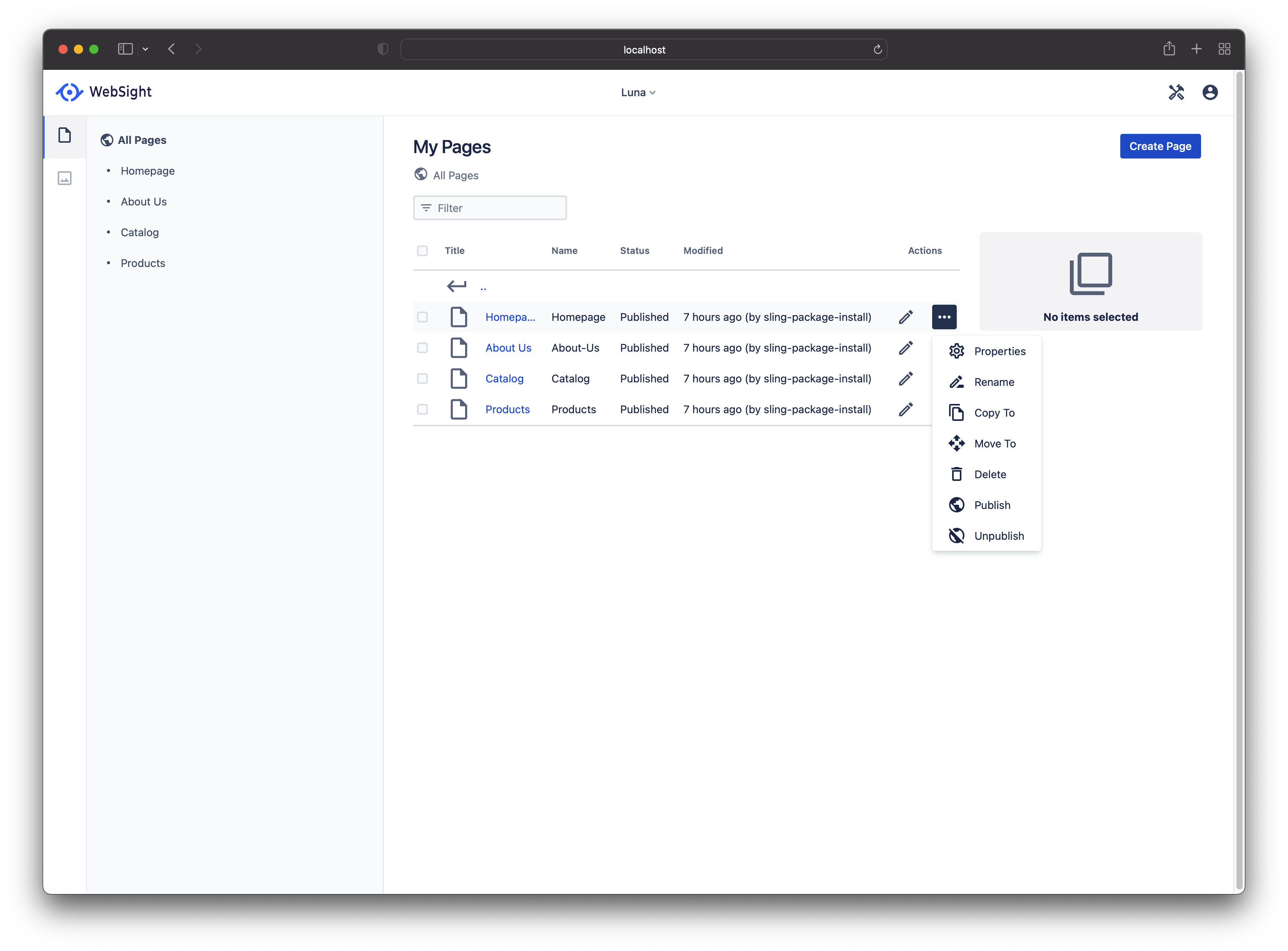
Spaces - for managing sites
Pages - author site hierarchy and edit pages
Assets - manage assets</p>

<style>
    .image-gallery {overflow: auto; margin-left: -1%!important;}
    .image-gallery li {float: left; display: block; margin: 0 0 1% 1%; width: 19%;}
    .image-gallery li a {text-align: center; text-decoration: none!important; color: #777;}
    .image-gallery li a span {display: block; text-overflow: ellipsis; overflow: hidden; white-space: nowrap; padding: 3px 0;}
    .image-gallery li a img {width: 100%; display: block;}
</style>

<ul class="image-gallery">
    <li>
        <a href="/assets/images/websight/pages-and-assets/Assets.png" title="Assets"><img src="https://images.weserv.nl/?url=aem.design/assets/images/websight/pages-and-assets/Assets.png&amp;w=300&amp;h=300&amp;output=png&amp;q=50&amp;t=square" alt="Assets" title="Assets" /><span>Assets</span></a>
    </li>

    <li>
        <a href="/assets/images/websight/pages-and-assets/Page-Actions-Page.png" title="Page-Actions-Page"><img src="https://images.weserv.nl/?url=aem.design/assets/images/websight/pages-and-assets/Page-Actions-Page.png&amp;w=300&amp;h=300&amp;output=png&amp;q=50&amp;t=square" alt="Page-Actions-Page" title="Page-Actions-Page" /><span>Page-Actions-Page</span></a>
    </li>

    <li>
        <a href="/assets/images/websight/pages-and-assets/Page-Actions-Selection.png" title="Page-Actions-Selection"><img src="https://images.weserv.nl/?url=aem.design/assets/images/websight/pages-and-assets/Page-Actions-Selection.png&amp;w=300&amp;h=300&amp;output=png&amp;q=50&amp;t=square" alt="Page-Actions-Selection" title="Page-Actions-Selection" /><span>Page-Actions-Selection</span></a>
    </li>

    <li>
        <a href="/assets/images/websight/pages-and-assets/Page-Metadata.png" title="Page-Metadata"><img src="https://images.weserv.nl/?url=aem.design/assets/images/websight/pages-and-assets/Page-Metadata.png&amp;w=300&amp;h=300&amp;output=png&amp;q=50&amp;t=square" alt="Page-Metadata" title="Page-Metadata" /><span>Page-Metadata</span></a>
    </li>

    <li>
        <a href="/assets/images/websight/pages-and-assets/Page-Properties.png" title="Page-Properties"><img src="https://images.weserv.nl/?url=aem.design/assets/images/websight/pages-and-assets/Page-Properties.png&amp;w=300&amp;h=300&amp;output=png&amp;q=50&amp;t=square" alt="Page-Properties" title="Page-Properties" /><span>Page-Properties</span></a>
    </li>

    <li>
        <a href="/assets/images/websight/pages-and-assets/Pages.png" title="Pages"><img src="https://images.weserv.nl/?url=aem.design/assets/images/websight/pages-and-assets/Pages.png&amp;w=300&amp;h=300&amp;output=png&amp;q=50&amp;t=square" alt="Pages" title="Pages" /><span>Pages</span></a>
    </li>

</ul>

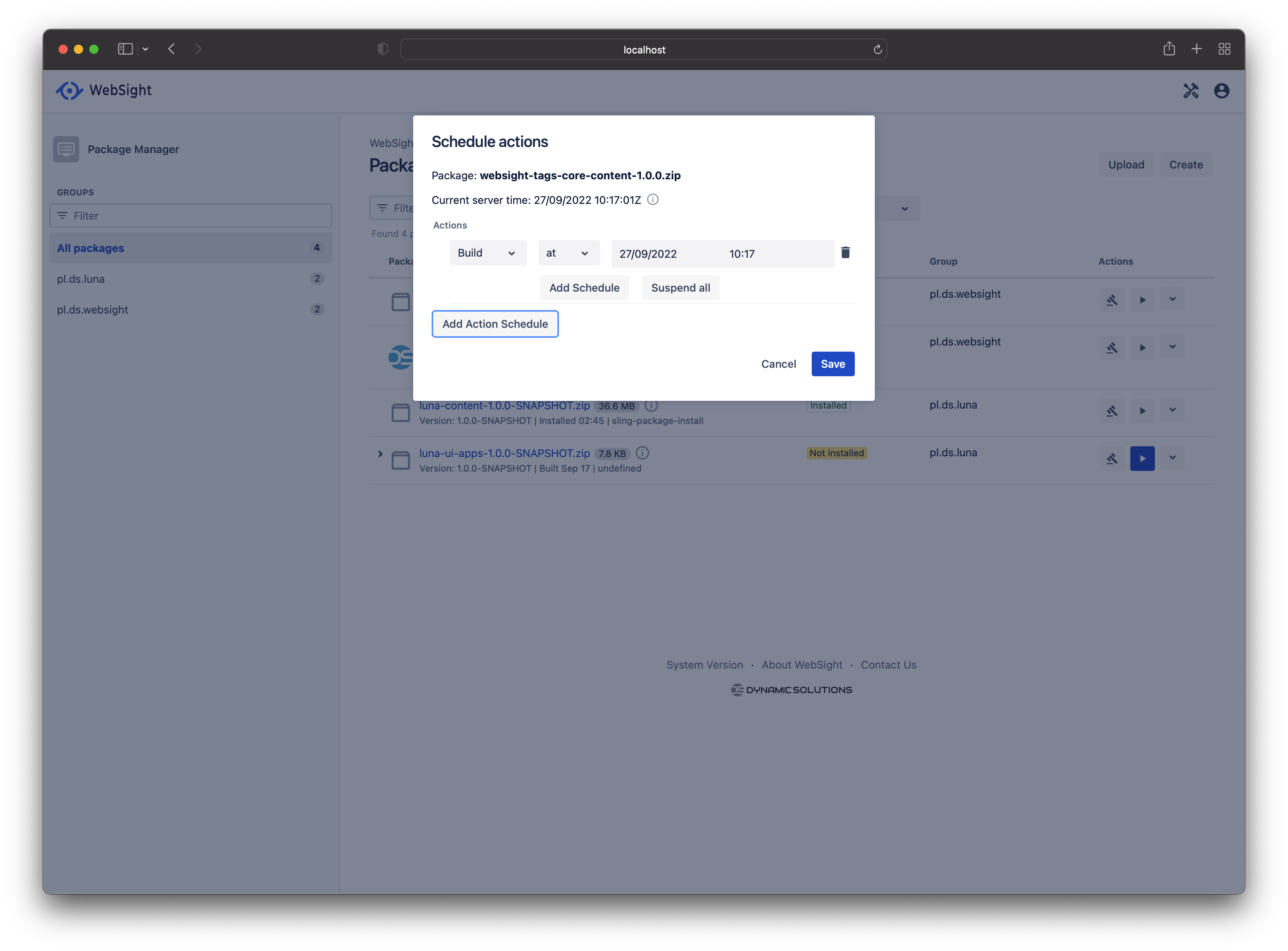
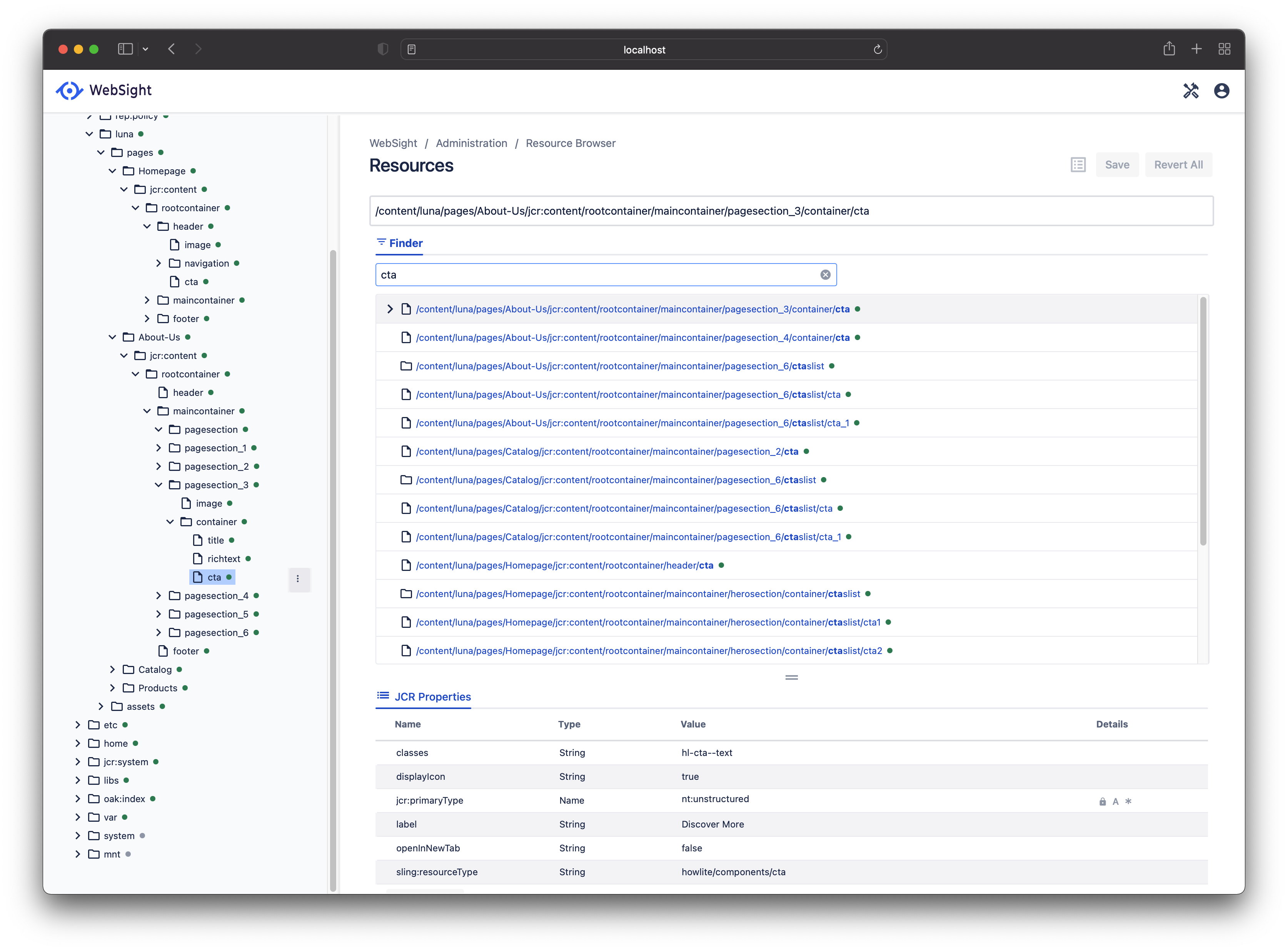
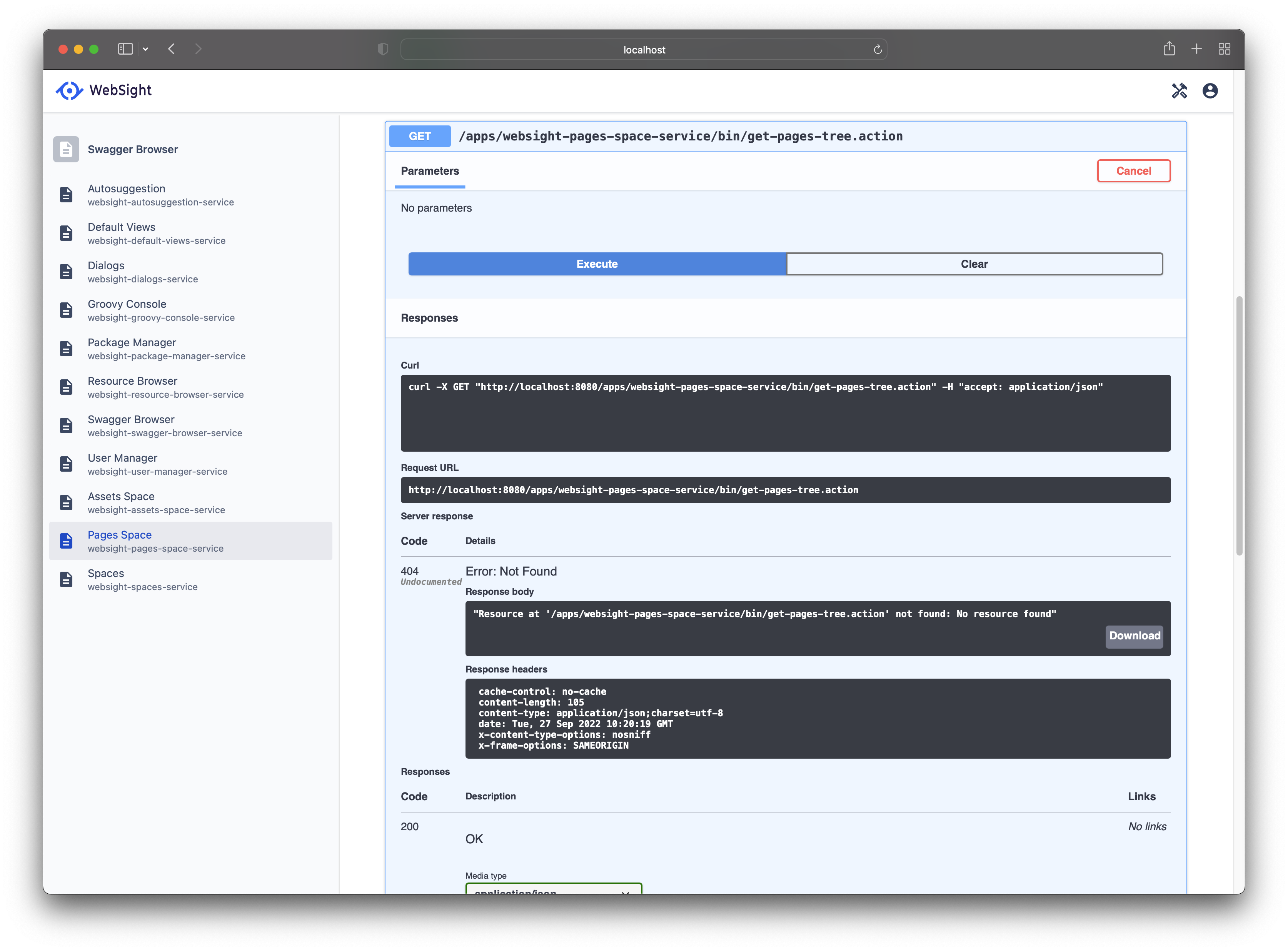
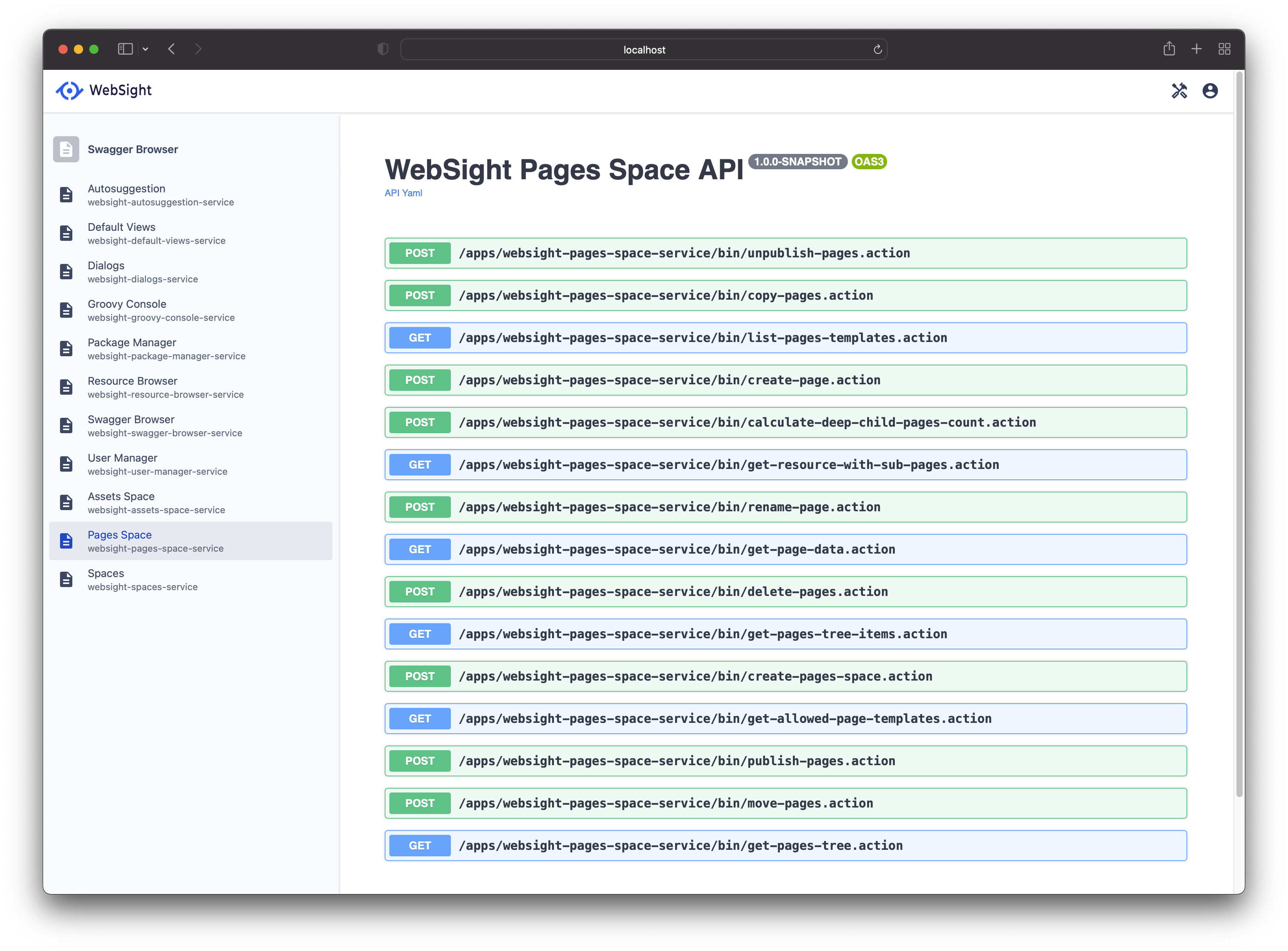
<p>Additionally, there are several administrative functions that allow management of Content, Users and Groups, and other admin tools that allow performing administrative tasks to meet many needs:
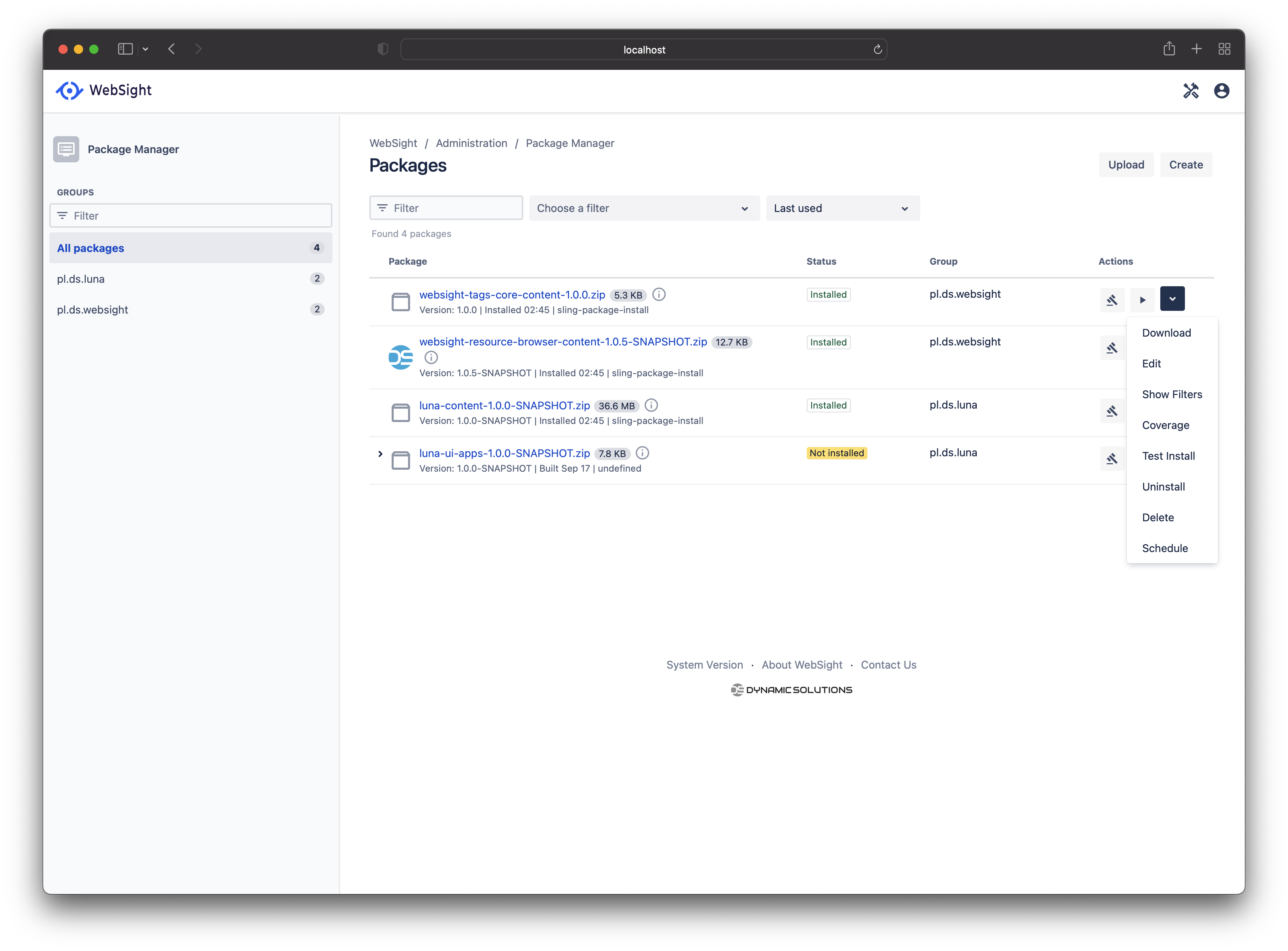
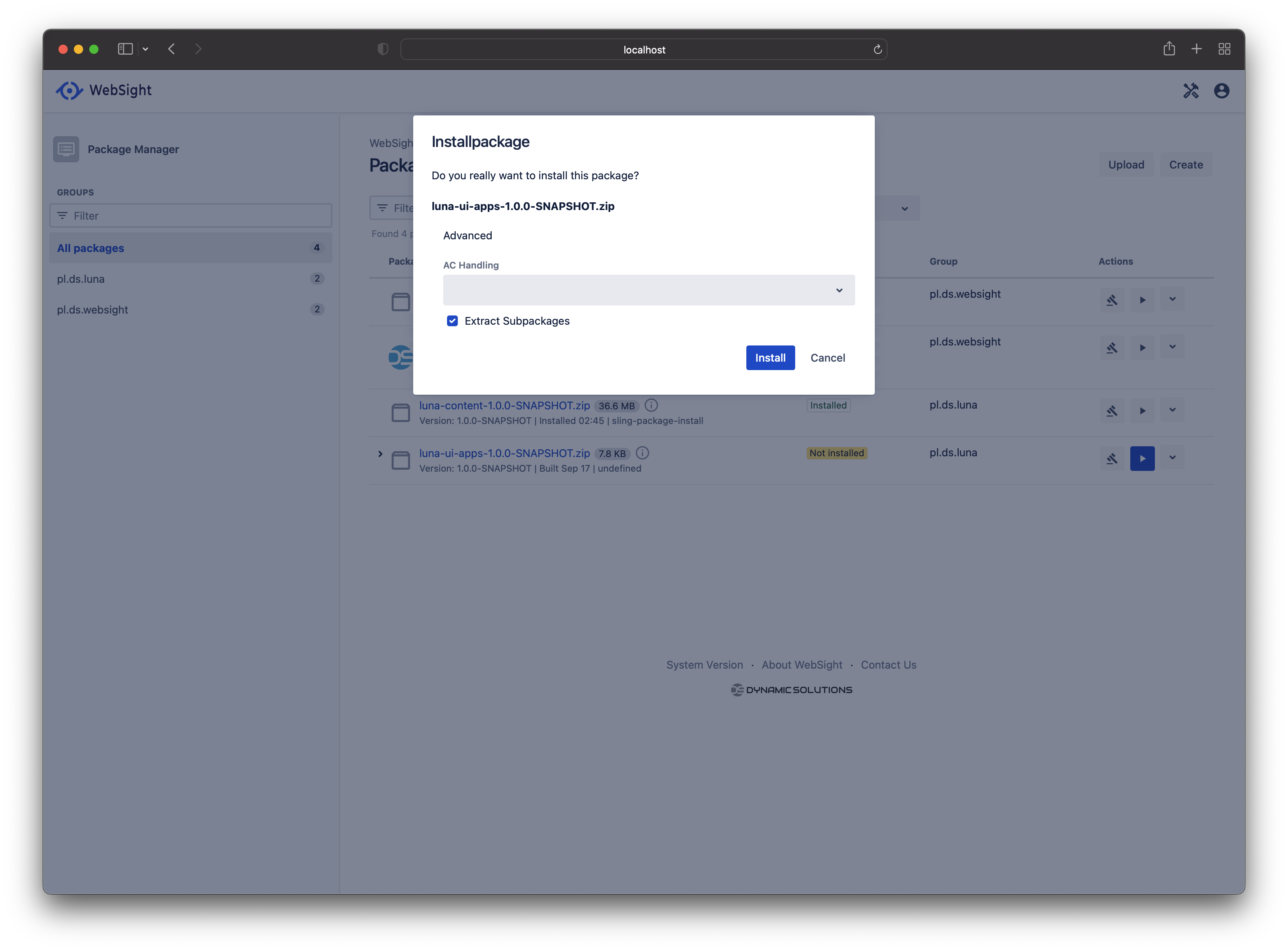
Packages - manage packages (Package manager for AEM users)
Resource Browser (CRX/DE for AEM users)
User Management
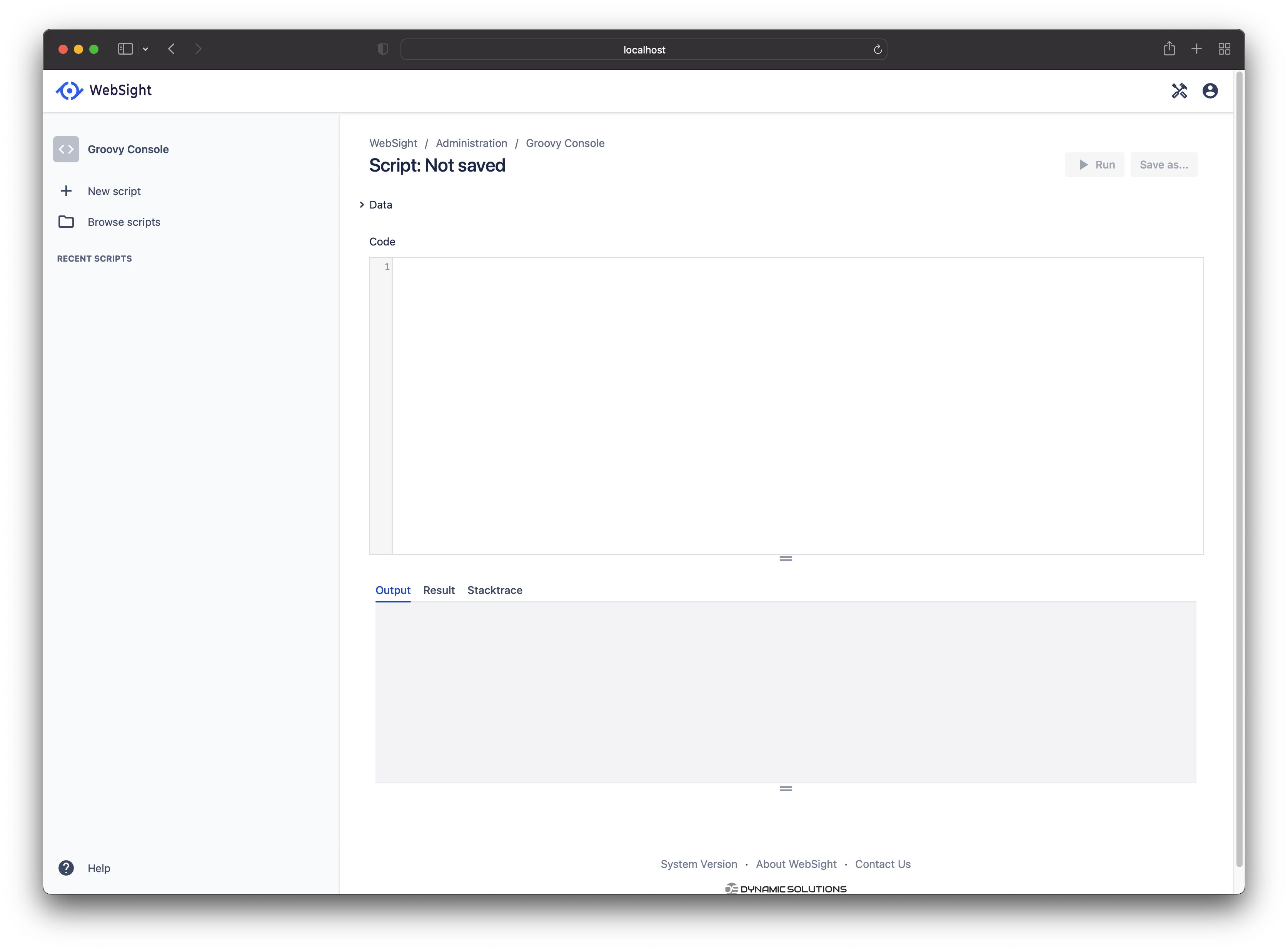
Groovy Console - great OOTB addition allowing you to do just about anything in the backend.
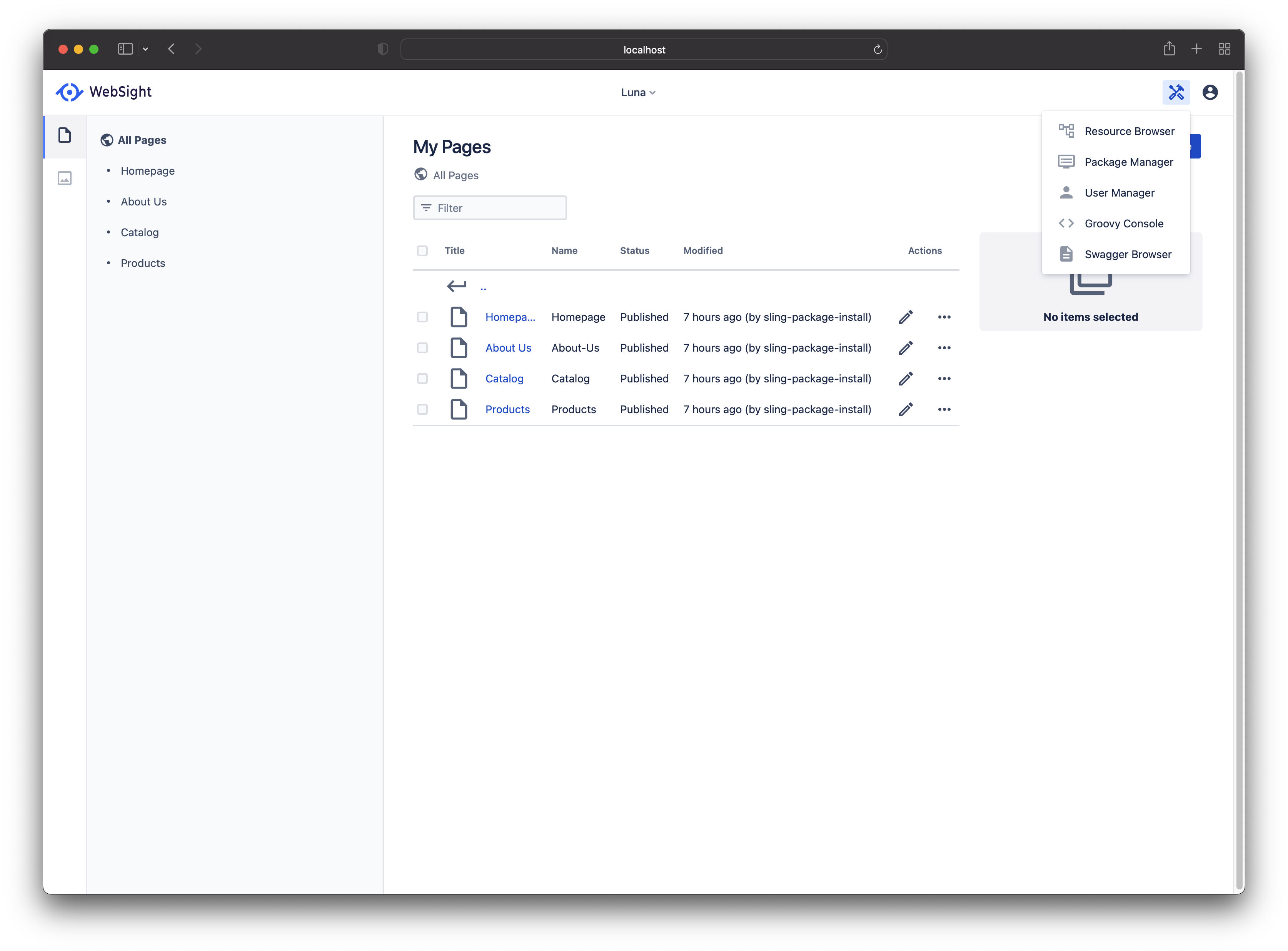
Swagger Browser - amazing to see this as OOTB as it greatly streamlines any UI extension development, where you need to guess and reverse engineer this in other platforms.</p>

<style>
    .image-gallery {overflow: auto; margin-left: -1%!important;}
    .image-gallery li {float: left; display: block; margin: 0 0 1% 1%; width: 19%;}
    .image-gallery li a {text-align: center; text-decoration: none!important; color: #777;}
    .image-gallery li a span {display: block; text-overflow: ellipsis; overflow: hidden; white-space: nowrap; padding: 3px 0;}
    .image-gallery li a img {width: 100%; display: block;}
</style>

<ul class="image-gallery">
    <li>
        <a href="/assets/images/websight/admin/Admin-Functions.png" title="Admin-Functions"><img src="https://images.weserv.nl/?url=aem.design/assets/images/websight/admin/Admin-Functions.png&amp;w=300&amp;h=300&amp;output=png&amp;q=50&amp;t=square" alt="Admin-Functions" title="Admin-Functions" /><span>Admin-Functions</span></a>
    </li>

    <li>
        <a href="/assets/images/websight/admin/Groovy-Console.png" title="Groovy-Console"><img src="https://images.weserv.nl/?url=aem.design/assets/images/websight/admin/Groovy-Console.png&amp;w=300&amp;h=300&amp;output=png&amp;q=50&amp;t=square" alt="Groovy-Console" title="Groovy-Console" /><span>Groovy-Console</span></a>
    </li>

    <li>
        <a href="/assets/images/websight/admin/Package-Manager-Package-Actions.png" title="Package-Manager-Package-Actions"><img src="https://images.weserv.nl/?url=aem.design/assets/images/websight/admin/Package-Manager-Package-Actions.png&amp;w=300&amp;h=300&amp;output=png&amp;q=50&amp;t=square" alt="Package-Manager-Package-Actions" title="Package-Manager-Package-Actions" /><span>Package-Manager-Package-Actions</span></a>
    </li>

    <li>
        <a href="/assets/images/websight/admin/Package-Manager-Package-Install-Dialog.png" title="Package-Manager-Package-Install-Dialog"><img src="https://images.weserv.nl/?url=aem.design/assets/images/websight/admin/Package-Manager-Package-Install-Dialog.png&amp;w=300&amp;h=300&amp;output=png&amp;q=50&amp;t=square" alt="Package-Manager-Package-Install-Dialog" title="Package-Manager-Package-Install-Dialog" /><span>Package-Manager-Package-Install-Dialog</span></a>
    </li>

    <li>
        <a href="/assets/images/websight/admin/Package-Manager-Package-Schedule-Actions.png" title="Package-Manager-Package-Schedule-Actions"><img src="https://images.weserv.nl/?url=aem.design/assets/images/websight/admin/Package-Manager-Package-Schedule-Actions.png&amp;w=300&amp;h=300&amp;output=png&amp;q=50&amp;t=square" alt="Package-Manager-Package-Schedule-Actions" title="Package-Manager-Package-Schedule-Actions" /><span>Package-Manager-Package-Schedule-Actions</span></a>
    </li>

    <li>
        <a href="/assets/images/websight/admin/Package-Manager-Package-Schedule.png" title="Package-Manager-Package-Schedule"><img src="https://images.weserv.nl/?url=aem.design/assets/images/websight/admin/Package-Manager-Package-Schedule.png&amp;w=300&amp;h=300&amp;output=png&amp;q=50&amp;t=square" alt="Package-Manager-Package-Schedule" title="Package-Manager-Package-Schedule" /><span>Package-Manager-Package-Schedule</span></a>
    </li>

    <li>
        <a href="/assets/images/websight/admin/Package-Manager.png" title="Package-Manager"><img src="https://images.weserv.nl/?url=aem.design/assets/images/websight/admin/Package-Manager.png&amp;w=300&amp;h=300&amp;output=png&amp;q=50&amp;t=square" alt="Package-Manager" title="Package-Manager" /><span>Package-Manager</span></a>
    </li>

    <li>
        <a href="/assets/images/websight/admin/Resource-Browser.png" title="Resource-Browser"><img src="https://images.weserv.nl/?url=aem.design/assets/images/websight/admin/Resource-Browser.png&amp;w=300&amp;h=300&amp;output=png&amp;q=50&amp;t=square" alt="Resource-Browser" title="Resource-Browser" /><span>Resource-Browser</span></a>
    </li>

    <li>
        <a href="/assets/images/websight/admin/Swagger-Browser-Execute.png" title="Swagger-Browser-Execute"><img src="https://images.weserv.nl/?url=aem.design/assets/images/websight/admin/Swagger-Browser-Execute.png&amp;w=300&amp;h=300&amp;output=png&amp;q=50&amp;t=square" alt="Swagger-Browser-Execute" title="Swagger-Browser-Execute" /><span>Swagger-Browser-Execute</span></a>
    </li>

    <li>
        <a href="/assets/images/websight/admin/Swagger-Browser.png" title="Swagger-Browser"><img src="https://images.weserv.nl/?url=aem.design/assets/images/websight/admin/Swagger-Browser.png&amp;w=300&amp;h=300&amp;output=png&amp;q=50&amp;t=square" alt="Swagger-Browser" title="Swagger-Browser" /><span>Swagger-Browser</span></a>
    </li>

    <li>
        <a href="/assets/images/websight/admin/User-Manager-User-Edit.png" title="User-Manager-User-Edit"><img src="https://images.weserv.nl/?url=aem.design/assets/images/websight/admin/User-Manager-User-Edit.png&amp;w=300&amp;h=300&amp;output=png&amp;q=50&amp;t=square" alt="User-Manager-User-Edit" title="User-Manager-User-Edit" /><span>User-Manager-User-Edit</span></a>
    </li>

    <li>
        <a href="/assets/images/websight/admin/User-Manager.png" title="User-Manager"><img src="https://images.weserv.nl/?url=aem.design/assets/images/websight/admin/User-Manager.png&amp;w=300&amp;h=300&amp;output=png&amp;q=50&amp;t=square" alt="User-Manager" title="User-Manager" /><span>User-Manager</span></a>
    </li>

</ul>

<h2 id="undercovers">Undercovers</h2>

<p>Undercovers WebSight CMS runs on Apache Sling stack but uses Mongo OOTB and a welcome NGINX replacement for Apache/Dispatcher combo. It’s fantastic to see a native docker setup; docker has been a must for any project for the last ten years, and it’s a great step towards adoption as it removes all barriers to getting started.</p>

<style>
    .image-gallery {overflow: auto; margin-left: -1%!important;}
    .image-gallery li {float: left; display: block; margin: 0 0 1% 1%; width: 19%;}
    .image-gallery li a {text-align: center; text-decoration: none!important; color: #777;}
    .image-gallery li a span {display: block; text-overflow: ellipsis; overflow: hidden; white-space: nowrap; padding: 3px 0;}
    .image-gallery li a img {width: 100%; display: block;}
</style>

<ul class="image-gallery">
    <li>
        <a href="/assets/images/websight/undercovers/Felix-Console.png" title="Felix-Console"><img src="https://images.weserv.nl/?url=aem.design/assets/images/websight/undercovers/Felix-Console.png&amp;w=300&amp;h=300&amp;output=png&amp;q=50&amp;t=square" alt="Felix-Console" title="Felix-Console" /><span>Felix-Console</span></a>
    </li>

    <li>
        <a href="/assets/images/websight/undercovers/UnderCovers.png" title="UnderCovers"><img src="https://images.weserv.nl/?url=aem.design/assets/images/websight/undercovers/UnderCovers.png&amp;w=300&amp;h=300&amp;output=png&amp;q=50&amp;t=square" alt="UnderCovers" title="UnderCovers" /><span>UnderCovers</span></a>
    </li>

</ul>

<h2 id="page-authoring">Page Authoring</h2>

<p>As a deep AEM user, I deeply respect the inspiration from Adobe AEM experience with the number of authoring features that are a must for my authoring needs.</p>

<style>
    .image-gallery {overflow: auto; margin-left: -1%!important;}
    .image-gallery li {float: left; display: block; margin: 0 0 1% 1%; width: 19%;}
    .image-gallery li a {text-align: center; text-decoration: none!important; color: #777;}
    .image-gallery li a span {display: block; text-overflow: ellipsis; overflow: hidden; white-space: nowrap; padding: 3px 0;}
    .image-gallery li a img {width: 100%; display: block;}
</style>

<ul class="image-gallery">
    <li>
        <a href="/assets/images/websight/page-editor/Page-Editor-Assets.png" title="Page-Editor-Assets"><img src="https://images.weserv.nl/?url=aem.design/assets/images/websight/page-editor/Page-Editor-Assets.png&amp;w=300&amp;h=300&amp;output=png&amp;q=50&amp;t=square" alt="Page-Editor-Assets" title="Page-Editor-Assets" /><span>Page-Editor-Assets</span></a>
    </li>

    <li>
        <a href="/assets/images/websight/page-editor/Page-Editor-Component-Actions.png" title="Page-Editor-Component-Actions"><img src="https://images.weserv.nl/?url=aem.design/assets/images/websight/page-editor/Page-Editor-Component-Actions.png&amp;w=300&amp;h=300&amp;output=png&amp;q=50&amp;t=square" alt="Page-Editor-Component-Actions" title="Page-Editor-Component-Actions" /><span>Page-Editor-Component-Actions</span></a>
    </li>

    <li>
        <a href="/assets/images/websight/page-editor/Page-Editor-Component-Dialog.png" title="Page-Editor-Component-Dialog"><img src="https://images.weserv.nl/?url=aem.design/assets/images/websight/page-editor/Page-Editor-Component-Dialog.png&amp;w=300&amp;h=300&amp;output=png&amp;q=50&amp;t=square" alt="Page-Editor-Component-Dialog" title="Page-Editor-Component-Dialog" /><span>Page-Editor-Component-Dialog</span></a>
    </li>

    <li>
        <a href="/assets/images/websight/page-editor/Page-Editor-Content-Tree.png" title="Page-Editor-Content-Tree"><img src="https://images.weserv.nl/?url=aem.design/assets/images/websight/page-editor/Page-Editor-Content-Tree.png&amp;w=300&amp;h=300&amp;output=png&amp;q=50&amp;t=square" alt="Page-Editor-Content-Tree" title="Page-Editor-Content-Tree" /><span>Page-Editor-Content-Tree</span></a>
    </li>

    <li>
        <a href="/assets/images/websight/page-editor/Page-Editor.png" title="Page-Editor"><img src="https://images.weserv.nl/?url=aem.design/assets/images/websight/page-editor/Page-Editor.png&amp;w=300&amp;h=300&amp;output=png&amp;q=50&amp;t=square" alt="Page-Editor" title="Page-Editor" /><span>Page-Editor</span></a>
    </li>

</ul>

<p>In addition to inspiration, the team behind WebSight has added subtle improvements to the authoring experience. A nice touch to add grouping to the list of components breaks up what is usually a monotone list. Separating the components list into Layout and Components (I would have called this Content) is a great separation of concern and provides additional grouping for authoring logic.</p>

<p><img src="/assets/images/websight/page-editor/Page-Editor-Content-Tree.png" alt="success" /></p>

<h2 id="wishlist">Wishlist</h2>

<p>What’s missing in the open source preview version as of my review, and I am sure it will make it here eventually? This is more of a wishlist that would further round out the feature set:</p>

<ul>
  <li>Asset metadata - the ability to add metadata for Assets and author metadata dialog; developing this will enable this feature to be used in content fragments experiences as well.</li>
  <li>Content Fragments - this would provide a consistent way of managing data and could allow pages to be driven through content fragments. I have implemented this on AEM.</li>
  <li>ClientLibs - it’s a very, very underrated and underutilised capability, and it provides actual modularity that is yet to be attained in the FED world.</li>
</ul>

<p>These and everything else can be built on this already great package.</p>

<h2 id="conclusion">Conclusion</h2>

<p>WebSight CMS is a great new entrant with many opportunities; it’s great to see how Sling CMS can be leveraged for a great effect! So feel free to drop a star on their repos <a href="https://www.websight.io/">WebSight CMS</a> and shout it out on your favourite socials. Until next time!</p>]]></content><author><name>Max Barrass</name><email>max@aem.design</email><uri>https://maxbarrass.com</uri></author><category term="blog" /><category term="websight-cms" /><category term="docker" /><category term="docker-compose" /><summary type="html"><![CDATA[Introduction]]></summary></entry><entry><title type="html">Setup Your Windows Devbox Like a Pro 💻🔩🔧</title><link href="https://aem.design/blog/2022/05/22/setup-your-windows-devbox-like-a-pro%F0%9F%92%BB%F0%9F%94%A9%F0%9F%94%A7" rel="alternate" type="text/html" title="Setup Your Windows Devbox Like a Pro 💻🔩🔧" /><published>2022-05-22T00:37:00+10:00</published><updated>2025-02-25T10:19:25+11:00</updated><id>https://aem.design/blog/2022/05/22/setup-your-windows-devbox-like-a-pro</id><content type="html" xml:base="https://aem.design/blog/2022/05/22/setup-your-windows-devbox-like-a-pro%F0%9F%92%BB%F0%9F%94%A9%F0%9F%94%A7"><![CDATA[<p>This article follows the previous one where we have cried our <a href="/blog/2022/02/01/goodbye-docker-desktop">Goodbyes to Docker Destop</a> 😭.</p>

<p>Let’s now look at some base config you can start with when setting up you dev box for dev! Let us focus only on the base windows setup, which can be used as a foundation for any tooling specialisation.</p>

<p>If you are a developer, a frontend dev, backend dev, full stack or just want to know what should I have no my windows dev box as a starting point, then this article is for you.</p>

<p>For the best experience with Windows, before you begin experimenting and installing all sorts of tools, you are going to need some basics.</p>

<h3 id="get-some-soft">Get some soft!</h3>

<p>First off, you will need some proper tools to use on Windows for development. These should be at the top of your list.</p>

<ul>
  <li><a href="https://github.com/PowerShell/PowerShell/releases">Powershell Core 7</a> - This will give you a usable cross platform shell</li>
  <li><a href="https://github.com/microsoft/terminal/releases">Windows Terminal</a> - This will give you definitive terminal on windows</li>
  <li><a href="https://code.visualstudio.com/Download">Visual Studio Code</a> - Best IDE these days</li>
  <li><a href="https://www.jetbrains.com/idea/download/#section=windows">IntelliJ Community</a> - Best Java IDE these days</li>
  <li><a href="https://git-scm.com/download/win">Git for windows</a> - Latest git</li>
  <li><a href="https://www.oracle.com/java/technologies/javase/javase8u211-later-archive-downloads.html">Oracle JDK 8</a> and <a href="https://www.oracle.com/java/technologies/javase/jdk11-archive-downloads.html">Oracle JDK 8</a> - You can download both and install and switch using your paths or java config tool</li>
  <li><a href="https://maven.apache.org/download.cgi">Apache Maven</a> - Needed to compile maven projects</li>
  <li><a href="https://download.sublimetext.com/Sublime%20Text%20Build%203211%20x64%20Setup.exe">Sublime Text</a> - Will allow you to edit files quickly</li>
  <li><a href="https://www.python.org/ftp/python/3.10.4/python-3.10.4-amd64.exe">Python</a> - Run python scripts</li>
  <li><a href="https://nodejs.org/dist/v18.2.0/node-v18.2.0-x64.msi">Node JS</a> - Run node js app</li>
  <li><a href="https://www.gpg4win.org/download.html">GPG</a> - <code class="language-plaintext highlighter-rouge">winget install -e --id GnuPG.Gpg4win</code> - Needed for signing commits</li>
  <li><a href="https://www.docker.com/products/docker-desktop">Docker Desktop</a> - Needed for running containers</li>
</ul>

<p>If you cannot use Docker Desktop, you can just <a href="https://aem.design/blog/2022/02/01/goodbye-docker-desktop">setup Docker in WSL</a> and run it using your impressive <a href="https://github.com/microsoft/terminal/releases">Windows Terminal</a>!</p>

<p>One-liner for all mentioned tools:</p>

<div class="language-bash highlighter-rouge"><div class="highlight"><pre class="highlight"><code>winget <span class="nb">install</span> <span class="nt">-e</span> <span class="nt">--id</span> Microsoft.PowerShell
winget <span class="nb">install</span> <span class="nt">-e</span> <span class="nt">--id</span> Microsoft.WindowsTerminal
winget <span class="nb">install</span> <span class="nt">-e</span> <span class="nt">--id</span> Microsoft.VisualStudioCode
winget <span class="nb">install</span> <span class="nt">-e</span> <span class="nt">--id</span> JetBrains.IntelliJIDEA.Community
winget <span class="nb">install</span> <span class="nt">-e</span> <span class="nt">--id</span> Microsoft.Git
winget <span class="nb">install</span> <span class="nt">-e</span> <span class="nt">--id</span> Oracle.JavaRuntimeEnvironment
winget <span class="nb">install</span> <span class="nt">-e</span> <span class="nt">--id</span> ojdkbuild.openjdk.11.jdk
winget <span class="nb">install</span> <span class="nt">-e</span> <span class="nt">--id</span> Oracle.JDK.17
winget <span class="nb">install</span> <span class="nt">-e</span> <span class="nt">--id</span> SublimeHQ.SublimeText.4
winget <span class="nb">install</span> <span class="nt">-e</span> <span class="nt">--id</span> Python.Python.3.10
winget <span class="nb">install</span> <span class="nt">-e</span> <span class="nt">--id</span> CoreyButler.NVMforWindow <span class="nt">--source</span> winget
winget <span class="nb">install</span> <span class="nt">-e</span> <span class="nt">--id</span> GnuPG.Gpg4win
winget <span class="nb">install</span> <span class="nt">-e</span> <span class="nt">--id</span> Docker.DockerDesktop
curl https://dlcdn.apache.org/maven/maven-3/3.9.9/binaries/apache-maven-3.9.9-bin.zip <span class="nt">-o</span> apache-maven-3.9.9-bin.zip
unzip apache-maven-3.9.9-bin.zip <span class="nt">-d</span> c:<span class="se">\a</span>pps<span class="se">\a</span>pache<span class="se">\</span>
</code></pre></div></div>

<p>Once you have these tools set up, you should be able to contribute to most code projects.</p>

<p>Before you run off and get busy with code, you need to verify and do some windows config updates, these are not so obvious, but you will encounter these at some point.</p>

<h2 id="enable-long-file-path-names-in-windows">Enable Long File Path Names in Windows</h2>

<p>Then you going to have to enable Windows Long file names.</p>

<ol>
  <li>Open up Windows Terminal as Administrator.</li>
  <li>Run the following command:</li>
</ol>

<div class="language-plaintext highlighter-rouge"><div class="highlight"><pre class="highlight"><code>reg add "HKEY_LOCAL_MACHINE\SYSTEM\CurrentControlSet\Control\FileSystem" /v LongPathsEnabled /t REG_DWORD /d 0x1 /f
reg add "HKEY_LOCAL_MACHINE\System\CurrentControlSet\Policies" /v LongPathsEnabled /t REG_DWORD /d 0x1 /f
</code></pre></div></div>

<ol>
  <li>Test if settings have been applied</li>
</ol>

<div class="language-plaintext highlighter-rouge"><div class="highlight"><pre class="highlight"><code>reg query "HKEY_LOCAL_MACHINE\SYSTEM\CurrentControlSet\Control\FileSystem"
reg query "HKEY_LOCAL_MACHINE\System\CurrentControlSet\Policies"
</code></pre></div></div>

<h2 id="enable-long-file-path-names-in-git">Enable Long File Path Names in Git</h2>

<p>Now you are going to have to tell Git to use long file names, just in case it won’t do it by default.</p>

<ol>
  <li>Open up Windows Terminal as Administrator.</li>
  <li>Run the following command:
<code class="language-plaintext highlighter-rouge">git config --system core.longpaths true</code></li>
</ol>

<p>Now you can happily clone Linux/Unix repos that have very long paths!</p>

<h3 id="setup-environment-varibles">Setup Environment Varibles</h3>

<p>To get the best out of your shell, you need to set up some environment variables that will give you access to</p>

<ol>
  <li>Run <code class="language-plaintext highlighter-rouge">sysdm.cpl</code> as Administrator and on the Advanced tab, click <code class="language-plaintext highlighter-rouge">Environment Variables</code>.</li>
  <li>Add new Variable <code class="language-plaintext highlighter-rouge">JAVA_HOME</code> point to <code class="language-plaintext highlighter-rouge">C:\Program Files\Java\jdk1.8.0_301</code>.</li>
  <li>Add new Variable <code class="language-plaintext highlighter-rouge">M2_HOME</code> point to <code class="language-plaintext highlighter-rouge">C:\apps\apache\apache-maven-3.9.9</code> (where you installed maven)</li>
  <li>Under the <code class="language-plaintext highlighter-rouge">System Variables</code> select <code class="language-plaintext highlighter-rouge">Path</code> then click <code class="language-plaintext highlighter-rouge">Edit</code></li>
  <li>Under the <code class="language-plaintext highlighter-rouge">System Variables</code> click <code class="language-plaintext highlighter-rouge">New</code> and add the following:
    <ul>
      <li><strong>Variable name:</strong> JAVA_HOME</li>
      <li><strong>Variable value:</strong> C:\Program Files\Java\jdk1.8.0_301</li>
    </ul>
  </li>
  <li>Add the following new paths:
    <ul>
      <li><code class="language-plaintext highlighter-rouge">%JAVA_HOME%\bin</code> this will allow you to run java</li>
      <li><code class="language-plaintext highlighter-rouge">%M2_HOME%\bin</code> this will allow you to run maven</li>
      <li><code class="language-plaintext highlighter-rouge">C:\Program Files\Git\usr\bin</code> this will allow you to run various Linux commands, <code class="language-plaintext highlighter-rouge">sed</code>, <code class="language-plaintext highlighter-rouge">awk</code>, <code class="language-plaintext highlighter-rouge">grep</code> etc</li>
    </ul>
  </li>
  <li>Click <code class="language-plaintext highlighter-rouge">Ok</code> to all the remaining dialogue boxes to save all the changes</li>
  <li>Verify java is installed by opening Windows Terminal and running <code class="language-plaintext highlighter-rouge">java -version</code> - you should see a Java JDK version if all went well</li>
</ol>

<p>After this, you should have the following paths in your command line path:</p>

<div class="language-plaintext highlighter-rouge"><div class="highlight"><pre class="highlight"><code>%M2_HOME%\bin
%JAVA_HOME%\bin
C:\Program Files\Git\usr\bin
</code></pre></div></div>

<h3 id="fix-your-git-config">Fix your git config</h3>

<p>Commit like a pro with the following git config:</p>

<div class="language-bash highlighter-rouge"><div class="highlight"><pre class="highlight"><code>git config <span class="nt">--global</span> core.autocrlf <span class="nb">false
</span>git config <span class="nt">--global</span> core.eol lf
git config <span class="nt">--global</span> core.longpaths <span class="nb">true</span>
</code></pre></div></div>

<p>Setup your user and email:</p>

<div class="language-bash highlighter-rouge"><div class="highlight"><pre class="highlight"><code>git config <span class="nt">--global</span> user.name <span class="s2">"{your account name}"</span>
git config <span class="nt">--global</span> user.email <span class="o">{</span>email<span class="o">}</span>
</code></pre></div></div>

<h3 id="setup-gpg">Setup GPG</h3>

<p>Setup GPG signing:</p>

<div class="language-bash highlighter-rouge"><div class="highlight"><pre class="highlight"><code>git config <span class="nt">--global</span> user.signingkey <span class="o">{</span>your public gpg key<span class="o">}</span>
git config <span class="nt">--global</span> commit.gpgsign <span class="nb">true</span>
</code></pre></div></div>

<p>Extend you ttl for GPG cache and disable tty for GPG:</p>

<div class="language-bash highlighter-rouge"><div class="highlight"><pre class="highlight"><code><span class="nb">echo</span> <span class="s1">'no-tty'</span> <span class="o">&gt;&gt;</span> ~/.gnupg/gpg.conf
<span class="nb">echo</span> <span class="s1">'default-cache-ttl 34560000'</span> <span class="o">&gt;&gt;</span> ~/.gnupg/gpg-agent.conf
<span class="nb">echo</span> <span class="s1">'maximum-cache-ttl 34560000'</span> <span class="o">&gt;&gt;</span> ~/.gnupg/gpg-agent.conf
</code></pre></div></div>

<p>Test your GPG setup:</p>

<div class="language-bash highlighter-rouge"><div class="highlight"><pre class="highlight"><code>gpg <span class="nt">--list-secret-keys</span> <span class="nt">--keyid-format</span> LONG
<span class="nb">echo</span> <span class="s2">"test"</span> | gpg <span class="nt">--clearsig</span>
</code></pre></div></div>

<p>If you are on linux, start the gpg-agent:</p>

<div class="language-bash highlighter-rouge"><div class="highlight"><pre class="highlight"><code><span class="nb">export </span><span class="nv">GPG_TTY</span><span class="o">=</span><span class="si">$(</span><span class="nb">tty</span><span class="si">)</span>
gpgconf <span class="nt">--launch</span> gpg-agent
</code></pre></div></div>

<h3 id="configure-docker">Configure Docker</h3>

<p>Create <code class="language-plaintext highlighter-rouge">.wslconfig</code> in <code class="language-plaintext highlighter-rouge">~/</code> with the following content.</p>

<div class="language-conf highlighter-rouge"><div class="highlight"><pre class="highlight"><code>[<span class="n">wsl2</span>]
<span class="n">memory</span>=<span class="m">6</span><span class="n">GB</span>
</code></pre></div></div>

<p>This will ensure that WSL will not use up all of your resources. See more on <a href="https://docs.microsoft.com/en-us/windows/wsl/wsl-config">Advanced settings configuration in WSL</a>.</p>

<p>Once you reboot, your WSL should behave, and you will be able to use it with nice tools! Let me know what else you think should be on the list!</p>

<h3 id="thank-you">Thank you</h3>

<p>I hope you enjoyed this guide. If you have any questions or comments, feel free to contact me. I will be happy to help.</p>

<p>Let me know what you think and don’t forget to tell your friends.</p>]]></content><author><name>Max Barrass</name><email>max@aem.design</email><uri>https://maxbarrass.com</uri></author><category term="blog" /><category term="devops" /><category term="aem" /><category term="docker" /><category term="docker-compose" /><category term="wsl" /><category term="windows" /><summary type="html"><![CDATA[Config and Tools for Windows that will help you !]]></summary></entry><entry><title type="html">Docker Compose and Deploy Stacks 🍔😘</title><link href="https://aem.design/blog/2022/02/08/docker-compose-and-deploy-stacks%F0%9F%8D%94%F0%9F%98%98" rel="alternate" type="text/html" title="Docker Compose and Deploy Stacks 🍔😘" /><published>2022-02-08T00:37:00+11:00</published><updated>2022-02-08T08:14:14+11:00</updated><id>https://aem.design/blog/2022/02/08/docker-compose</id><content type="html" xml:base="https://aem.design/blog/2022/02/08/docker-compose-and-deploy-stacks%F0%9F%8D%94%F0%9F%98%98"><![CDATA[<p>Following up on the articles <a href="/blog/2019/09/04/aem-and-docker">AEM and Docker</a>, <a href="/blog/2019/07/01/docker-containers-everywhere">Docker Containers Everywhere</a> and <a href="/blog/2019/08/30/docker-aem-bundle">Docker AEM Bundle</a>, lets pull all that knowledge together and talk about how to deploy AEM stacks to developers using Docker Compose. There are many ways to bring a stack to developers machines, but the simplest way is to use Docker Compose.</p>

<p>Additionally, when using Docker Compose, you will understand whether your deployment architecture is complex and which parts are critical; this will provide you with some feedback to clean things up.</p>

<h2 id="docker-compose-experience">Docker Compose Experience</h2>

<p>Docker Compose requires you to have one <code class="language-plaintext highlighter-rouge">docker-compose.yml</code> file in your project root. This file is a YAML file that describes the deployment of your stack. In simple scenarios, you can just have one file, and it will be enough; for most scenarios having a structure set up for growth is going to be beneficial long term. When a developer clones your repo all they need to do is to run <code class="language-plaintext highlighter-rouge">docker compose up</code>, and the stack will be deployed. Once it’s running, they open their browser and go to <code class="language-plaintext highlighter-rouge">http://localhost</code>, and they will land on stack console:</p>

<p><img src="/assets/images/docker/traefik-stack-console.png" alt="Traefik Stack Console" /></p>

<p>This simple console can be updated in any way required to convey context and provide any relevant information and links to developers working on the project. This is a straightforward way to surface a lot of documentation in a usable manner.</p>

<h2 id="docker-compose-stack-details">Docker Compose Stack Details</h2>

<p>Let’s take a deeper look at the details; here is an example of a simple deployment you can see the source here <a href="https://github.com/aem-design/aemdesign-aem-support/blob/master/docker-compose.yml">docker-compose.yml</a>. This docker compose file has the following services:</p>

<ul>
  <li>nginx - developer console, provides a developer-friendly console to visualise all of their services and provide shortcuts to all relevant consoles.</li>
  <li>createcert - a service that creates a self-signed certificate for the AEM instance.</li>
  <li>createcertpkcs12 - a service that creates a self-signed certificate that can be installed into the browser.</li>
  <li>traefik - a service that provides a reverse proxy to the AEM instance.</li>
  <li>seleniumhub - a service that provides a hub for selenium.</li>
  <li>selenium-node-chrome - a service that provides a selenium node for chrome.</li>
  <li>author - a primary author service.</li>
  <li>author-deploy-core - a service that deploys the AEM core to author instance.</li>
  <li>author-deploy-support - a service that deploys the AEM support to author instance.</li>
  <li>publish - a publish instance service.</li>
  <li>publish-deploy-core - a service that deploys the AEM core to publish instance.</li>
  <li>publish-deploy-support - a service that deploys the AEM support to publish instance.</li>
  <li>dispatcher - a dispatcher service.</li>
  <li>testing - this is meant to run when there is a aemdesign-parent repo, so when you are developing locally.</li>
  <li>automationtest - this meant to run in aemdesign-aem-support repo pipeline.</li>
  <li>automationtestprep - this meant to run in aemdesign-aem-support repo pipeline, will download the latest core and install local support packages.</li>
  <li>testingcheck - a service that check if test automation is working.</li>
</ul>

<p>These services can be activated all at once or individually, you can run <code class="language-plaintext highlighter-rouge">docker compose up traekfik nginx</code> to get only the developer console on <code class="language-plaintext highlighter-rouge">http://localhost</code>. Some of the services have dependencies on others, so you can see the order in which they are activated. Some services are optional and can be activated when required using profile activation <code class="language-plaintext highlighter-rouge">docker compose up -p dodeploy author-deploy-core</code>.</p>

<p>This example I’ve provided uses the older <code class="language-plaintext highlighter-rouge">2.4</code> version of docker compose that supports the <code class="language-plaintext highlighter-rouge">EXTENDS</code> keyword:</p>

<div class="language-yaml highlighter-rouge"><div class="highlight"><pre class="highlight"><code><span class="na">extends</span><span class="pi">:</span>
  <span class="na">file</span><span class="pi">:</span> <span class="s">./docker/aem/docker-compose.yml</span>
  <span class="na">service</span><span class="pi">:</span> <span class="s">author-deploy-support</span>
</code></pre></div></div>

<p>This <code class="language-plaintext highlighter-rouge">EXTENDS</code> keyword allows you to pull together predefined docker compose files from a better-organised structure.</p>

<p>Having a well-organised docker folder with a subfolder for all services will ensure that you can have a single file that can be used to deploy all of your services. This also allows you to have all of the relevant per service configurations isolated and not mixed in the same file. Here is an example structure of a docker folder, <a href="https://github.com/aem-design/aemdesign-aem-support/tree/master/docker">source is here</a>:</p>

<div class="language-bash highlighter-rouge"><div class="highlight"><pre class="highlight"><code>docker
├── aem
│   └── docker-compose.yml
├── common
│   ├── config-tz.yml
├── nginx
│   └── docker-compose.yml
├── selenium
│   └── docker-compose.yml
├── testing
│   ├── docker-compose.yml
└── traefik
    └── docker-compose.yml
</code></pre></div></div>

<p>If you check out the <a href="https://github.com/aem-design/aemdesign-aem-support/tree/master/docker">github link</a> you will find a number of relevant config files in each service folder. Furthermore, as you add new services, it will be easy to follow this pattern to keep things neat and tidy.</p>

<p>In later versions of docker compose, see <a href="https://docs.docker.com/compose/compose-file/compose-file-v3/">compose-file-v3</a>, you can’t use <code class="language-plaintext highlighter-rouge">EXTENDS</code> keyword and you need to pass all of the required service <code class="language-plaintext highlighter-rouge">docker-compose.yml</code> files when running <code class="language-plaintext highlighter-rouge">docker compose up</code> command. This can be simply abstracted into a start script here is an example of how to do it <a href="https://github.com/wildone/synology-docker/blob/main/start.ps1">start.ps1</a>. This is a PowerShell script that will run <code class="language-plaintext highlighter-rouge">docker compose up</code> command for all services activated from <code class="language-plaintext highlighter-rouge">start-services.conf</code> file. In addition, that script leverages <code class="language-plaintext highlighter-rouge">.env</code> file to keep all of your environment variables in one place for easy maintenance, see example <a href="https://github.com/wildone/synology-docker/blob/main/.env">.env</a> file. You can read more about <a href="https://github.com/wildone/synology-docker/blob/main/.env">environment files</a> on official docs.</p>

<h3 id="thank-you">Thank you</h3>

<p>I hope you will find using docker compose will being a smile to your face {insert home alone 2 smile}. As always if you have any questions or comments, feel free to contact me. I will be happy to help.</p>

<p>Let me know what you think and don’t forget to tell your friends.</p>]]></content><author><name>Max Barrass</name><email>max@aem.design</email><uri>https://maxbarrass.com</uri></author><category term="blog" /><category term="devops" /><category term="aem" /><category term="docker" /><category term="automation" /><category term="docker-compose" /><summary type="html"><![CDATA[How to use docker compose like a pro!]]></summary></entry><entry><title type="html">Goodbye Centos</title><link href="https://aem.design/blog/2022/02/06/goodbye-centos" rel="alternate" type="text/html" title="Goodbye Centos" /><published>2022-02-06T00:00:00+11:00</published><updated>2022-02-07T00:37:32+11:00</updated><id>https://aem.design/blog/2022/02/06/goodbye-centos</id><content type="html" xml:base="https://aem.design/blog/2022/02/06/goodbye-centos"><![CDATA[<p>Centos is no more! You already know that. The founder of Kurtzer, who started Centos more than 16 years ago, was shocked just as much. Centos was a great gap filler between Fedora and RHEL. You had the best of both worlds, but you could use it for development and then roll your apps straight to RHEL if you need enterprise support.</p>

<p>What does this mean for AEM? Well, it means all of the containers essentially will need to be updated to use something else. You can’t use Centos, so the next best thing would be … Debian. Yes, Ubuntu is a good contender, but you won’t be able to run AEM Forms on it; tldr, Ubuntu does not have 32bit support.</p>

<p>Old containers will keep working, but slowly, all new updates would need to be rolled on the new Debian images that are available right now. Go ahead check them to see what you think. You can also check out the <a href="https://hub.docker.com/u/aemdesign/">AEM.Design Docker Hub</a> for the latest images.</p>

<p>Here, for example, the latest AEM 6.5 with SP 11:</p>

<div class="code-copy-header">
  <button class="copy-code-button" aria-label="Copy code to clipboard"></button>
</div>

<div class="language-powershell highlighter-rouge"><div class="highlight"><pre class="highlight"><code><span class="n">docker</span><span class="w"> </span><span class="nx">run</span><span class="w"> </span><span class="nt">--name</span><span class="w"> </span><span class="nx">author6511</span><span class="w"> </span><span class="nt">-e</span><span class="w"> </span><span class="s2">"TZ=Australia/Sydney"</span><span class="w"> </span><span class="nt">-e</span><span class="w"> </span><span class="s2">"AEM_RUNMODE=-Dsling.run.modes=author,crx3,crx3tar,forms,localdev"</span><span class="w"> </span><span class="nt">-e</span><span class="w"> </span><span class="s2">"AEM_JVM_OPTS=-server -Xms248m -Xmx1524m -XX:MaxDirectMemorySize=256M -XX:+CMSClassUnloadingEnabled -Djava.awt.headless=true -Dorg.apache.felix.http.host=0.0.0.0 -Xdebug -Xrunjdwp:transport=dt_socket,server=y,address=58242,suspend=n -XX:+UseParallelGC --add-opens=java.desktop/com.sun.imageio.plugins.jpeg=ALL-UNNAMED --add-opens=java.base/sun.net.www.protocol.jrt=ALL-UNNAMED --add-opens=java.naming/javax.naming.spi=ALL-UNNAMED --add-opens=java.xml/com.sun.org.apache.xerces.internal.dom=ALL-UNNAMED --add-opens=java.base/java.lang=ALL-UNNAMED --add-opens=java.base/jdk.internal.loader=ALL-UNNAMED --add-opens=java.base/java.net=ALL-UNNAMED -Dnashorn.args=--no-deprecation-warning"</span><span class="w"> </span><span class="nt">-p4502</span><span class="p">:</span><span class="nx">8080</span><span class="w"> </span><span class="nt">-p30303</span><span class="p">:</span><span class="nx">58242</span><span class="w"> </span><span class="nt">-d</span><span class="w"> </span><span class="nx">aemdesign/aem:6.5.11.0-jdk11</span><span class="w">
</span></code></pre></div></div>

<p>And as an extra bonus, if you prefer to use this on your M1 Mac, here is the same command again with the ARM suffix in the tag:</p>

<div class="code-copy-header">
  <button class="copy-code-button" aria-label="Copy code to clipboard"></button>
</div>

<div class="language-powershell highlighter-rouge"><div class="highlight"><pre class="highlight"><code><span class="n">docker</span><span class="w"> </span><span class="nx">run</span><span class="w"> </span><span class="nt">--name</span><span class="w"> </span><span class="nx">author6511</span><span class="w"> </span><span class="nt">-e</span><span class="w"> </span><span class="s2">"TZ=Australia/Sydney"</span><span class="w"> </span><span class="nt">-e</span><span class="w"> </span><span class="s2">"AEM_RUNMODE=-Dsling.run.modes=author,crx3,crx3tar,forms,localdev"</span><span class="w"> </span><span class="nt">-e</span><span class="w"> </span><span class="s2">"AEM_JVM_OPTS=-server -Xms248m -Xmx1524m -XX:MaxDirectMemorySize=256M -XX:+CMSClassUnloadingEnabled -Djava.awt.headless=true -Dorg.apache.felix.http.host=0.0.0.0 -Xdebug -Xrunjdwp:transport=dt_socket,server=y,address=58242,suspend=n -XX:+UseParallelGC --add-opens=java.desktop/com.sun.imageio.plugins.jpeg=ALL-UNNAMED --add-opens=java.base/sun.net.www.protocol.jrt=ALL-UNNAMED --add-opens=java.naming/javax.naming.spi=ALL-UNNAMED --add-opens=java.xml/com.sun.org.apache.xerces.internal.dom=ALL-UNNAMED --add-opens=java.base/java.lang=ALL-UNNAMED --add-opens=java.base/jdk.internal.loader=ALL-UNNAMED --add-opens=java.base/java.net=ALL-UNNAMED -Dnashorn.args=--no-deprecation-warning"</span><span class="w"> </span><span class="nt">-p4502</span><span class="p">:</span><span class="nx">8080</span><span class="w"> </span><span class="nt">-p30303</span><span class="p">:</span><span class="nx">58242</span><span class="w"> </span><span class="nt">-d</span><span class="w"> </span><span class="nx">aemdesign/aem:6.5.11.0-jdk11-arm</span><span class="w">
</span></code></pre></div></div>

<h3 id="thank-you">Thank you</h3>

<p>I hope you will find the new ARM images useful. If you have any questions or comments, feel free to contact me. I will be happy to help.</p>

<p>Let me know what you think and don’t forget to tell your friends.</p>]]></content><author><name>Max Barrass</name><email>max@aem.design</email><uri>https://maxbarrass.com</uri></author><category term="blog" /><category term="centos" /><summary type="html"><![CDATA[You were great while the free ride lasted!]]></summary></entry><entry><title type="html">Goodbye Docker Desktop</title><link href="https://aem.design/blog/2022/02/01/goodbye-docker-desktop" rel="alternate" type="text/html" title="Goodbye Docker Desktop" /><published>2022-02-01T00:00:00+11:00</published><updated>2022-06-07T01:51:05+10:00</updated><id>https://aem.design/blog/2022/02/01/goodbye-docker-desktop</id><content type="html" xml:base="https://aem.design/blog/2022/02/01/goodbye-docker-desktop"><![CDATA[<p>First of all, if it wasn’t for docker, the technology landscape would be very different today. Thank you, docker and the team behind it! I do feel that some technologies that come out as open-source and force other vendors to show their cards. Docker single-handled changed the way a lot of things are done in software development; this is probably an understatement, as it is amazing! I feel that the docker team is doing a great job and I hope this will continue.</p>

<p>But as you all know, docker desktop WAS a great tool for running docker on your desktop, up until it became a thing of the past. It drove itself off the cliff with paid subscription. Most corporate companies will think long and hard before purchasing docker desktop licences. So if you can’t use it at work, why would you use it at home? After all, you are what you practice, and you are what you use. Consistency of tools is critical to developers.</p>

<p>There are many alternatives to the docker desktop stack, but let’s not throw docker simplicity out the window yet. Obviously, Kube and Helm is the destination, but let’s take small steps. For DevOps, using git with docker-compose gives you all the power of git and docker. Yes team behind Docker Desktop have added a lot of front end features to it, and maybe there is a use case for them, but in a pipeline driven world, you can’t use them. You don’t use docker desktop in production so keeping rest of the stack the same would be a good idea.</p>

<p>So this brings this journey to a crossroads. Do you build a VM and run the docker engine and docker-compose in there, or do you run this semi-natively? If you are on Linux/Unix you are alright; you can google your way out. On windows, however best experience would be attained through Powershell Core7, WSL2 and Windows Terminal. Go ahead try these on; you will never look back! Also, while you are at it, stop using CYGWIN to do this; you are making your life harder than you have to. :P</p>

<p>Now that you have tools from the future installed, lets proceed to the next steps</p>

<h2 id="wsl-install-ubuntu">WSL Install Ubuntu</h2>

<p>This is a ubuntu guide, same as Docker Desktop, Centos ecosystem is dead, so using Ubuntu is the best option we have. (long story post to follow).</p>

<h3 id="wsl-download-and-import-ubuntu">Wsl download and Import ubuntu</h3>

<p>Open up Powershell core and run the following commands.</p>

<div class="language-plaintext highlighter-rouge"><div class="highlight"><pre class="highlight"><code>dism.exe /online /enable-feature /featurename:Microsoft-Windows-Subsystem-Linux /all /norestart
dism.exe /online /enable-feature /featurename:VirtualMachinePlatform /all /norestart
wsl.exe --set-default-version 2


dism.exe /online /enable-feature /featurename:VirtualMachinePlatform /all /norestart
wsl --install --distribution Ubuntu
wsl --install --distribution Debian
</code></pre></div></div>

<p>Now you have a ubuntu image in your WSL, you can restart Windows Terminal, and it will appear as a new option.</p>

<h3 id="config-ubuntu">Config Ubuntu</h3>

<p>Because we did not use MS apx, the new Ubuntu has only a root user; best approach is to add a new user to your liking. Run the new ubuntu terminal in Windows Terminal, and in it run the following commands. (Change user name and password as you like when prompted.)</p>

<div class="language-bash highlighter-rouge"><div class="highlight"><pre class="highlight"><code>adduser <span class="nt">-d</span> /home/maxbarrass <span class="nt">-m</span> maxbarrass
passwd maxbarrass
addgroup maxbarrass <span class="nb">sudo
</span>usermod <span class="nt">-aG</span> <span class="nb">sudo </span>maxbarrass
<span class="nb">echo echo</span> <span class="s2">"</span><span class="nv">$USER</span><span class="s2"> ALL=(ALL) NOPASSWD:ALL"</span> | <span class="nb">sudo tee</span> <span class="nt">-a</span> /etc/apt/sources.list
</code></pre></div></div>

<h3 id="update-windows-terminal-profile">Update Windows Terminal Profile</h3>

<p>Now that you have a new user in your Ubuntu, you can update your Windows Terminal profile to use the new user.</p>

<p>This should be in the Command line for your ubuntu profile:</p>

<div class="language-plaintext highlighter-rouge"><div class="highlight"><pre class="highlight"><code>wsl.exe -d ubuntu -u maxbarrass
</code></pre></div></div>

<h3 id="install-docker-in-ubuntu">Install docker in Ubuntu</h3>

<p>You can run this in your Ubuntu terminal:</p>

<div class="language-bash highlighter-rouge"><div class="highlight"><pre class="highlight"><code>/bin/bash <span class="nt">-c</span> <span class="s2">"</span><span class="si">$(</span>curl <span class="nt">-fsSL</span> https://raw.githubusercontent.com/aem-design/aem.design/master/assets/scripts/install-docker-wsl.sh<span class="si">)</span><span class="s2">"</span>
</code></pre></div></div>

<p>Or create a new script <code class="language-plaintext highlighter-rouge">nano install-docker.sh</code> with the following content and run it <code class="language-plaintext highlighter-rouge">sudo ./install-docker.sh ${USER}</code>. This will install docker and docker-compose, as well as add docker service start to your <code class="language-plaintext highlighter-rouge">.profile</code>. This way, when you open your Ubuntu, it will ensure that docker is running.</p>

<div class="language-bash highlighter-rouge"><div class="highlight"><pre class="highlight"><code><span class="c">#!/bin/bash</span>

<span class="c">#allow your account to sudo without password</span>
<span class="nb">echo echo</span> <span class="s2">"</span><span class="nv">$USER</span><span class="s2"> ALL=(ALL) NOPASSWD:ALL"</span> | <span class="nb">sudo tee</span> <span class="nt">-a</span> /etc/sudoers

<span class="c"># update the package manager and install some prerequisites (all of these aren't technically required)</span>
<span class="nb">sudo </span>apt-get update <span class="nt">-y</span>
<span class="nb">sudo </span>apt-get <span class="nb">install</span> <span class="nt">-y</span> apt-transport-https ca-certificates curl software-properties-common libssl-dev libffi-dev git wget nano

<span class="c"># create a group named docker and add yourself to it</span>
<span class="c">#   so that we don't have to type sudo docker every time</span>
<span class="c">#   note you will need to logout and login before this takes affect (which we do later)</span>
<span class="nb">sudo </span>groupadd docker
<span class="nb">sudo </span>usermod <span class="nt">-aG</span> docker <span class="nv">$USER</span>

<span class="c"># add Docker key and repo</span>
curl <span class="nt">-fsSL</span> https://download.docker.com/linux/ubuntu/gpg | <span class="nb">sudo </span>apt-key add -
<span class="nb">sudo </span>add-apt-repository <span class="s2">"deb [arch=amd64] https://download.docker.com/linux/ubuntu </span><span class="si">$(</span>lsb_release <span class="nt">-cs</span><span class="si">)</span><span class="s2"> stable"</span> <span class="nt">-y</span>

<span class="c"># add kubectl key and repo</span>
curl <span class="nt">-s</span> https://packages.cloud.google.com/apt/doc/apt-key.gpg | <span class="nb">sudo </span>apt-key add -
<span class="nb">echo</span> <span class="s2">"deb https://apt.kubernetes.io/ kubernetes-xenial main"</span> | <span class="nb">sudo tee</span> /etc/apt/sources.list.d/kubernetes.list

<span class="c"># update the package manager with the new repos</span>
<span class="nb">sudo </span>apt-get update

<span class="c"># upgrade the distro</span>
<span class="nb">sudo </span>apt-get upgrade <span class="nt">-y</span>
<span class="nb">sudo </span>apt-get autoremove <span class="nt">-y</span>

<span class="c"># install docker</span>
<span class="nb">sudo </span>apt-get <span class="nb">install</span> <span class="nt">-y</span> docker-ce containerd.io

<span class="c"># install kubectl</span>
<span class="nb">sudo </span>apt-get <span class="nb">install</span> <span class="nt">-y</span> kubectl

<span class="c"># install latest version of docker compose</span>
<span class="nb">sudo </span>curl <span class="nt">-sSL</span> https://github.com/docker/compose/releases/download/v<span class="sb">`</span>curl <span class="nt">-s</span> https://github.com/docker/compose/tags | <span class="nb">grep</span> <span class="s2">"compose/releases/tag"</span> | <span class="nb">sed</span> <span class="nt">-r</span> <span class="s1">'s|.*([0-9]+\.[0-9]+\.[0-9]+).*|\1|p'</span> | <span class="nb">head</span> <span class="nt">-n</span> 1<span class="sb">`</span>/docker-compose-<span class="sb">`</span><span class="nb">uname</span> <span class="nt">-s</span> | <span class="nb">tr</span> <span class="s1">'[:upper:]'</span> <span class="s1">'[:lower:]'</span><span class="sb">`</span>-<span class="sb">`</span><span class="nb">uname</span> <span class="nt">-m</span><span class="sb">`</span> <span class="nt">-o</span> /usr/local/bin/docker-compose
<span class="nb">sudo chmod</span> +x /usr/local/bin/docker-compose

<span class="c"># ensure docker does not use iptabels</span>
<span class="nb">sudo touch</span> /etc/docker/daemon.json
<span class="nb">sudo tee</span> <span class="nt">-a</span> /etc/docker/daemon.json <span class="o">&lt;&lt;</span><span class="no">EOF</span><span class="sh">
{
  "iptables": false
}
</span><span class="no">EOF

</span><span class="c"># auto start docker on boot</span>
<span class="nb">echo</span> <span class="s2">"Starting docker service"</span>
<span class="nb">echo</span> <span class="s2">"sudo service docker start"</span> <span class="o">&gt;&gt;</span> ~/.profile

<span class="c"># mount host drives to root /c/ etc.</span>
<span class="nb">sudo touch</span> /etc/wsl.conf
<span class="nb">sudo tee</span> <span class="nt">-a</span> /etc/wsl.conf <span class="o">&lt;&lt;</span><span class="no">EOF</span><span class="sh">
[automount]
root = /
options = "metadata"
</span><span class="no">EOF

</span></code></pre></div></div>

<p>Reboot, open windows terminal and open bash prompt. You should be prompted for password to start docker. After that you can run <code class="language-plaintext highlighter-rouge">docker ps</code> to see if docker is running.</p>

<h3 id="thank-you">Thank you</h3>

<p>I hope you enjoyed this guide. If you have any questions or comments, feel free to contact me. I will be happy to help.</p>

<p>Let me know what you think and don’t forget to tell your friends.</p>]]></content><author><name>Max Barrass</name><email>max@aem.design</email><uri>https://maxbarrass.com</uri></author><category term="blog" /><category term="docker-desktop" /><summary type="html"><![CDATA[You were great while you lasted!]]></summary></entry><entry><title type="html">How to add property and author a component programmatically?</title><link href="https://aem.design/blog/2022/01/19/how-to-add-property-and-author-a-component-programmatically" rel="alternate" type="text/html" title="How to add property and author a component programmatically?" /><published>2022-01-19T00:00:00+11:00</published><updated>2022-01-19T14:03:53+11:00</updated><id>https://aem.design/blog/2022/01/19/how-to-add-property-and-author-a-component-programmatically</id><content type="html" xml:base="https://aem.design/blog/2022/01/19/how-to-add-property-and-author-a-component-programmatically"><![CDATA[<h2 id="updatating-aem-content-programmatically">Updatating AEM Content programmatically?</h2>

<p>By far the easiest method of updating your AEM content programmatically is to use <a href="https://adobe-consulting-services.github.io/acs-aem-commons/features/on-deploy-scripts/index.html">ACS On-Deploy Script</a></p>

<p>To do this you will need these java files</p>
<ul>
  <li><a href="#1-ondeployscriptproviderimpljava">OnDeployScriptProviderImpl.java</a> - which will load your Script <code class="language-plaintext highlighter-rouge">UpdateNodeAttibutes</code>, read more about this in the docs.</li>
  <li><a href="#2-updatenodeattibutesjava">UpdateNodeAttibutes.java</a> - which will update your data..</li>
</ul>

<p>Here is starting content for your files…</p>

<h3 id="1-ondeployscriptproviderimpljava">1. OnDeployScriptProviderImpl.java</h3>

<p>Location: <code class="language-plaintext highlighter-rouge">design\aem\ondeploy\OnDeployScriptProviderImpl.java</code></p>

<div class="language-java highlighter-rouge"><div class="highlight"><pre class="highlight"><code><span class="kn">package</span> <span class="nn">design.aem.ondeploy</span><span class="o">;</span>

<span class="kn">import</span> <span class="nn">com.adobe.acs.commons.ondeploy.OnDeployScriptProvider</span><span class="o">;</span>
<span class="kn">import</span> <span class="nn">com.adobe.acs.commons.ondeploy.scripts.OnDeployScript</span><span class="o">;</span>
<span class="kn">import</span> <span class="nn">design.aem.ondeploy.scripts.*</span><span class="o">;</span>
<span class="kn">import</span> <span class="nn">java.util.Arrays</span><span class="o">;</span>
<span class="kn">import</span> <span class="nn">java.util.List</span><span class="o">;</span>

<span class="kn">import</span> <span class="nn">org.apache.felix.scr.annotations.Properties</span><span class="o">;</span>
<span class="kn">import</span> <span class="nn">org.apache.felix.scr.annotations.Property</span><span class="o">;</span>
<span class="kn">import</span> <span class="nn">org.apache.felix.scr.annotations.Service</span><span class="o">;</span>
<span class="kn">import</span> <span class="nn">org.osgi.service.component.annotations.Component</span><span class="o">;</span>

<span class="nd">@Component</span><span class="o">(</span><span class="n">immediate</span> <span class="o">=</span> <span class="kc">true</span><span class="o">)</span>
<span class="nd">@Service</span>
<span class="nd">@Properties</span><span class="o">({</span>
        <span class="nd">@Property</span><span class="o">(</span><span class="n">name</span> <span class="o">=</span> <span class="s">"service.description"</span><span class="o">,</span> <span class="n">value</span> <span class="o">=</span> <span class="s">"Developer service that identifies code scripts to execute upon deployment"</span><span class="o">)</span>
<span class="o">})</span>
<span class="kd">public</span> <span class="kd">class</span> <span class="nc">OnDeployScriptProviderImpl</span> <span class="kd">implements</span> <span class="nc">OnDeployScriptProvider</span> <span class="o">{</span>
    <span class="nd">@Override</span>
    <span class="kd">public</span> <span class="nc">List</span><span class="o">&lt;</span><span class="nc">OnDeployScript</span><span class="o">&gt;</span> <span class="nf">getScripts</span><span class="o">()</span> <span class="o">{</span>
        <span class="k">return</span> <span class="nc">Arrays</span><span class="o">.</span><span class="na">asList</span><span class="o">(</span>
            <span class="k">new</span> <span class="nf">UpdateNodeAttibutes</span><span class="o">()</span>
        <span class="o">);</span>
    <span class="o">}</span>
<span class="o">}</span>
</code></pre></div></div>

<h3 id="2-updatenodeattibutesjava">2. UpdateNodeAttibutes.java</h3>

<p>Location: <code class="language-plaintext highlighter-rouge">design\aem\ondeploy\scripts\UpdateNodeAttibutes.java</code></p>

<div class="language-java highlighter-rouge"><div class="highlight"><pre class="highlight"><code><span class="kn">package</span> <span class="nn">design.aem.ondeploy.scripts</span><span class="o">;</span>

<span class="kn">import</span> <span class="nn">com.adobe.acs.commons.ondeploy.scripts.OnDeployScript</span><span class="o">;</span>
<span class="kn">import</span> <span class="nn">com.adobe.acs.commons.ondeploy.scripts.OnDeployScriptBase</span><span class="o">;</span>
<span class="kn">import</span> <span class="nn">com.day.cq.search.PredicateGroup</span><span class="o">;</span>
<span class="kn">import</span> <span class="nn">com.day.cq.search.Query</span><span class="o">;</span>
<span class="kn">import</span> <span class="nn">com.day.cq.search.QueryBuilder</span><span class="o">;</span>
<span class="kn">import</span> <span class="nn">com.day.cq.search.result.Hit</span><span class="o">;</span>
<span class="kn">import</span> <span class="nn">com.day.cq.search.result.SearchResult</span><span class="o">;</span>
<span class="kn">import</span> <span class="nn">com.day.cq.wcm.api.Page</span><span class="o">;</span>
<span class="kn">import</span> <span class="nn">java.util.HashMap</span><span class="o">;</span>
<span class="kn">import</span> <span class="nn">java.util.Iterator</span><span class="o">;</span>
<span class="kn">import</span> <span class="nn">java.util.List</span><span class="o">;</span>
<span class="kn">import</span> <span class="nn">java.util.Map</span><span class="o">;</span>
<span class="kn">import</span> <span class="nn">javax.jcr.Node</span><span class="o">;</span>
<span class="kn">import</span> <span class="nn">javax.jcr.RepositoryException</span><span class="o">;</span>
<span class="kn">import</span> <span class="nn">javax.jcr.Session</span><span class="o">;</span>

<span class="kn">import</span> <span class="nn">org.apache.commons.lang3.StringUtils</span><span class="o">;</span>
<span class="kn">import</span> <span class="nn">org.apache.sling.api.resource.ModifiableValueMap</span><span class="o">;</span>
<span class="kn">import</span> <span class="nn">org.apache.sling.api.resource.Resource</span><span class="o">;</span>
<span class="kn">import</span> <span class="nn">org.apache.sling.api.resource.ResourceResolver</span><span class="o">;</span>


<span class="kd">public</span> <span class="kd">class</span> <span class="nc">UpdateNodeAttibutes</span> <span class="kd">extends</span> <span class="nc">OnDeployScriptBase</span> <span class="o">{</span>

    <span class="kd">private</span> <span class="kd">static</span> <span class="kd">final</span> <span class="nc">String</span> <span class="no">CONTENT_ROOT_PATH</span> <span class="o">=</span> <span class="s">"/content/"</span><span class="o">;</span>

    <span class="kd">private</span> <span class="kd">static</span> <span class="nc">Map</span><span class="o">&lt;</span><span class="nc">String</span><span class="o">,</span><span class="nc">String</span><span class="o">&gt;</span> <span class="no">RENAME_ATTRIBUTES</span> <span class="o">=</span> <span class="k">new</span> <span class="nc">HashMap</span><span class="o">&lt;</span><span class="nc">String</span><span class="o">,</span> <span class="nc">String</span><span class="o">&gt;()</span> <span class="o">;</span>

    <span class="kd">private</span> <span class="kd">static</span> <span class="nc">Map</span><span class="o">&lt;</span><span class="nc">String</span><span class="o">,</span><span class="nc">String</span><span class="o">&gt;</span> <span class="no">ADD_ATTRIBUTES</span> <span class="o">=</span> <span class="k">new</span> <span class="nc">HashMap</span><span class="o">&lt;</span><span class="nc">String</span><span class="o">,</span> <span class="nc">String</span><span class="o">&gt;()</span> <span class="o">;</span>

    <span class="nd">@Override</span>
    <span class="kd">protected</span> <span class="kt">void</span> <span class="nf">execute</span><span class="o">()</span> <span class="kd">throws</span> <span class="nc">Exception</span> <span class="o">{</span>

        <span class="nc">QueryBuilder</span> <span class="n">queryBuilder</span> <span class="o">=</span> <span class="k">this</span><span class="o">.</span><span class="na">getResourceResolver</span><span class="o">().</span><span class="na">adaptTo</span><span class="o">(</span><span class="nc">QueryBuilder</span><span class="o">.</span><span class="na">class</span><span class="o">);</span>

        <span class="c1">// predicates for properties we are looking for.</span>
        <span class="c1">// more info on how to make these https://github.com/paulrohrbeck/aem-links/blob/master/querybuilder_cheatsheet.md</span>
        <span class="nc">HashMap</span><span class="o">&lt;</span><span class="nc">String</span><span class="o">,</span> <span class="nc">String</span><span class="o">&gt;</span> <span class="n">param</span> <span class="o">=</span> <span class="k">new</span> <span class="nc">HashMap</span><span class="o">&lt;&gt;();</span>

        <span class="n">param</span><span class="o">.</span><span class="na">put</span><span class="o">(</span><span class="s">"path"</span><span class="o">,</span> <span class="no">CONTENT_ROOT_PATH</span><span class="o">);</span>
        <span class="n">param</span><span class="o">.</span><span class="na">put</span><span class="o">(</span><span class="s">"p.limit"</span><span class="o">,</span> <span class="s">"-1"</span><span class="o">);</span>

        <span class="kt">long</span> <span class="n">i</span> <span class="o">=</span> <span class="mi">1</span><span class="o">;</span>
        <span class="k">for</span><span class="o">(</span><span class="nc">Map</span><span class="o">.</span><span class="na">Entry</span><span class="o">&lt;</span><span class="nc">String</span><span class="o">,</span> <span class="nc">String</span><span class="o">&gt;</span> <span class="n">entry</span> <span class="o">:</span> <span class="no">RENAME_ATTRIBUTES</span><span class="o">.</span><span class="na">entrySet</span><span class="o">())</span> <span class="o">{</span>
            <span class="nc">String</span> <span class="n">key</span> <span class="o">=</span> <span class="n">entry</span><span class="o">.</span><span class="na">getKey</span><span class="o">();</span>

            <span class="n">param</span><span class="o">.</span><span class="na">put</span><span class="o">(</span><span class="s">"group."</span> <span class="o">+</span> <span class="n">i</span> <span class="o">+</span> <span class="s">"_property"</span><span class="o">,</span> <span class="s">"@"</span> <span class="o">+</span> <span class="n">key</span><span class="o">);</span>
            <span class="n">param</span><span class="o">.</span><span class="na">put</span><span class="o">(</span><span class="s">"group."</span> <span class="o">+</span> <span class="n">i</span> <span class="o">+</span> <span class="s">"_property.value"</span><span class="o">,</span> <span class="s">"true"</span><span class="o">);</span>
            <span class="n">param</span><span class="o">.</span><span class="na">put</span><span class="o">(</span><span class="s">"group."</span> <span class="o">+</span> <span class="n">i</span> <span class="o">+</span> <span class="s">"_property.operation"</span><span class="o">,</span> <span class="s">"exists"</span><span class="o">);</span>
            <span class="n">i</span><span class="o">++;</span>

        <span class="o">}</span>

        <span class="n">param</span><span class="o">.</span><span class="na">put</span><span class="o">(</span><span class="s">"group.p.or"</span><span class="o">,</span> <span class="s">"true"</span><span class="o">);</span>

        <span class="c1">// this will return a list of all pages that have any of properties we need</span>
        <span class="nc">Query</span> <span class="n">query</span> <span class="o">=</span> <span class="n">queryBuilder</span><span class="o">.</span><span class="na">createQuery</span><span class="o">(</span>
                <span class="nc">PredicateGroup</span><span class="o">.</span><span class="na">create</span><span class="o">(</span><span class="n">param</span><span class="o">),</span>
                <span class="k">this</span><span class="o">.</span><span class="na">getResourceResolver</span><span class="o">().</span><span class="na">adaptTo</span><span class="o">(</span><span class="nc">Session</span><span class="o">.</span><span class="na">class</span><span class="o">)</span>
        <span class="o">);</span>

        <span class="nc">SearchResult</span> <span class="n">result</span> <span class="o">=</span> <span class="n">query</span><span class="o">.</span><span class="na">getResult</span><span class="o">();</span>

        <span class="kt">boolean</span> <span class="n">migrationError</span> <span class="o">=</span> <span class="kc">false</span><span class="o">;</span>

        <span class="c1">// walk the query result</span>
        <span class="k">for</span> <span class="o">(</span><span class="kd">final</span> <span class="nc">Hit</span> <span class="n">hit</span> <span class="o">:</span> <span class="n">result</span><span class="o">.</span><span class="na">getHits</span><span class="o">())</span> <span class="o">{</span>

            <span class="nc">Resource</span> <span class="n">resultResource</span> <span class="o">=</span> <span class="n">hit</span><span class="o">.</span><span class="na">getResource</span><span class="o">();</span>

            <span class="k">if</span> <span class="o">(</span><span class="n">resultResource</span> <span class="o">!=</span> <span class="kc">null</span><span class="o">)</span> <span class="o">{</span>

                <span class="nc">ModifiableValueMap</span> <span class="n">resourceProps</span> <span class="o">=</span> <span class="n">resultResource</span><span class="o">.</span><span class="na">adaptTo</span><span class="o">(</span><span class="nc">ModifiableValueMap</span><span class="o">.</span><span class="na">class</span><span class="o">);</span>

                <span class="k">try</span> <span class="o">{</span>
                    <span class="c1">// walk though all nodes that need to be renamed</span>
                    <span class="k">for</span><span class="o">(</span><span class="nc">Map</span><span class="o">.</span><span class="na">Entry</span><span class="o">&lt;</span><span class="nc">String</span><span class="o">,</span> <span class="nc">String</span><span class="o">&gt;</span> <span class="n">entry</span> <span class="o">:</span> <span class="no">RENAME_ATTRIBUTES</span><span class="o">.</span><span class="na">entrySet</span><span class="o">())</span> <span class="o">{</span>
                        <span class="nc">String</span> <span class="n">key</span> <span class="o">=</span> <span class="n">entry</span><span class="o">.</span><span class="na">getKey</span><span class="o">();</span>
                        <span class="nc">String</span> <span class="n">newKey</span> <span class="o">=</span> <span class="n">entry</span><span class="o">.</span><span class="na">getValue</span><span class="o">();</span>

                        <span class="c1">// if node map contains attribute create a new entry.</span>
                        <span class="k">if</span> <span class="o">(</span><span class="n">resourceProps</span><span class="o">.</span><span class="na">containsKey</span><span class="o">(</span><span class="n">key</span><span class="o">))</span> <span class="o">{</span>
                            <span class="c1">// add value with new key</span>
                            <span class="n">resourceProps</span><span class="o">.</span><span class="na">put</span><span class="o">(</span><span class="n">newKey</span><span class="o">,</span><span class="n">resourceProps</span><span class="o">.</span><span class="na">get</span><span class="o">(</span><span class="n">key</span><span class="o">));</span>
                            <span class="c1">// remove old key and value</span>
                            <span class="n">resourceProps</span><span class="o">.</span><span class="na">remove</span><span class="o">(</span><span class="n">key</span><span class="o">);</span>
                        <span class="o">}</span>
                    
                    <span class="o">}</span>
                    
                    <span class="k">for</span><span class="o">(</span><span class="nc">Map</span><span class="o">.</span><span class="na">Entry</span><span class="o">&lt;</span><span class="nc">String</span><span class="o">,</span> <span class="nc">String</span><span class="o">&gt;</span> <span class="n">entry</span> <span class="o">:</span> <span class="no">ADD_ATTRIBUTES</span><span class="o">.</span><span class="na">entrySet</span><span class="o">())</span> <span class="o">{</span>
                        <span class="nc">String</span> <span class="n">key</span> <span class="o">=</span> <span class="n">entry</span><span class="o">.</span><span class="na">getKey</span><span class="o">();</span>
                        <span class="nc">String</span> <span class="n">value</span> <span class="o">=</span> <span class="n">entry</span><span class="o">.</span><span class="na">getValue</span><span class="o">();</span>

                        <span class="c1">// if node map contains attribute create a new entry.</span>
                        <span class="k">if</span> <span class="o">(</span><span class="n">resourceProps</span><span class="o">.</span><span class="na">containsKey</span><span class="o">(</span><span class="n">key</span><span class="o">))</span> <span class="o">{</span>
                            <span class="c1">// add new key and value</span>
                            <span class="n">resourceProps</span><span class="o">.</span><span class="na">put</span><span class="o">(</span><span class="n">key</span><span class="o">,</span><span class="n">value</span><span class="o">);</span>
                        <span class="o">}</span>
                    
                    <span class="o">}</span>

                <span class="o">}</span> <span class="k">catch</span> <span class="o">(</span><span class="nc">Exception</span> <span class="n">e</span><span class="o">)</span> <span class="o">{</span>
                    <span class="n">migrationError</span> <span class="o">=</span> <span class="kc">true</span><span class="o">;</span> 
                    <span class="n">e</span><span class="o">.</span><span class="na">printStackTrace</span><span class="o">();</span>
                    <span class="k">throw</span> <span class="k">new</span> <span class="nf">RuntimeException</span><span class="o">(</span><span class="s">"Could not complete migration."</span><span class="o">);</span>
                <span class="o">}</span>

                
            <span class="o">}</span>
        <span class="o">}</span>

        <span class="k">if</span> <span class="o">(!</span><span class="n">migrationError</span><span class="o">)</span> <span class="o">{</span>
            <span class="k">this</span><span class="o">.</span><span class="na">getSession</span><span class="o">().</span><span class="na">save</span><span class="o">();</span>
        <span class="o">}</span>
    <span class="o">}</span>

<span class="o">}</span>
</code></pre></div></div>

<p>Update <code class="language-plaintext highlighter-rouge">RENAME_ATTRIBUTES</code> and <code class="language-plaintext highlighter-rouge">ADD_ATTRIBUTES</code> maps for desired oucome, good luck and have fun!</p>

<h3 id="thank-you">Thank you</h3>

<p>If you would like to contribute or fork the code, you can get it on GitHub <a href="https://github.com/aem-design">https://github.com/aem-design</a> and through Maven central.</p>

<p>Don’t forget to tell your friends.</p>]]></content><author><name>Max Barrass</name><email>max@aem.design</email><uri>https://maxbarrass.com</uri></author><category term="blog" /><category term="aem" /><category term="ondeploy" /><category term="acs" /><category term="data" /><category term="patterns" /><summary type="html"><![CDATA[ACS On-Deploy is the answer!]]></summary></entry><entry><title type="html">SPA, Headless, Widgets and AEM?</title><link href="https://aem.design/blog/2021/09/10/spa-headless-widgets-and-aem" rel="alternate" type="text/html" title="SPA, Headless, Widgets and AEM?" /><published>2021-09-10T00:00:00+10:00</published><updated>2021-09-10T17:35:40+10:00</updated><id>https://aem.design/blog/2021/09/10/spa-widgets-and-aem</id><content type="html" xml:base="https://aem.design/blog/2021/09/10/spa-headless-widgets-and-aem"><![CDATA[<p>There are many ways to build the web; most of the ways can be implemented in AEM, which one works best is going to depend on your authors. What the authors are willing to author, how involved do they get with content, and how involved do they want to get with crafting experiences? Once you answer, these questions the solution will pop out. The following should provide an overview of available options and arm you with information to make a choice.</p>

<h2 id="spa-headless-add-widgets-patterns-in-aem">SPA, Headless add Widgets patterns in AEM</h2>

<p>Before we starte here is a context of each term</p>

<p>SPA - single page application an alternative to a multi-page website.
SPA Editor - AEM native editor for SPA’s
Headless - a pattern where you leverage API or GrapgQL to get data from server
Widget - a component of a web page with clientside experience, it has basic HTML, and javascript turns into the interactive experience when loaded.</p>

<p>Now we can extrapolate these in relation to AEM. Here is a summary of patterns of implementing single-page and multi-page experience in AEM. In a lot of AEM implementations, you will find that all of these methods would have been utilised over time.</p>

<p>SPA - is a standalone application hosted externally to AEM, managed by developers, potential config by authors through content; can be headless.
SPA in a Page - provides a method of host SPA application in a page, giving the ability to place SPA’s in different parts of the site; developer-focused, SPA has a dedicated component with possible authoring inputs; can be headless.
SPA Editor - native ability to create SPA’s in AEM, allow full authoring of application; native components; can be headless.
Page - a native way to create multi-page experiences, allow full authoring of pages, full content reuse and ability to use any components needed; a primary way of creating content for the web.
Widgets in Page - small targeted components that are added to pages to create experiences; provides a way to create rich experiences that could be hard to author; can be headless.</p>

<p>Here is this information in a table.</p>

<table>
  <thead>
    <tr>
      <th> </th>
      <th style="text-align: center"> </th>
      <th style="text-align: center">Hosting</th>
      <th style="text-align: center"> </th>
      <th style="text-align: center">Page Experience</th>
      <th style="text-align: center"> </th>
      <th style="text-align: center">Focus</th>
      <th style="text-align: center"> </th>
      <th style="text-align: center">Content Usage</th>
      <th style="text-align: center"> </th>
      <th style="text-align: center"> </th>
      <th style="text-align: center"> </th>
    </tr>
  </thead>
  <tbody>
    <tr>
      <td>Pattern</td>
      <td style="text-align: center">Headless</td>
      <td style="text-align: center">External</td>
      <td style="text-align: center">Internal</td>
      <td style="text-align: center">Single Page</td>
      <td style="text-align: center">Multi-Page</td>
      <td style="text-align: center">Authoring</td>
      <td style="text-align: center">Developer</td>
      <td style="text-align: center">API</td>
      <td style="text-align: center">Page</td>
      <td style="text-align: center">Tags</td>
      <td style="text-align: center">Assets</td>
    </tr>
    <tr>
      <td>SPA</td>
      <td style="text-align: center">x</td>
      <td style="text-align: center">x</td>
      <td style="text-align: center"> </td>
      <td style="text-align: center">x</td>
      <td style="text-align: center"> </td>
      <td style="text-align: center"> </td>
      <td style="text-align: center">x</td>
      <td style="text-align: center">x</td>
      <td style="text-align: center"> </td>
      <td style="text-align: center"> </td>
      <td style="text-align: center"> </td>
    </tr>
    <tr>
      <td>SPA in Page</td>
      <td style="text-align: center">x</td>
      <td style="text-align: center">x</td>
      <td style="text-align: center"> </td>
      <td style="text-align: center">x</td>
      <td style="text-align: center"> </td>
      <td style="text-align: center"> </td>
      <td style="text-align: center">x</td>
      <td style="text-align: center">x</td>
      <td style="text-align: center"> </td>
      <td style="text-align: center"> </td>
      <td style="text-align: center"> </td>
    </tr>
    <tr>
      <td>SPA Editor</td>
      <td style="text-align: center">x</td>
      <td style="text-align: center"> </td>
      <td style="text-align: center">x</td>
      <td style="text-align: center">x</td>
      <td style="text-align: center"> </td>
      <td style="text-align: center">x</td>
      <td style="text-align: center"> </td>
      <td style="text-align: center">x</td>
      <td style="text-align: center">x</td>
      <td style="text-align: center">x</td>
      <td style="text-align: center">x</td>
    </tr>
    <tr>
      <td>Page</td>
      <td style="text-align: center"> </td>
      <td style="text-align: center"> </td>
      <td style="text-align: center">x</td>
      <td style="text-align: center"> </td>
      <td style="text-align: center">x</td>
      <td style="text-align: center">x</td>
      <td style="text-align: center"> </td>
      <td style="text-align: center"> </td>
      <td style="text-align: center">x</td>
      <td style="text-align: center">x</td>
      <td style="text-align: center">x</td>
    </tr>
    <tr>
      <td>Widget in Page</td>
      <td style="text-align: center">x</td>
      <td style="text-align: center">x</td>
      <td style="text-align: center">x</td>
      <td style="text-align: center">x</td>
      <td style="text-align: center">x</td>
      <td style="text-align: center">x</td>
      <td style="text-align: center"> </td>
      <td style="text-align: center">x</td>
      <td style="text-align: center">x</td>
      <td style="text-align: center">x</td>
      <td style="text-align: center">x</td>
    </tr>
  </tbody>
</table>

<p>Adding a Design Language System into the mix would also add another level of complexity as SPA, and native Web will have different Design Language primarily because native AEM components can have Styles applied to them by authors, and SPA would have a more focused and controlled set of settings.</p>

<h3 id="conclusion">Conclusion</h3>

<p>Focussing on AEM Authoring experience will always be beneficial as it will allow more people to help to grow experience. Having more eyes and hands helping to build the experience is always a good thing.</p>

<p>If you are must have a developer-centric experience and use AEM as a content repository, you can do it but you will be missing out on a lot of benefits that you would need to invent from sratch.</p>

<p>Using AEM SPA Editor will allow opening your experience building to authors so that they can help in any way they can. If you just have developers doing the authoring, then you will also missout on valuable input, and chances are you will rever to the vanila SPA pattern.</p>

<p>Going down the Widgets in a Page will give you the biggest impact as you can leverage all of the content authoring patterns and content services available in AEM. This will allow you to integrate widgets into existing pages, allow you to target them easily and importantly, all of this will be done by authors.</p>

<p>Obviously, all other patterns can be developed to the same level of maturity given appropriate time and effort.</p>

<h2 id="background">Background</h2>

<p>Here is the background information on building blocks that are used in SPA patterns.</p>

<h3 id="web-experiences">Web Experiences</h3>

<p>There are many ways to make great experiences for the web. In the end HTML and CSS is what all experiences are made of and its the details of how the developers choose to implement those experiences that varries. Traditional methods of we dev are either plain HTML pages or Single Page Application’s (SPA’s).</p>

<p>Plain HTML approach means that you develop multi-page experiences where a user is navigating a network of related pages. It’s a long term play, and you leverage a lot of technical and taxonomy tools to help you to play this out over a long period of time.</p>

<p><img src="/assets/diagrams/01-aem-spa-plain-web.png" alt="Plain Web" /></p>

<p>Single Page Applications or SPA’s is another approach that focuses all of the experiences into one page. This means that user does not navigate pages as such, they are confined to one page, and they navigate experience as its laid-out by the SPA, SPA uses traditional API’s or GraphQL to gather content it needs.</p>

<p><img src="/assets/diagrams/03-aem-spa-api-client-side.png" alt="SPA API" /></p>

<h3 id="aem-native-apis">AEM native API’s</h3>

<p>AEM technical strength is in the flexibility of content, content architecture and ability to render content in place in different ways. You can store content in AEM in anyway you want, structure it to make logical sense and retrieve it either with native API, GraphQL or custom API you need.</p>

<p>In AEM, you can store some content into a location <code class="language-plaintext highlighter-rouge">/content/page</code> then request its HTML representation <code class="language-plaintext highlighter-rouge">/content/page.html</code>, then request its XML representation <code class="language-plaintext highlighter-rouge">/content/page.xml</code>, then request its JSON representation <code class="language-plaintext highlighter-rouge">/content/page.tidy.5.json</code>, then request its Image representation <code class="language-plaintext highlighter-rouge">/content/page.thumbnail.png</code> and on and on.</p>

<p>AEM has a method for adding these renderers (html, json, xml, thubnail.png) that enable you to read content from anywhere and how you want it, essentially allowing the whole content repository to act as an API source, and you can read different bits of different content is many ways depending on your need.</p>

<p>AEM has a number of content experiences Content Fragments and Models, Experience Fragments, Tags and Sling API that allow you to get content from AEM. Additionally, ACS has several services that further complement OOTB functionality.</p>

<h3 id="aggregation-api">Aggregation API</h3>

<p>When it comes to the traditional API approach, the aim it funnels all of the calls into one area, one “service” that handles a request for that content. You typically should have an API gateway to ensure you do not flood your backend service and you would have a number API returning either atomic data or aggregated set of data.</p>

<p><img src="/assets/diagrams/04-aem-spa-api-client-side-aggregation.png" alt="Aggregation Headless Client Side" /></p>

<p>Aggregation of API’s is a pattern for gathering data from different API’s and presenting it in one package to the consumer. This pattern can be implemented both on the client and server-side. GraphQL essentially provides a server-side and client-side aggregation in one; you can get atomic data and aggregate as well with one API.</p>

<p><img src="/assets/diagrams/05-aem-spa-api-server-side-aggregation.png" alt="Aggregation Headless Server Side" /></p>

<p>GraphQL API approach allows you to get the same data as traditional API but potentially at the client-side. This obviously has a lot of perceived flexibility as the structure of API is moved up the stack and managed by the UI layer, and the same methods should be used to protect the backend.</p>

<h3 id="headless-aem">Headless AEM</h3>

<p>Headless is a method of using AEM as a source of data, and the primary way of achieving this is by using API and GraphQL for getting data out of AEM. This pattern can be used in any SPA and Widget approach but does make AEM more developer-focused.</p>

<p><img src="/assets/diagrams/06-aem-spa-headless.png" alt="Headless" /></p>

<h4 id="widgets-in-aem">Widgets in AEM</h4>

<p>Widgets are a way of creating AEM authoring components that have rich client-side presentations. This pattern allows full authoring experiences and all of the API patterns to be used.</p>

<p><img src="/assets/diagrams/02-aem-spa-api-widgets.png" alt="Widgets" /></p>

<h3 id="thank-you">Thank you</h3>

<p>Please checkout the docker hub <a href="https://hub.docker.com/r/aemdesign/aem">aemdesign/aem</a> for latest AEM SDK images.</p>

<p>If you would like to contribute or fork the code, you can get it on GitHub <a href="https://github.com/aem-design">https://github.com/aem-design</a> and through Maven central.</p>

<p>Don’t forget to tell your friends.</p>]]></content><author><name>Max Barrass</name><email>max@aem.design</email><uri>https://maxbarrass.com</uri></author><category term="blog" /><category term="aem" /><category term="spa" /><category term="headless" /><category term="widgets" /><category term="knowledge" /><category term="patterns" /><summary type="html"><![CDATA[When to use these and what they achieve?]]></summary></entry><entry><title type="html">AEM Akamai Cache flush Agent 😍</title><link href="https://aem.design/blog/2021/04/25/creating-akamai-flush-agent" rel="alternate" type="text/html" title="AEM Akamai Cache flush Agent 😍" /><published>2021-04-25T00:00:00+10:00</published><updated>2021-09-21T16:35:10+10:00</updated><id>https://aem.design/blog/2021/04/25/creating-akamai-flush-agent</id><content type="html" xml:base="https://aem.design/blog/2021/04/25/creating-akamai-flush-agent"><![CDATA[<h2 id="introduction">Introduction</h2>

<p>After the first hit to the page in aem and HTML response received for first time from publish instance will get cached on Akamai level.</p>

<p>Subsequent request to the same page will be served from the cached content in Akamai rather than hitting dispatcher / publisher.</p>

<p>Anytime did you struggled to get the latest HTML from publisher instead of Akamai cache?</p>

<p><strong><em>Well we did!!!</em></strong></p>

<h2 id="what-we-have-done">What we have done</h2>

<p>We have worked on AEM replication agent for flushing Akamai cache whenever page gets published.</p>

<p>So, after author change a page content and publish it our Akamai cache flush agent configured on publisher environment will pick that page and request to akamai for clearing cache. 
So that user of that page will get the latest content instead of cached old content from Akamai.</p>

<p>It is all automated, we don’t need to clear the Akamai cache when new product goes live to prod.</p>

<p>We don’t ask DevOps to clear Akamai cache so customers will see latest page. Lets save their 1-2 min(s) time whenever new product launch.</p>

<h2 id="where-you-can-find-the-code">Where you can find the code</h2>

<p><a href="https://github.com/aem-design/aemdesign-aem-core/tree/master/aemdesign-aem-common/src/main/content/jcr_root/apps/aemdesign/components/replication/akamai">Akamai Cache Flush Agent</a></p>

<p><a href="https://github.com/aem-design/aemdesign-aem-core/blob/master/aemdesign-aem-services/src/main/java/design/aem/transport/AkamaiTransportHandler.java">Akamai Transport Handler</a></p>

<h2 id="what-are-all-details-do-you-need-to-setup-flush-agent">What are all details do you need to setup flush agent</h2>

<ol>
  <li>akamaiDomain</li>
  <li>akamaiBaseUrl</li>
  <li>akamaiPurgeUrlPath</li>
  <li>clientToken</li>
  <li>clientAccessToken</li>
  <li>clientSecret</li>
</ol>

<p>If you think you don’t know these info’s or not sure from where you can get it? Ask devOps these information and say I got your back if you provide me these info 😍</p>

<h2 id="how-we-are-managing-the-secrets">How we are managing the secrets</h2>

<p>After getting the above information from you, we are encrypting keys using AEM’s crypto support and storing it on AEM so you are safe with your secrets.
While we use it for making the POST call from Transport Handler we will decrypt the keys and use it.</p>

<p>Also while making a POST call to Akamai servers we are using HMAC_SHA_256 to protect the data.</p>

<p>Make sure you are configuring the Akamai cache flush agent on each environment separately</p>

<h2 id="how-to-configure-akamai-flush-agent-on-your-aem-author--publish-instance">How to configure Akamai flush agent on your AEM author / publish instance</h2>

<p>By Assuming you have installed aem design code into your local AEM.</p>

<h2 id="when-to-setup-on-author-and-when-to-setup-on-publish">When to setup on author and when to setup on publish</h2>

<p>Setup Akamai flush agent on AEM author instance only if you have akamai setup on author level as well. Mostly we will have Akamai setup for publish env.</p>

<p>Always setup Akamai flush agent on publish level so as soon as the page reaches publish instance our Akamai flush agent will go ahead and clear Akamai Cache.</p>

<h2 id="how-to-setup-akamai-flush-agent">How to setup Akamai flush agent</h2>

<p>Go to <a href="http://localhost:4502/miscadmin">miscadmin</a> and open replication/agents.author for author instance &amp; replication/agents.publish for publish instance</p>

<p>here I’m showing example of setting flush agent in author level same time you can set it in publisher as well.</p>

<p><img src="/assets/images/akamai-flush-agent/akamai-replication-miscadmin.png" alt="miscadmin" /></p>

<p>Click new from tool bar and you will see the Create Page dialog.</p>

<p><img src="/assets/images/akamai-flush-agent/akamai-create-agent.png" alt="create new agent" /></p>

<p>Select “Akamai Publishing Replication” and give your replication agent a name &amp; title.
Click on create and open the newly created agent on the list. (it will be the last entry on the list)
Click on Edit and provide the information required and click on Ok.</p>

<p><img src="/assets/images/akamai-flush-agent/akamai-settings-tab.png" alt="settings tab" /></p>

<p><img src="/assets/images/akamai-flush-agent/akamai-config-tab.png" alt="config_tab" /></p>

<p>You should be able to see the Akamai Flush Agent is On (green) and it will look for any replication events.</p>

<p><img src="/assets/images/akamai-flush-agent/akamai-enabled-agent.png" alt="success" /></p>

<p>Click on Test Connection link and make sure you have all the correct configurations.
You should see “Replication test succeeded”</p>

<h2 id="conclusion">Conclusion</h2>

<p>This component will save our time whenever we need to update the content in AEM pages.</p>

<p>Make sure you have set up the dispatcher flush agent as well so we can avoid content served from Dispatcher cache.</p>

<p>Feel free to reach out to us if you have any questions and don’t forget to tell your friends.</p>

<h3 id="thank-you">Thank you</h3>]]></content><author><name>Seenivasa Ragavan Soundar Rajan</name><email>mailtoragavan.be@gmail.com</email></author><category term="blog" /><category term="devops" /><category term="aem" /><category term="akamai" /><category term="knowledge" /><category term="sharing" /><summary type="html"><![CDATA[Why should we bother DevOps to clear Akamai Cache when you can do it yourself using flush agent]]></summary></entry></feed>